Bark & Purr Boutique - Not Getting Conversions

Topic summary

A new Shopify store owner launched Bark & Purr Boutique and spent $35/day on Google Ads Performance Max, generating 200+ clicks but zero conversions. They’re seeking feedback on store improvements and help removing a sticky product description in the Xtra theme.

Key recommendations from community members:

Trust & Social Proof:

  • Add customer reviews, testimonials, security badges, and money-back guarantees
  • Include user-generated content with real pet photos
  • Display trust signals prominently on homepage

Homepage Optimization:

  • Strengthen hero banner with clear value proposition (e.g., free shipping threshold)
  • Add featured products, best-sellers, Instagram feed, and benefits sections
  • Improve visual alignment and structure for better scanning

Navigation & UX:

  • Enable sticky header to keep search bar and menu accessible while scrolling
  • Add “Add to Cart” buttons directly on product listings to reduce friction
  • Consider live chat/WhatsApp support for real-time customer assistance

Technical Fix:

  • For sticky description issue: Add CSS code position: relative !important; to product description container, or check Xtra theme settings

Google Ads:

  • Narrow targeting to specific pet owner audiences
  • Enhance product pages with vibrant photos and reviews

The discussion remains open with the store owner planning to implement suggested changes.

Summarized with AI on October 31. AI used: claude-sonnet-4-5-20250929.

Hello, I just created my first Shopify store last week and have been putting in a lot of work to improve it.

https://barkpurrboutique.com/

I have already setup Google ads performance max with a daily budget of $35.00 which has generated over 200 clicks with no conversions/sales.

Any advice to improve my store would be greatly appreciated! Additionally, I’m using the Xtra theme and can’t figure out how to remove the sticky product description when scrolling on Desktop.

Hey there! Kudos on launching Bark & Purr Boutique, it’s awesome to see your passion for pet products shining through!
For your Google Ads, 200 clicks without conversions might mean your targeting or product pages need a tweak; try narrowing your audience to pet owners specifically and add more vibrant photos or customer reviews to build trust. Your store looks clean, but a fun homepage banner or a “Featured Products” section could hook visitors right away. As for the sticky product description with the Xtra theme, head to your Shopify admin, go to Online Store > Themes > Customize, then check the product page settings, there’s usually a toggle to turn off “sticky” elements under the layout or desktop options

1 Like

Hi @BarkPurr45 ! I’m Tracy from BON Loyalty, the essential Shopify loyalty program app.

Thanks for reaching out! It’s great to see how much effort you’ve put into your Shopify store. I’ve reviewed your store and have a few recommendations to help improve conversions and optimize your ad spend.

1. Improve first impressions (homepage & branding)

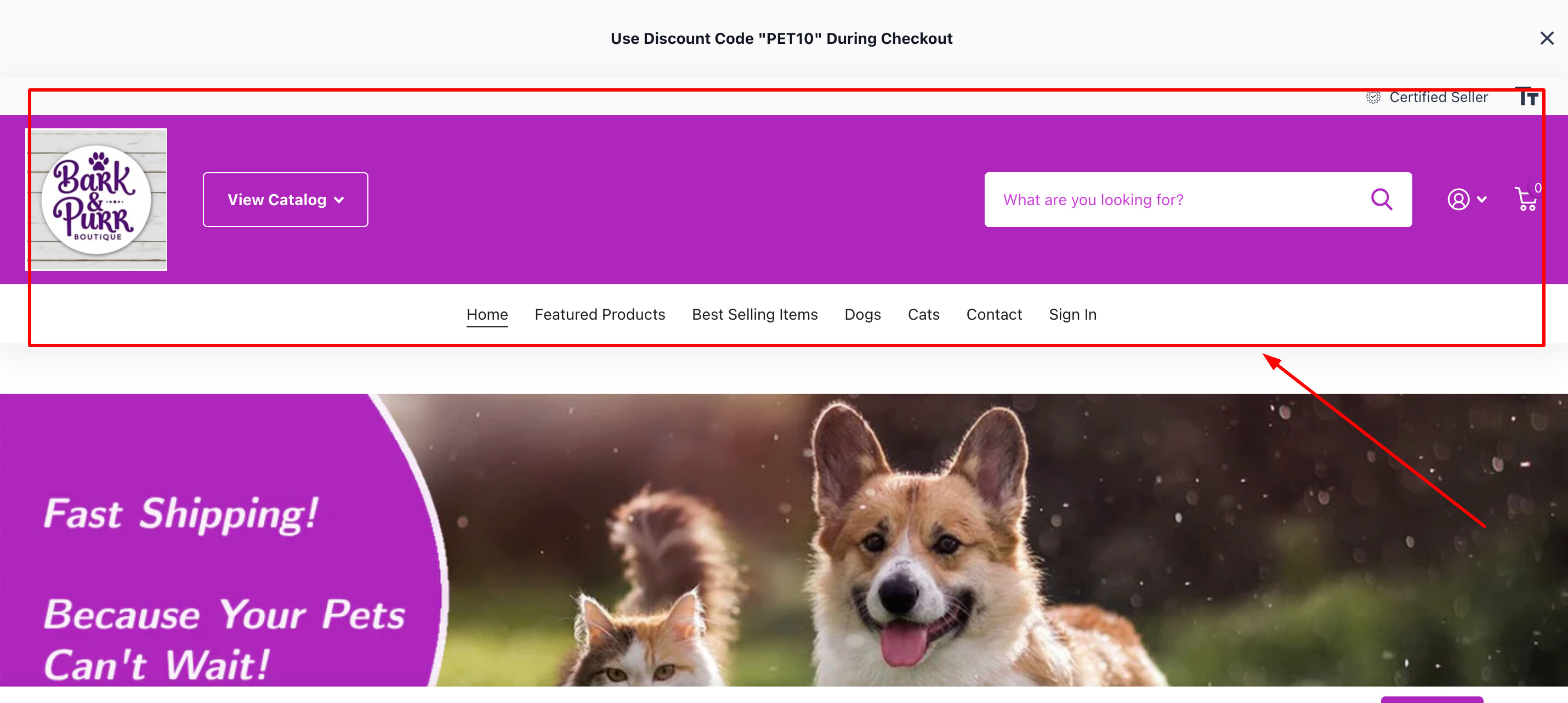
  • Hero banner messaging: The banner is eye-catching, but consider adding a stronger value proposition like “High-quality pet accessories with Free Shipping on orders over $X” to create urgency and highlight key selling points.

  • Trust signals: Since your store is new, adding trust-building elements like customer testimonials, security badges, and a “Money-Back Guarantee” statement will help.

2. Sticky product description issue (Xtra Theme)

  • If you’re trying to remove the sticky product description on Desktop, you can try adding this CSS code in your theme’s “Custom CSS” section:

.product-description-container {
position: relative !important;
}

  • Alternatively, go to Online Store > Themes > Edit Code, find the relevant CSS file (likely in the “assets” folder), and modify the position property.
  • If the issue persists, you may need to check Xtra theme settings or contact their support.

3. Social proof & trust signals

  • If you don’t have reviews yet, import reviews from AliExpress or add a review section to encourage purchases. You can try to install a Review app from the Shopify App store (such as Judge.me, Fera, LAI) to import reviews.
  • Add real pet images from customers (User-generated content) to make your brand feel more authentic.

Cheers,

Tracy

1 Like

That you both for your feedback! I will definitely apply the advice you gave.

1 Like

Hi @BarkPurr45 ,

I’m Kate from PageFly - Shopify Advanced Page Builder App.

Generally, I love your store’s design, it looks classic but professional. From my CRO expertise, I’d love to give you my suggestions as hereby:

1. Enable Sticky Header

To improve user experience, especially for product searches, consider adding a sticky header. This would keep the search bar readily accessible, preventing the need for excessive scrolling. Beside that, consider shrinking the logo in your sticky header. It takes up a lot of screen space when scrolling, which could be better used to display your products.

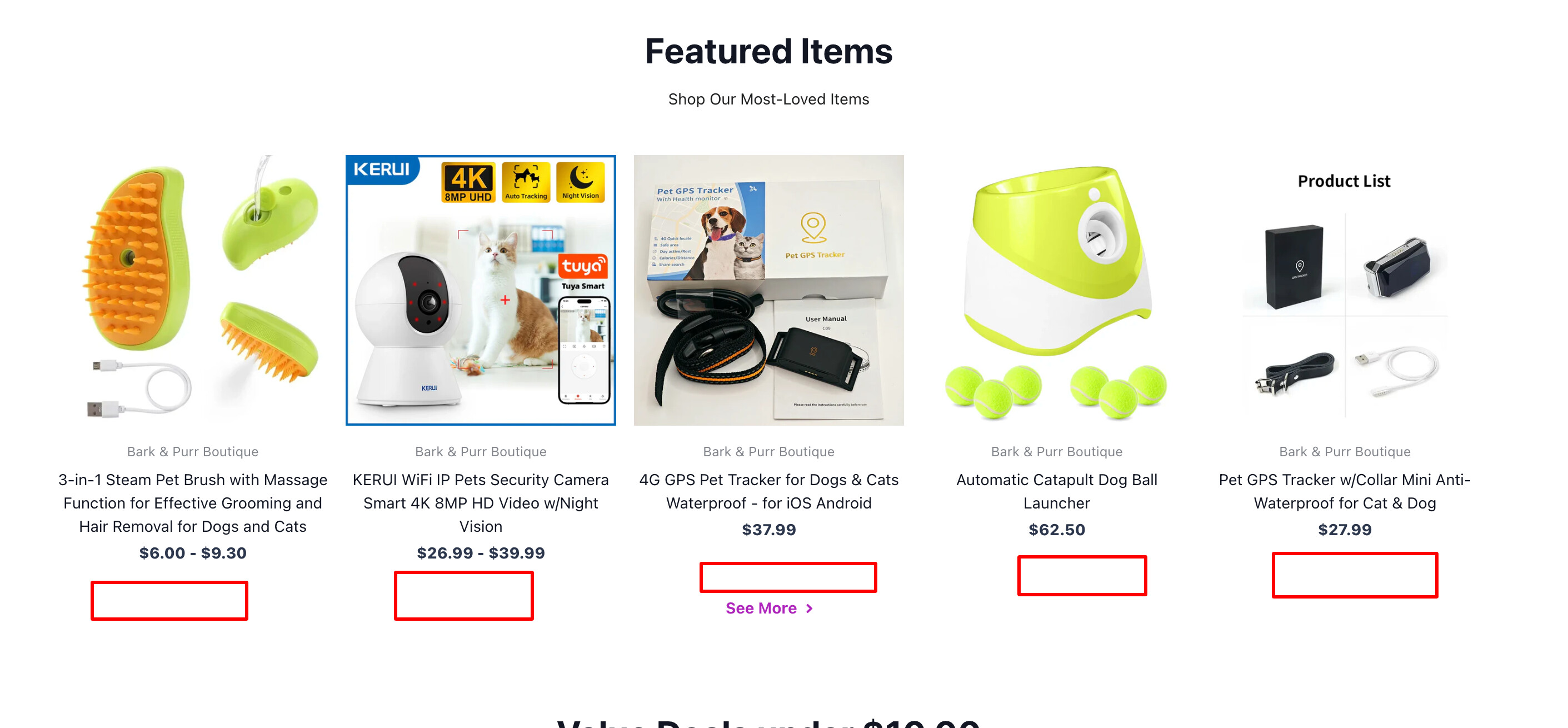
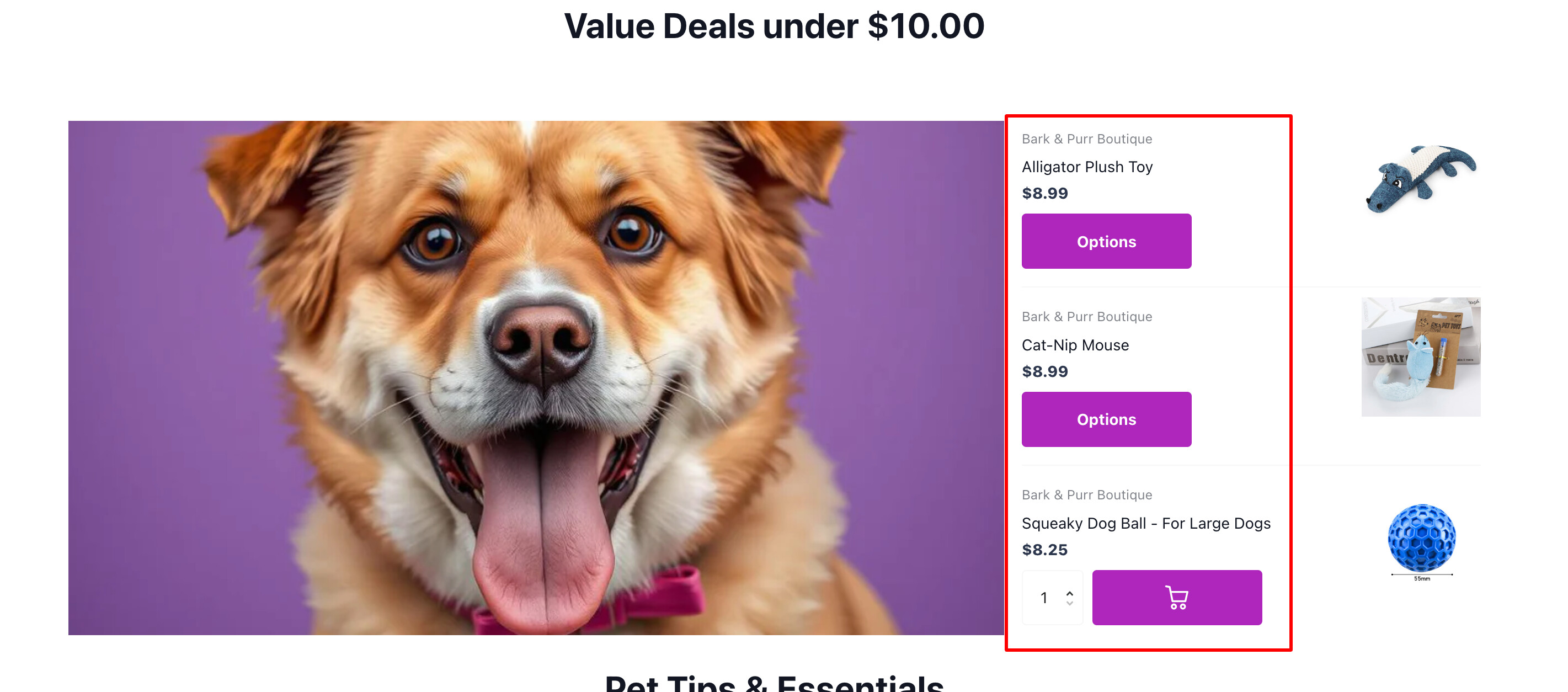
2. Make it easy for users to find and interact with Add-to-cart buttons

To streamline the shopping experience and boost conversions, it’s essential to integrate prominent ‘Add to Cart’ buttons directly into the product listing. This allows customers to quickly add items without navigating to individual product pages, significantly reducing friction.

3. Structure the page with clear and consistent alignment

Our eyes naturally follow patterns. Consistent alignment creates visual pathways, making it easier for users to scan and understand the content. In this section, vertical alignment of buttons creates a clear and linear flow, making it easy for users to understand the available actions. For a more organized appearance, arrange the buttons in a vertical stack and place the quantity input field to their right

  1. Add more sections
  • Product details: One of the best-sellers from your store should be showcased to catch more attention
  • Instagram feed: Your Instagram content adds a fresh feel to your website by showing you’re active online and interacting with your customers.
  • Testimonial - customer reviews: This section will help you build customers’ trust. You can show rating stars for each product or you can add customer reviews as text and photos. Here is a demo for you:
  • Benefit section: Adding a benefit section in the middle of the homepage will give your customers a reason to purchase from you instead of the competition. This helps reduce the bounce rate and increase the likelihood of purchase

And that’s my feedback! Hope it helps you boost the conversion rate.

Cheers!

Kate | PageFly Team

1 Like

Hi @BarkPurr45

Thanks for reaching out to the Shopify Community! I’m Donna from MooseDesk , your go-to Live Chat, WhatsApp and FAQ App here to help you enhance your customer support experience

Congrats on your store! I can tell you have put a lot of effort into building this. Here are some of my recommendations for better customer experience, please kindly check:

  1. Sticky Navigation

The website’s navigation menu disappears when users scroll down, forcing them to scroll all the way back up to access categories, the cart, or other key sections. This disrupts the browsing experience, especially on mobile, making it harder to navigate quickly.

=> So you could implement a sticky navigation bar that remains visible while scrolling will improve usability, reduce frustration, and enhance the overall shopping experience.

2. Homepage Lacks Social Proof
The homepage does not display customer reviews, the number of products sold, or buyer feedback. Adding testimonials, reviews, or real purchase counts will help build trust and credibility with potential customers.

3. Add a Live chat Support

I can see that your website lacks a help widget and live chat feature to allow customers to contact you immediately. How about having a powerful live chat to assist potential customers instantly, addressing their questions or concerns in real time? This can help prevent abandonment and encourage purchases

I suggest exploring MooseDesk, a FREE Live Chat, WhatsApp & FAQ App. You can easily reach customer support via WhatsApp, ensuring immediate assistance for inquiries. Also, the widget provides multi self-Service options such as Order tracking, Translation and FAQ section empower customers to resolve common questions on their own, reducing the need for direct support.

—————

As an enthusiast in UX, I recommend implementing these changes to improve customer experience when scrolling through your store.

If this is helpful for you, please let me know by giving me a ‘LIKE’. If your question is answered please mark this as 'SOLUTION’.

Thank you for reading. Wish you a nice day ahead!

1 Like