Hi, since Shopify doesn’t let me add google’s conversion tracking code to the cart/checkout - how can google track my purchase conversions?
Thank you
A Shopify store owner needs to track Google Ads purchase conversions but cannot add tracking code directly to checkout pages due to Shopify’s security restrictions.
Primary Solutions Offered:
Google Tag Manager (GTM): Multiple respondents recommend GTM as the main solution, involving:
Shopify’s Google & YouTube App: Native integration that automatically sends purchase data to Google Ads, though noted as potentially less accurate than manual GTM setup
Third-Party Apps: A Shopify app (Nabu for Google Ads Pixel) was suggested for non-technical users, offering 1-click installation without theme modifications
Enhanced Conversions: Recommended for pulling purchase data automatically from Shopify to Google Ads
Additional Notes:
Hi, since Shopify doesn’t let me add google’s conversion tracking code to the cart/checkout - how can google track my purchase conversions?
Thank you
You can do so using my code, explained in the video below

Emmanuel has already provided you with the answer.
In case you are not proficient with coding, and, if you are okay with viewing all your conversion tracking analytics (that stem from Google ads) within Shopify itself you can use a Google ads conversion pixel like Nabu for Google Ads Pixel.
It offers a 1-click installation of Google ads conversion pixel, and also, no theme file changes are required. And you do get support for tracking important customer actions like add-to-cart, begin checkout, etc., and even enhanced conversions.
Shopify locks down the checkout for security, so you can’t manually add tracking scripts there. But you can still track conversions using Google Ads Conversion Tracking via Shopify’s Google & YouTube app or Google Tag Manager (GTM). If you’re on Shopify Plus, you can add custom scripts in the checkout. Otherwise, set up Enhanced Conversions in Google Ads to pull purchase data from Shopify automatically. Also, double-check that your Google Merchant Center and Shopify are properly linked for seamless tracking
Here some links that you can view:
https://www.youtube.com/watch?v=E_XKpPILV9c
https://support.google.com/google-ads/answer/13494537?hl=en&
Hi Bath4all,
You can track the purchase event for google ads with Google Tag Manager GTM.
this process consists of 4 major steps:
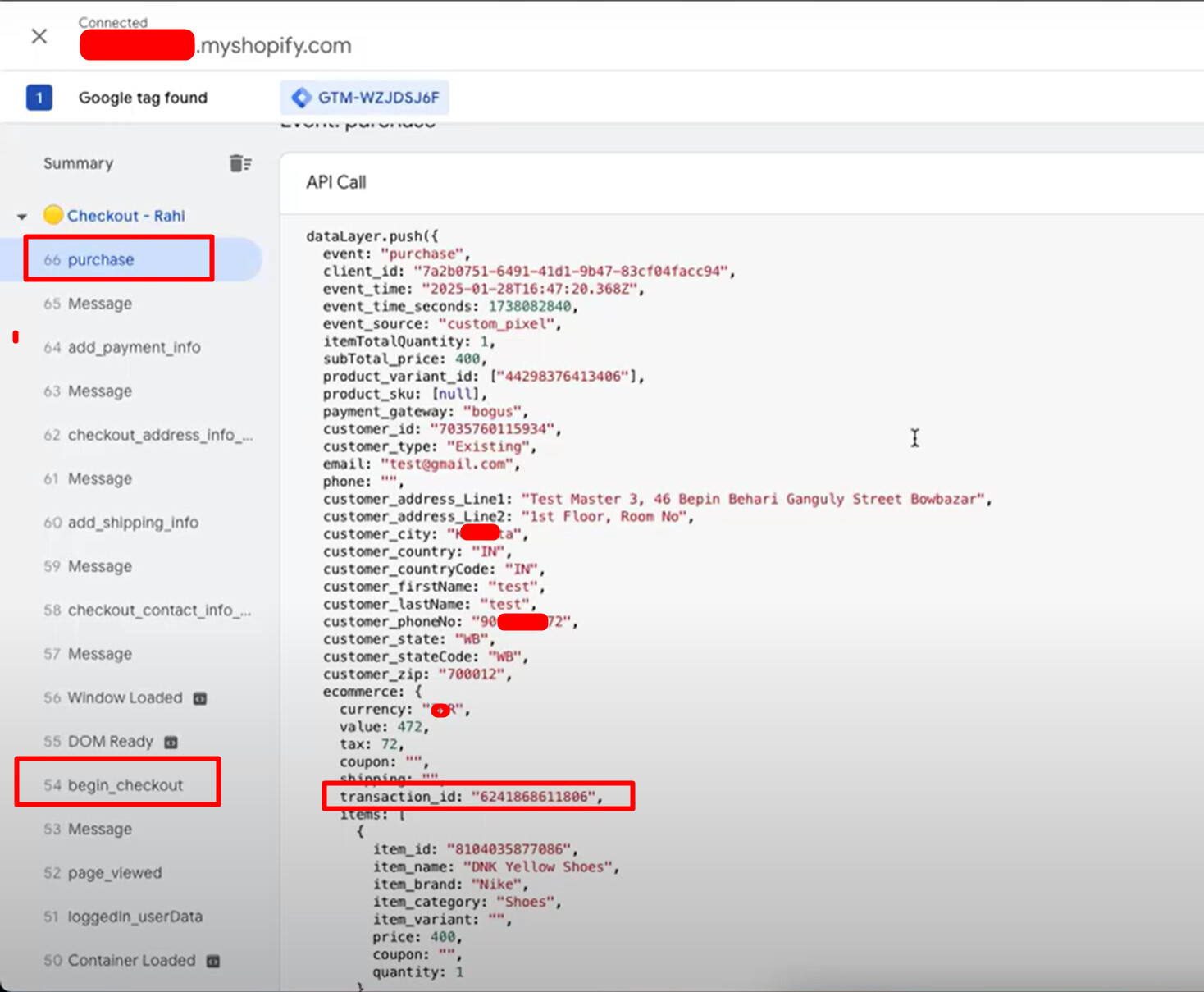
Creating custom datalayer in custom pixel
Datalayer variables for event parameters( value, currency, transaction ID, and so on)
Trigger for every event( purchase or checkout)
Event tag for each event you want to track as you want to track purchase you would need only purchase event tag. assigning the datalayer variables and trigger to fire the tag.
Feel free to ask if you have any questions.
Thanks
Sent you an email. Thanks
Hi @Bath4All
Shopify doesn’t allow direct code edits in checkout (unless you’re on Shopify Plus), but you can still track conversions effectively. Here’s how:
Best Solution? For me, GTM + GA4 setup gives full control without needing Shopify Plus. If you’re running serious ads, use server-side tracking for more accuracy.
Yes, Google Ads can still track your Shopify Google Shopping purchases even though Shopify doesn’t let you add conversion tracking code directly to the checkout.
The best way to do this is by using Google Tag Manager (GTM) and Google Analytics 4 (GA4) to set up purchase conversion tracking. Shopify sends purchase data to GA4, and then GA4 can send that data to Google Ads using conversion imports.
Another option is to use Shopify’s Google & YouTube app, which automatically tracks conversions and sends them to Google Ads. However, this method is limited and may not be as accurate as setting up tracking manually with GTM and GA4.
If you need help setting up proper conversion tracking, I can guide you through it. Let me know what you’ve tried so far!