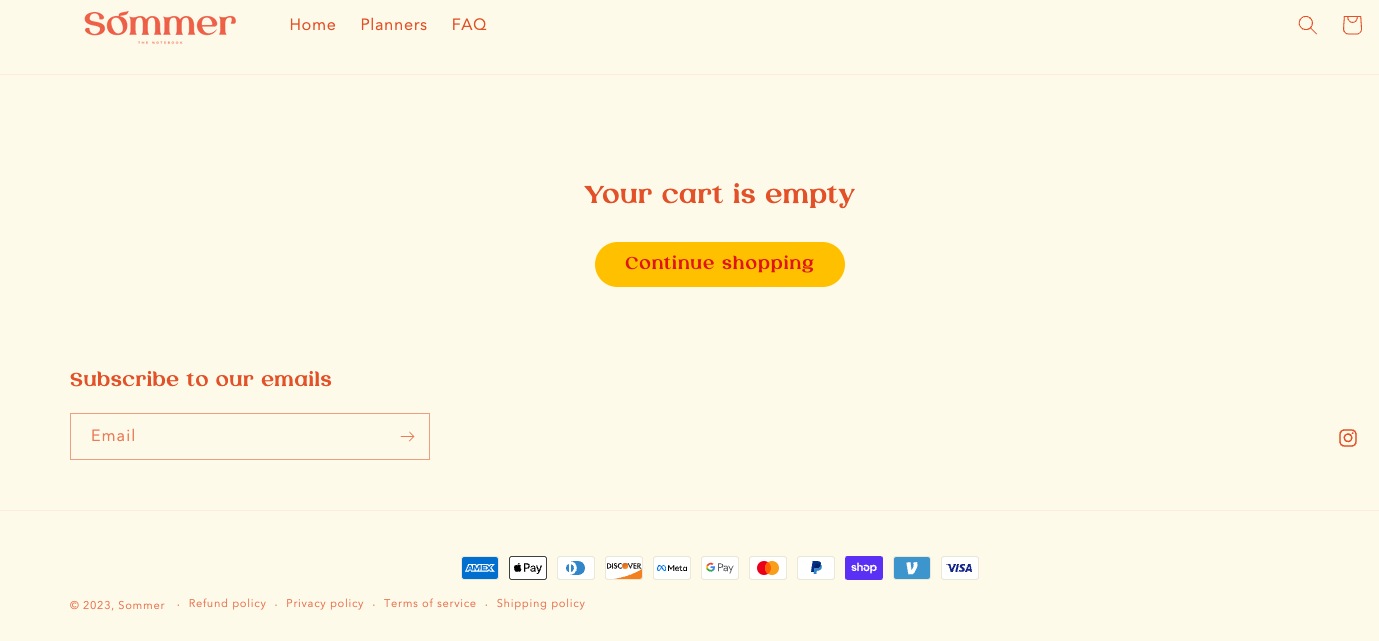
When my cart is empty, a blank white box seems to appear. How may I get rid of this or at least change the background of it?
url: sommerholic.com
passoword: xoi28
Thank you
A user encountered an empty white box appearing on their cart page when no items were in the cart (Dawn theme).
Initially, a suggested CSS solution moved the white space from the main area to below the footer.
Resolution: The user successfully resolved the issue independently by applying custom CSS targeting .cart__warnings with a min-height: 550px property. This extended the background in the middle section when the cart is empty, eliminating the unwanted white space.
When my cart is empty, a blank white box seems to appear. How may I get rid of this or at least change the background of it?
url: sommerholic.com
passoword: xoi28
Thank you
Hi @xoi28 ,
You can try this code by following these steps:
Step 1: Go to Online Store->Theme->Edit code.
Step 2: Search file theme.liquid
Step 3: Paste the below code at the bottom of the file → Save
Hope my solution works perfectly for you!
Best regards,
Oliver | PageFly
Hi, now the white part seems to appear at the bottom after the footer… Any possibilities I can extend the background in the middle for 500px in case the cart is empty?
No worries! I managed to fix it using .cart__warnings {min-height:550px;}
Really appreciate the help!
you are welcome. if you have any issues then please let me know. thanks