Hi,
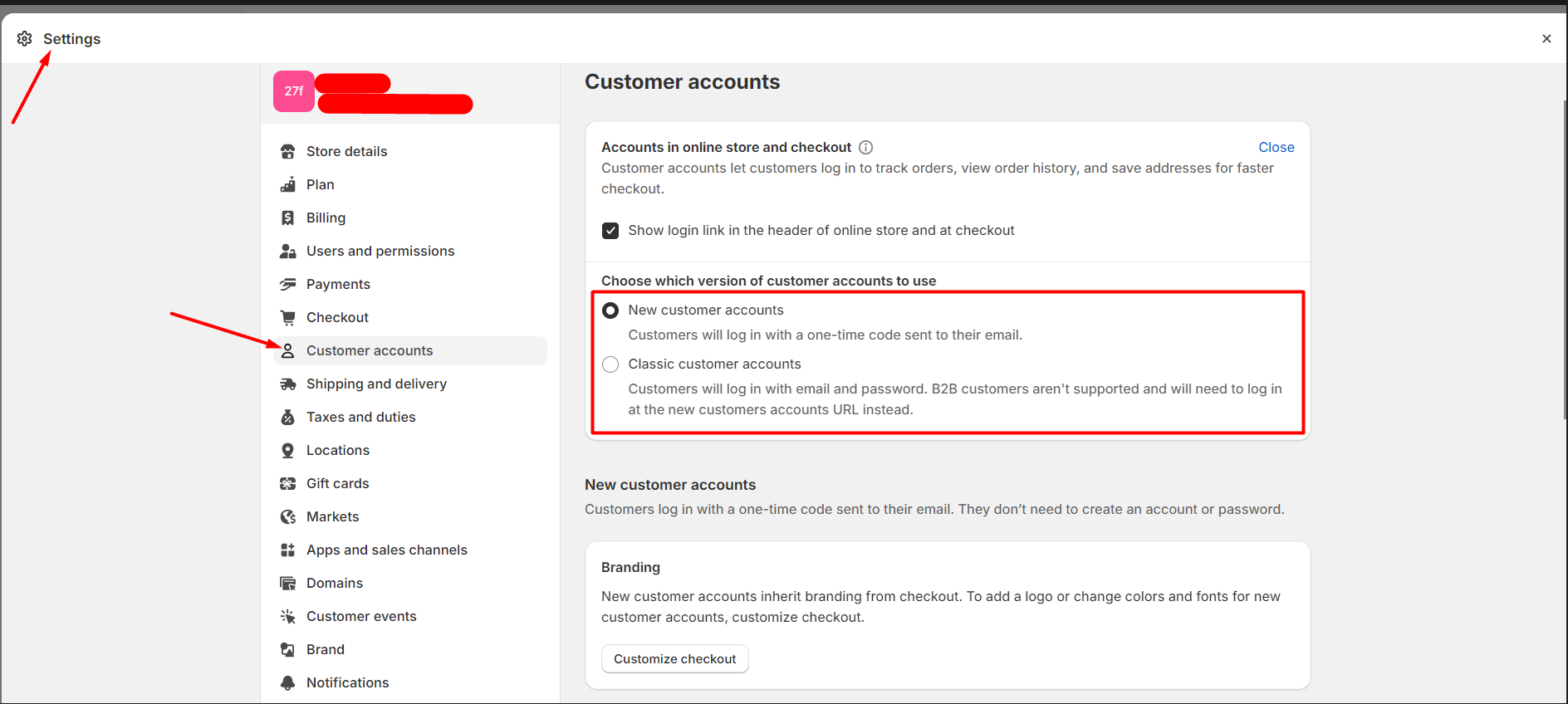
The shop enabled New customer accounts (Refer to screenshot 1). Many customers signed up for the store via email one-time code and I saw all the customer state values are "disabled" in Customer API (Refer to screenshot 2). - This is correct?
I expect the customer state should be “enabled” because the customers can be able to view their profile and order details on the My Account page.
As per the Customer API document, If the state is “disabled” it means the customer doesn’t have an active account. (Refer to screenshot 3). But above case, the customer can view the profile page and order history.
Thanks,
Jay
1 Like
Hey @AppsMav !
This is definitely an interesting note and something our team has also run into when exploring new customer accounts. It seems that the “state” field is specifically only relevant to classic accounts, new customer accounts seem to not use this at all and the accounts never get marked as “active”.
Unfortunately as far as I’ve seen, there’s not really any documentation of this, but that’s what we have seen from exploring this ourselves.
1 Like
Is there a way to identify if a customer is coming from new customer account?
1 Like
Hello! did you ever get this fixed?
I’ve run into exactly the same issue.
All customer have state “DISABLED”, even though they are verified customers.
The state of the customer’s account with the shop.
Please note that this is only meaningful when Classic Customer Accounts is active.
It means that you can’t use this state to determine whether an account is active or not for New Customer Accounts.
We just recommend using a classic account to determine whether an account is active or not. If not, you can handle it by the last login. When a customer logged in on the storefront side, you can save this information and mark it as an active account.