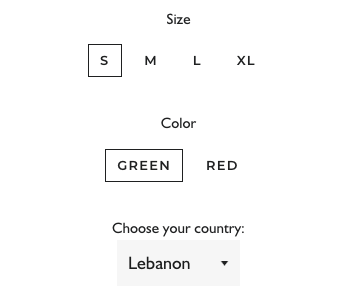
My website currently uses Brooklyn theme, but I want to switch it to Dawn. We offer customizable clothing, so we need certain fields for customer to choose from. One is a text field where people can type their name, and other is drop down menu, and also a checkbox. I’m attaching pictures from my current theme of how it looks like.
I am aware of the fact that there are free/paid apps that can help me with this, but I’d prefer to go the same way as I went with Brooklyn.
@JHKCreate I actually have noticed today that even though the line property I created is required and suppose to show at checkout it does not do that and customers are able to put item in cart without typing their name, and if they do type it, the item in cart doesn’t show the personalization.
This was useful. Just another question.. what if I want to add a cost to the customizable option for e.g. monogramming - if the customer selects it I want to add an additonal charge to that
That was earlier doable in debut. How will it work in dawn
Hello, I am actually facing an issue with adding custom text fields with the Impulse theme. I followed the same tutorial but can’t find the code type=“submit” in product.customizable.liquid