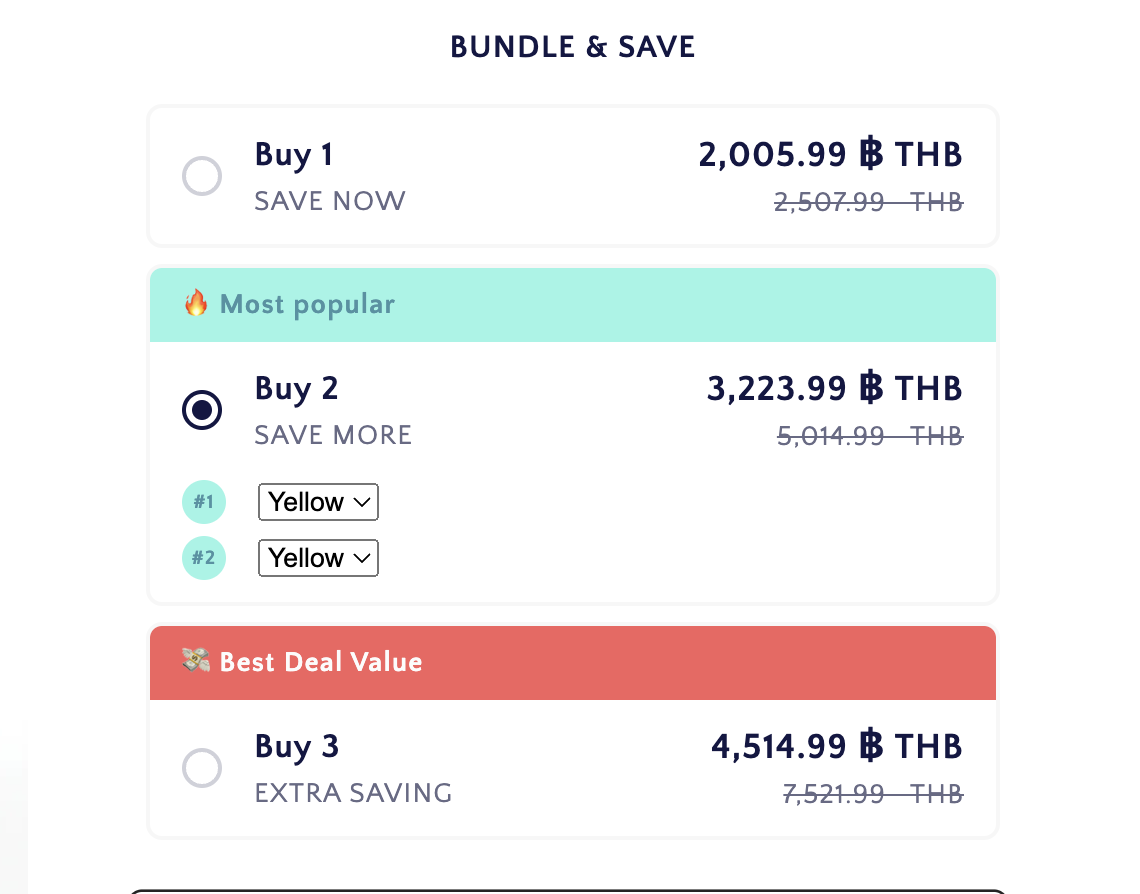
I use Upsell Koala Bundles for volume discounts.
Although the compare price and the discounted price in the product page is correct, I am facing some difficulties in the cart page.
There is like the price/item under the product selected in the cart page. I want to remove that because it is very messy when I use my phone to check.
I also want to edit the compare price to be the same as shown in product page.
Please assist me step by step.
The picture show the cart page viewed on phone and laptop. The red circle i the compare price that i want to edit. The orange circle is price per item, I want to remove it completely for all products.
I just like to clarify, you like to remove the total prices after the quantity added? You circled yellow is the original prices per 1 items, the circled red/orange are the total amount of the added quantity of the items. If you remove the circled red/orange how would the customer knows the total amount of more items they add? And you have discounted price when its doubled.
I only want to remove the price per item because as you see in the second picture that i took from my phone, it showed 4 prices and it will make customers confused. additionally, the compare price is wrong, If you would like to see you can check my product page and cart page by adding items. https://findla.co/products/choking-rescue-device.
I want to remove the price per item because as you see in the second picture that i took from my phone, it showed 4 prices and it will make customers confused. additionally, the compare price is wrong, If you would like to see you can check my product page and cart page by adding items.
You could see the unmatched compare price in the product page and the cart page. https://findla.co/products/choking-rescue-device.
can you check how to have matching compare price. As you can see on the picture, they are different. I also want to cross out the compare price in the cart page, so that customers know they are getting discount.