ok so let’s say I have 8 heat press transfers and 2 different color t shirt I’m goin going to offer and each color t shirt I have 10 so that makes 20… how can I stop selling at 8? Not overselling what I don’t have — I hope this makes sense lol someone please help!! How would I keep track of both heat transfer and t shirt separately? HELP! It’s driving me crazy lol
The concept revolves around designating the Heat Press Transfer as the primary product. Begin by establishing a T-shirt product with a quantity corresponding to your Heat Press Transfer needs (e.g., 8 units).
Subsequently, generate the T-shirt’s color variations as distinct products. Transform these color options into custom options for the main T-shirt (Heat Press Transfer) product, facilitated by the app .
Prepare your products: a T-shirt (Heat Press Transfer - quantity = and an additional T-shirt product (hidden on the storefront) featuring 2 color options without pricing.
Install the app and create an option set.
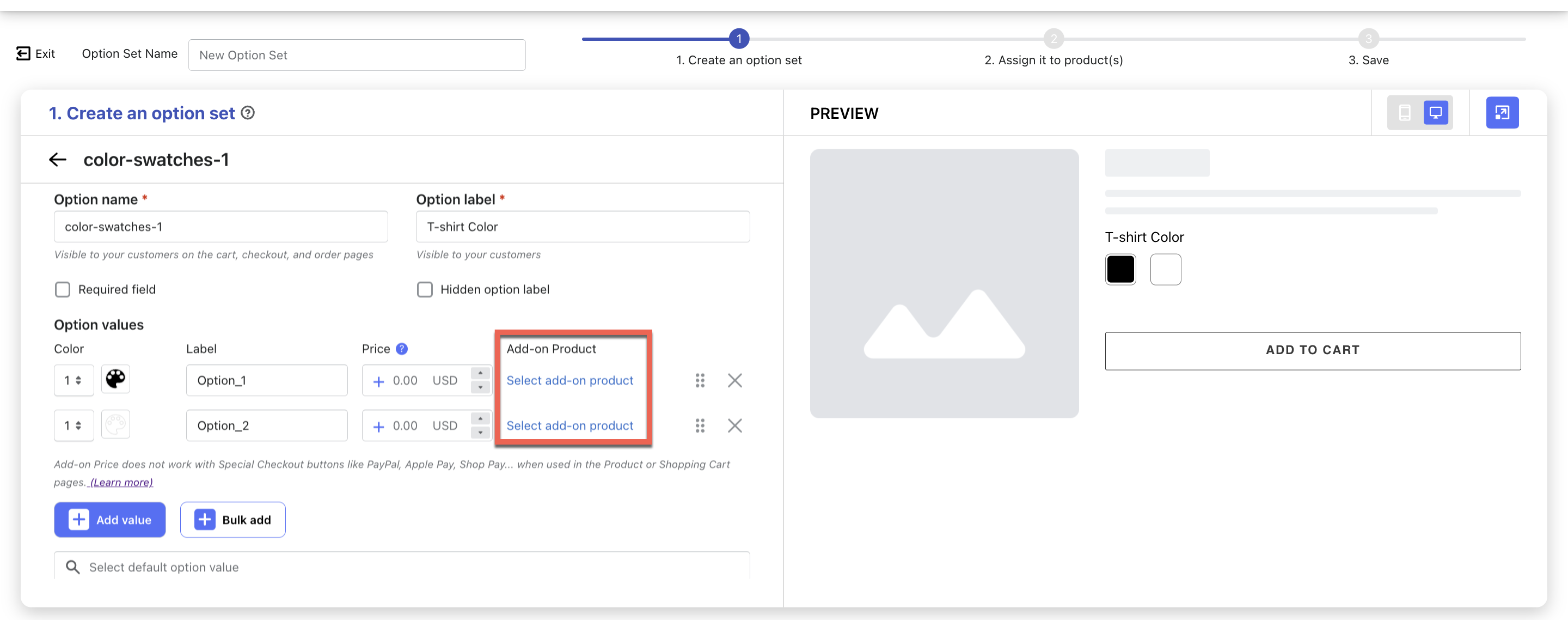
Add the T-shirt Color options, selecting an appropriate option type like Image Swatches, Color Swatches, Buttons, or any of the 26 available types.
Link the Color options with your T-shirt product’s color variants:
 .
. and an additional T-shirt product (hidden on the storefront) featuring 2 color options without pricing.