Hello,
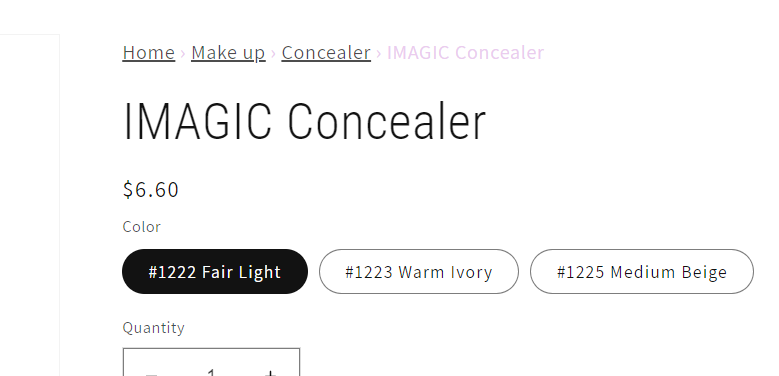
I have managed to add breadcrumb code to my online store, however, i would like to fix the styling of it as can be seen below,

Here is the code: https://pastebin.com/g7CB4jcV
Website URL: https://cosmoholics.store
Many thanks in advance!
Hello,
I have managed to add breadcrumb code to my online store, however, i would like to fix the styling of it as can be seen below,
Here is the code: https://pastebin.com/g7CB4jcV
Website URL: https://cosmoholics.store
Many thanks in advance!
@Fouche , do this to fix it in 20 seconds:
.breadcrumb a{
    color: rgba(var(--color-foreground),.75) !important
}

.breadcrumb span:not(a){
    color: #eaccee !important;
}
#eaccee = purple hex color
If it helps you please click on the “like” button and mark this answer as a solution!
Thank you.
Kind regards,
Diego
Thank you! the above worked. @diego_ezfy