AryavK
1
Hi Support Team,
STORE URL: www.faithandyou.in
THEME: refresh
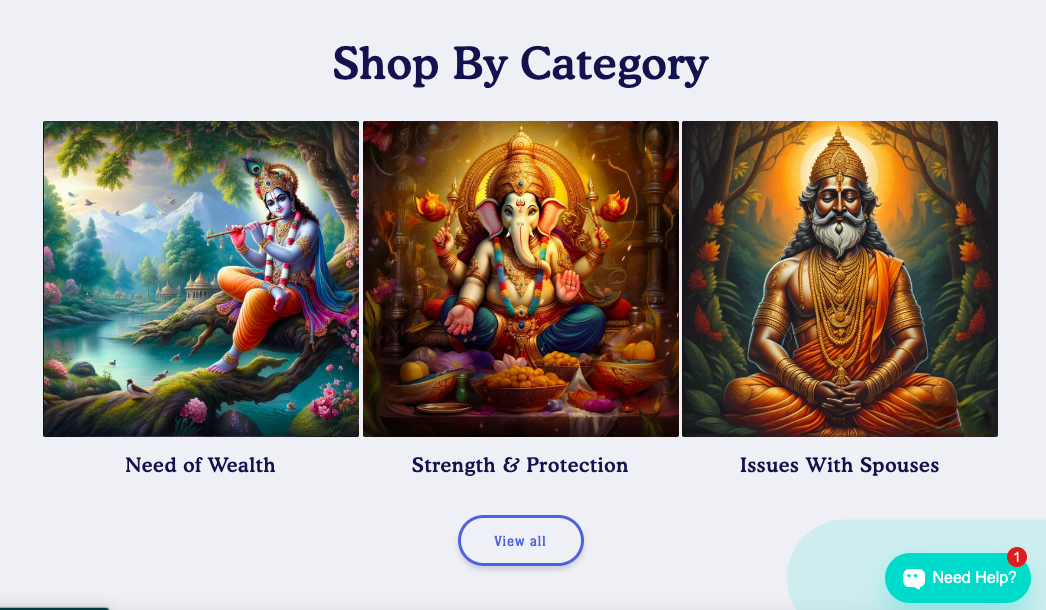
Pls change my collection list view all button from blue to black, it does not fit into my store.
and do not reply @florenceharry
you talk so rudely,
can a real shopify expert help me out with this
Thanks!
1 Like
Inside your file called base.css on line 1250 add the following code:
color: black !important;
    --border-offset: none !important;
    border: 3px solid #000 !important;
The code should look something like this:
.button,
.shopify-challenge__button,
.customer button {
  display: inline-flex;
  justify-content: center;
  align-items: center;
  border: 0;
  padding: 0 3rem;
  cursor: pointer;
  font: inherit;
  font-size: 1.5rem;
  text-decoration: none;
  color: rgb(var(--color-button-text));
  transition: box-shadow var(--duration-short) ease;
  -webkit-appearance: none;
  appearance: none;
  background-color: rgba(var(--color-button), var(--alpha-button-background));
  color: black !important;
  --border-offset: none !important;
  border: 3px solid #000 !important;
}
Result:
AryavK
3
you are the goated G 
YOU ARE BETTER than everyone
thanks bro,
you are the best
2 Likes