Hi there,
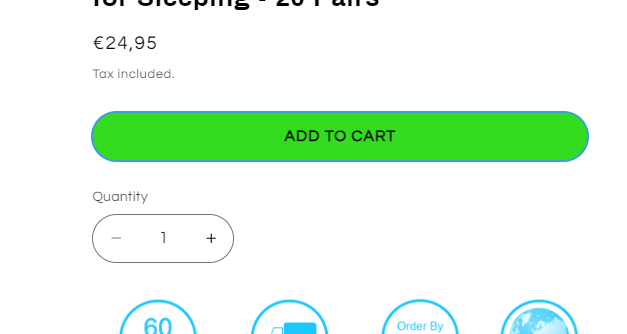
how can i move the quantity selector to left side of the add to cart button. Both should have the same size and “count” naming of quantity selector should not be displayed. I am using refresh theme.
Hi there,
how can i move the quantity selector to left side of the add to cart button. Both should have the same size and “count” naming of quantity selector should not be displayed. I am using refresh theme.
Hello @flo3393
Can you share store url?
https://www.jamocards.de/products/pokemon-sv1a-triplet-beat-30er-display-japanisch
I have a part done. But the quantitiy selector and add to cart has to be same heigh. Can you have a look?
Hi @flo3393
Is this solve? The quantity and the payment button is same height.
this is for the quantity, 4.5rem
And the payment button 4.5rem.
I fixed it i think. Can you have a look that the Add to cart button should be on complete witdh to the right because on some resizings it is not complete witdth?
Yeah, sure this is in the mobile screen right?
Adding this code in the base.css.
@media only screen and (max-width: 749px){
.product-form__buttons {
    max-width: 100%;
}
}
And save.
if not working add !important.
Result:
Please don’t forget to Like and Mark Solution to the post that helped you. Thanks!
Will try later. Can you have a look on payment icon section as well? In some smaller screen sizes one icon is placed in new line but should be all in one line.
That is normal when the screen gets smaller it will squeeze.
Not possible that icons will get a little bit smaller automatically so that they will fit in one line?
Hello, I tried adding this at the bottom of my base.css file but it didn’t do anything? Am I putting it in the wrong place?
Hi @sleepyd
Would you mind to share your store URL? Thanks!
Thanks for the info, check this one.
From your Shopify admin dashboard, click on “Online Store” and then “Themes”.
Find the theme that you want to edit and click on “Actions” and then “Edit code”.
In the “Assets” folder, click on “base.css, style.css or theme.css” file, depending on which file your theme uses to store its CSS styles. At the bottom of the file, add the following CSS code:
form .product-form__buttons {
    max-width: 100%;
}
And save.
Result:
Thank you for taking the time to respond @Made4uo-Ribe I tried adding the code to the Base.css file as that was the only one available, unfortunately nothing happened when I saved it.
These are the css options I have:
Try this one then.
Go to Asset find > section-main-product.css > and look for the code below.

You can check by the number or control+F then typen the “.product-form__buttons”
change the 44rem into 100% like this below.

be sure not remove another sign or add more. must be same in the image sample.
And Save. Resfresh browser for preview.
Thank you again for your help, I implemented the change but unfortunately it did not change anything.