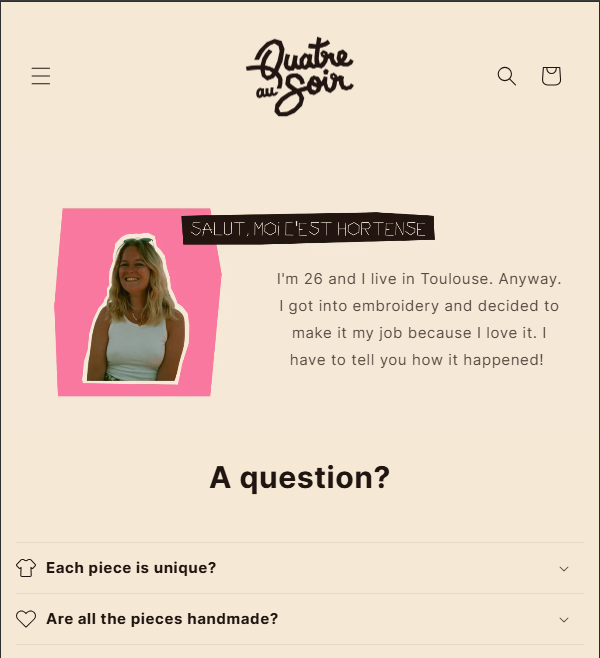
Hi,
I would like to move my banner text to the right, just next to the picture (https://quatreausoir.fr/pages/histoire). Then justify the text to the left. I tried multiple codes but nothing works.
I’m desperate 
Can somebody help me please ?
Hi,
I would like to move my banner text to the right, just next to the picture (https://quatreausoir.fr/pages/histoire). Then justify the text to the left. I tried multiple codes but nothing works.
I’m desperate
Can somebody help me please ?
Hi @HT23
Try this one.
section#shopify-section-template--23161487393033__image_banner_XPKRJw .banner__box.content-container {
    width: 60%;
    background: transparent;
}

section#shopify-section-template--23161487393033__image_banner_XPKRJw .banner__content.banner__content--middle-center {
    justify-content: flex-end;
}

@media screen and (max-width: 749px) {
section#shopify-section-template--23161487393033__image_banner_XPKRJw .banner__content.banner__content--middle-center {
    position: absolute;
    right: 0;
    top: 50%;
    bottom: 30%;
}
}
And Save.
Result:
Your Feedback Matters! Please mark the solution and give likes to posts that helped you. Your appreciation fuels our motivation to assist you better!