Hello,
I want to remove the green sold out bubble on the bottom of my thumbnails on the collection page. However, I can’t seem to get rid of it.
I have tried these three lines of code (indiviually):
.product-badge .product-badge-unavailable {display: none;}
.collection-list .product .badge–sold-out {display: none;}
.collection-list .product .pl-image{display:none;}
I put them in theme.liquid and in base.css as i do not have a Theme.css.
website is: p-ack.com
Can you help me with a problem I am having with my Dawn theme? I can pay you if needed. It is a separate issue but should hopefully be easy for someone that knows what they are doing
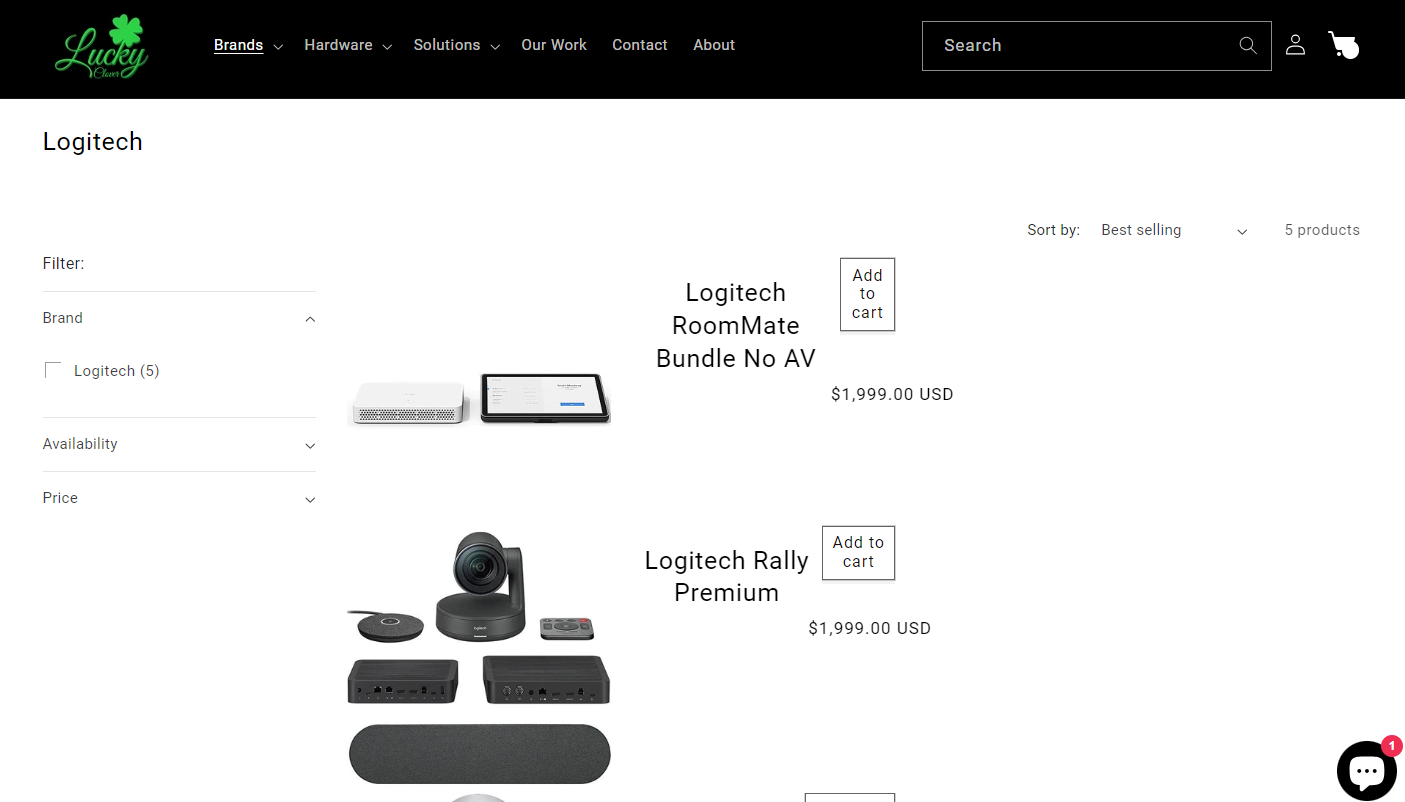
I want my product in the collection to look like this. With the description and add to the cart right of the product image instead of below. I have tried many things but have not been successful
I have one more question actually. I want to move the price above the add to cart and then move the add to the cart to the right. I am close but have a feeling I am missing something in the CSS file or Liquid. How can I move the cart more right and price above it so they are always aligned.