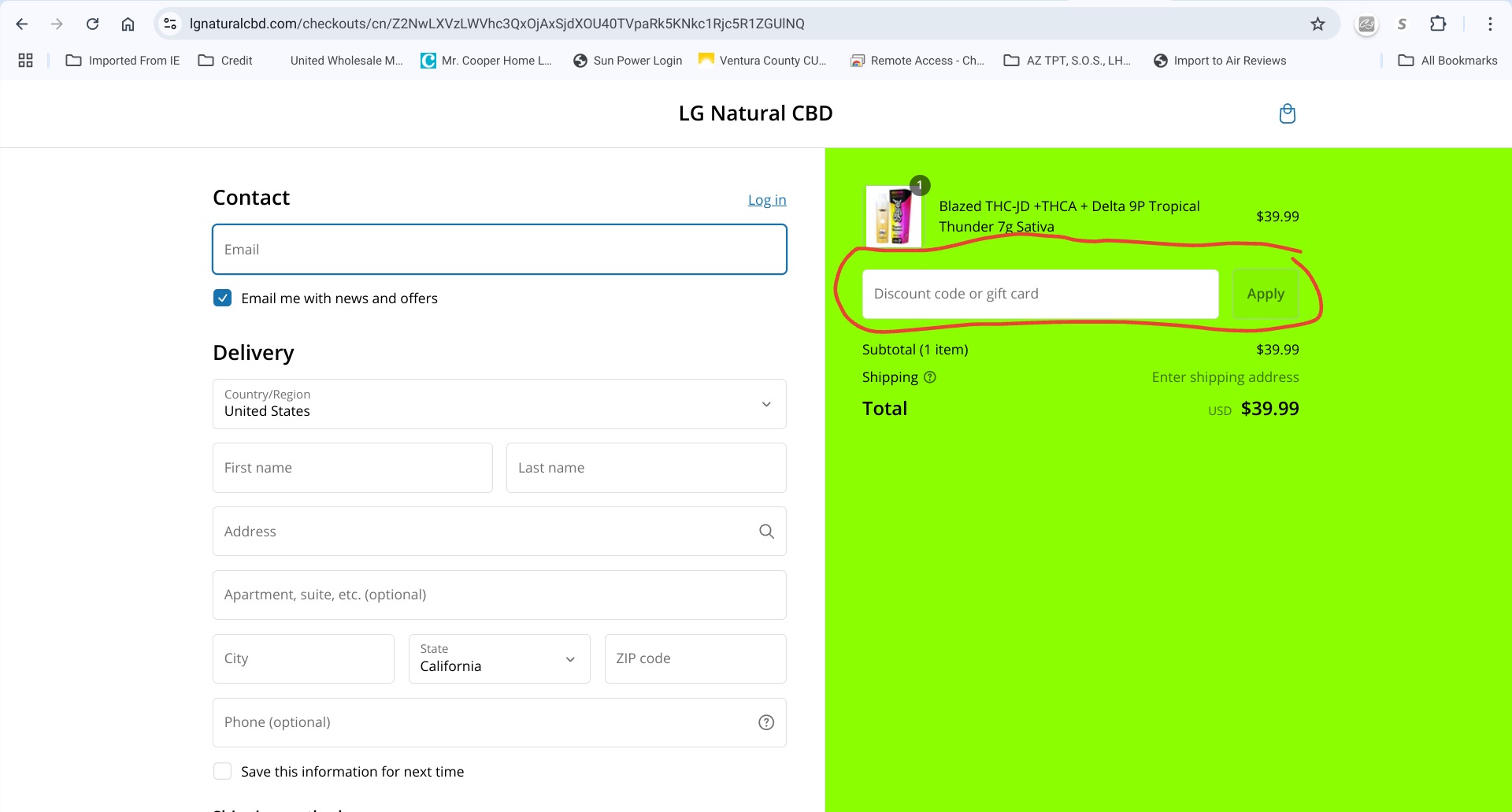
I am having trouble with creating a url that takes customers directly to a product page and applies a buy x get y discount. It is important to note that this discount gives you “product y” free when you purchase $50 worth of other items. I have tried using this format:
https://“myshopifystore.com”/products/"producthandle"/discount/“discountcode”
This will take me to the “product y” page however when I add it to cart and continue shopping to add $50 dollars worth of other products the discount does not carry over to checkout. It seems like at some point in navigating around the product discount is lost. Please note that If I manually add the discount code it works but I would like it to be an automatic thing.
Any suggestions on what I can be doing wrong?
You should be able create the buy X and get Y free in the Discount section of the platform. It automatically applies the discount at checkout if you set it up to do so in the Discount secrtion first, but it does not redirect buyers to the page that shows what product they’re getting for free. On the page with item X create a hyperlink that redirects to the page where free item Y is located or put a photo of item Y on the same page as X then you can hyperlink the name of the item that takes you to that free item. To the best of my knowledge a picture of the free item does not pop-up at checkout.
If you want item Y to be a pop-up window only as the free item then you need to add coding or buy a pop-up app in the Shopify app store where no coding is needed.
Sorry this is not what I would like to happen. I just want the link I made to take me to item y so it can be added to cart. It should also apply the discount once $50 dollars in other items are added to cart. This discount is having to be entered manually
1 Like
Then your hyperlink should be the landing page of the item you want to add to the cart. The discount is applied automatically when the pre-set $50 amount is reached on the purchase. You can create that $50 Discount on total purchase in the the Discount section where the discounts are created.
This is what I am trying to accomplish but it is not working. The discount code is not automatically applying when the link is followed. The link I am using looks like this where the discount I created is a buy x get y discount and the product handle is for the free product I am trying to give for a $50 order. When I get to checkout page with the $50 dollars worth of product and product y the discount is not there.
https://“myshopifystore.com”/products/"producthandle"/discount/“discountcode”
The hyperlink doesn’t activate the discount, it can only link you to another page. The Discount section creates the discount and it is automatically applies the discount to the product you pre-select in the Discount section when you enter a certain dollar amount in the Discount section to trigger the free purchase for that item. The platform automatically does it for you at checkout, you don’t have to enter anything. When the dollar amount threshold is met the discount automatically activates and applies the discount to the product at checkout that you previously programmed the buy X get Y free discount. This is my page advertisement: https://lgnaturalcbd.com/pages/buy-1-get-1-free
See my photo. I have it set up to automatically give the product Y for free if the product is placed in the cart with product X and checkout has begun.
1 Like
My is not an automatic discount. I require a discount code (see photo). I do not want it to auto apply I want to be able to send the code and link wit code embedded to select customers. This is why I want the URL I have been asking about to work. That URL according the shopifys documentation should take me to the product page and apply the discount at checkout if terms are met.
Put the discount code on the product page for item X and item Y for your customers to see and use, OR create one line on your home landing page that says, "Buy X and get Y at a discount after spending $50. Use discount ABC at checkout. I put both products on one page and hyperlinked the discount product so customers can go there and add that item to the cart. at checkout they just enter the discount code you created in the Discount section of the platform. You create all your conditions there so when customers meet those conditions the discount activates automatically.
Create the discount code, add your conditions then save and activate it. Customers enter discount code at checkout
customers enter the discount code at checkout and discount is applied.
This works. I have don’t have an issue with them adding the code at checkout manually. My issue is this. If I use the below url format. should this make it where the customer does not have to add the code manually? It should auto add?
https://“myshopifystore.com”/products/"producthandle"/discount/“discountcode”
that is correct. Customers enter that discount code at checkout at the discount is applied when the dollar amount is met. You can send the link of the product page to the customers but just put the discount code in the text portion of the email. To the best of my knowledge you can’t link the discount code, only a page. Customers enter the code manually at checkout for the discount to be applied.
my emails link to the products and I display the discount code in the email and tell them where to enter the code. If you feel you can link your discount with the product page, I would chat with the Help Center to see if that is possible
You can’t link a discount to a product page or item if you want your customers to enter the discount code at checkout. Discount won’t activate.
I totally see what you’re trying to do, and YES, it will work and auto add a discount to your product at checkout. I just created one myself!
replace the word “producthandle” with the real product handle of the product being discounted then replace “discountcode” with VHT90MPE30C4. your link will now work automatically after sharing it with specific customers.
Add the discount code to the end of the product link and see if it works.
Try this: https://“myshopifystore.com”/products/"producthandle"/discount=VHT90MPE30C4
Oh…in your link where it says “product handle” Put the name there but it has to be the last part of the product link when you’re on the product page. it has to be written exactly the same. this is an example of a product handle, its after: product/
see photo
Hopefully your new product link worked for you after you entered the name of your product in your discount link. it should work fine if you entered the product handle correctly.
https://“myshopifystore.com”/products/"producthandle"/discount=VHT90MPE30C4
Ngvillar12, I think you’re trying to manually type out your discount link to email to people.
The discount link is already there you just have to copy and paste it from the Discount section where you created the VHT90MPE30C4 discount. Go to Discount → select and open the VHT90MPE30C4 discount, you will see the page where you created the discount. In the upper right corner of the page select Promote, in the drop menu select Get Shareable link, select the button that represents the Product page, then click on Copy Link, email that link to whomever you want to have the discount. When they add that product to the cart you will see the discount, like my example which says VAPE10. I use that link to email and it auto applies the discount when customers add it to their cart.
Good luck promoting and marketing your products.
To test it, paste the link to an empty browser and your product should appear, at it to the cart, then view cart, you’ll see the discount was automatically applied to the product. This is exactly what you want and was trying to explain.
So I used this format (https://“myshopifystore.com”/products/"producthandle"/discount=VHT90MPE30C4) like you suggested. It did not work. It took me to the product page where I added the product to my cart. I then went and added $50 worth of other product and went to checkout and the discount was not applied. It seems like the discount code is lost when I navigate to add other products. I still have to manually type in the code at checkout.