Why isn't my custom Liquid code displaying on my theme?

Topic summary

A store owner is attempting to add custom Liquid code to display an “in stock, ready to ship” indicator with a pulsing animation on product pages. The code works when added as a standalone Custom Liquid section, but displays blank when trying to integrate it elsewhere.

Technical Issue:

  • The provided CSS code appears corrupted or reversed (characters are backwards)
  • Code includes styling for a pulsing dot animation with green background (#45c63a)
  • User wants to place it in the products section “right under template”

Responses:

  • One commenter confirmed Custom Liquid sections are the standard method and asked for clarification on integration goals
  • Another requested the store URL (fashionbtq.com provided) and screenshot to offer exact working code
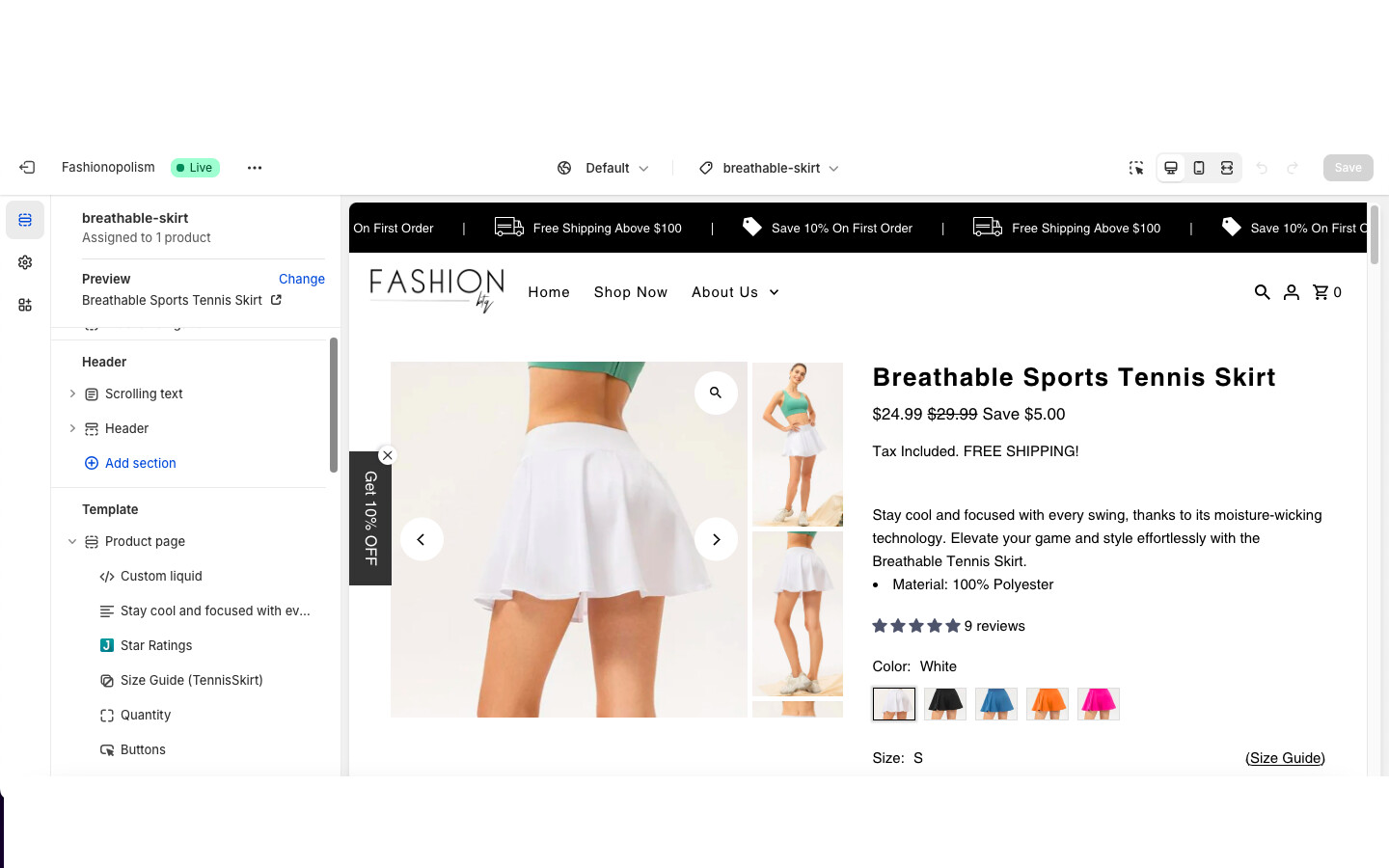
  • A screenshot was shared showing the desired placement location

Status: Awaiting specific implementation guidance based on the store’s theme structure.

Summarized with AI on November 10. AI used: claude-sonnet-4-5-20250929.

Hi everyone, im trying to add custom liquid to my store but it displays only blank and nothing else. When i try to place it as a section then it works. İ tried different codes but it all shows up blank. Can you guys help? Thanks in advance.

Here is the code im trying to put.

In stock, ready to ship
.instock-pulse { display: flex; flex-wrap: nowrap; align-items: center; } .icon--pulsing { position: relative; width: 20px; height: 20px; margin-right: 10px; } .icon--pulsing:after, .icon--pulsing:before { background: #54c63a; width: 10px; height: 10px; border-radius: 10px; position: absolute; left: 0; top: 0; content: ""; margin: 5px; } @keyframes inventory-pulse{ 0%{ opacity:0.5; } to{ transform:scale(2.5); opacity:0; } } .icon--pulsing:before { animation: inventory-pulse 2s linear infinite; }
This code can only be added as a section using the “Custom Liquid” section. What else were you trying to do? If you are trying to merge it with another section, you would have to edit the core file

Hi @fashionbtqstore , can you also share your store URL and a screenshot of where you want to place this “in stock” text? Then I can provide you the exact code that works for your store.

Was my reply helpful? Click Like to let me know!

Was your question answered? Mark it as an Accepted Solution and click like.

Thanks,

Sandesh

fashionbtq.com
im trying to place it in my products section right under template