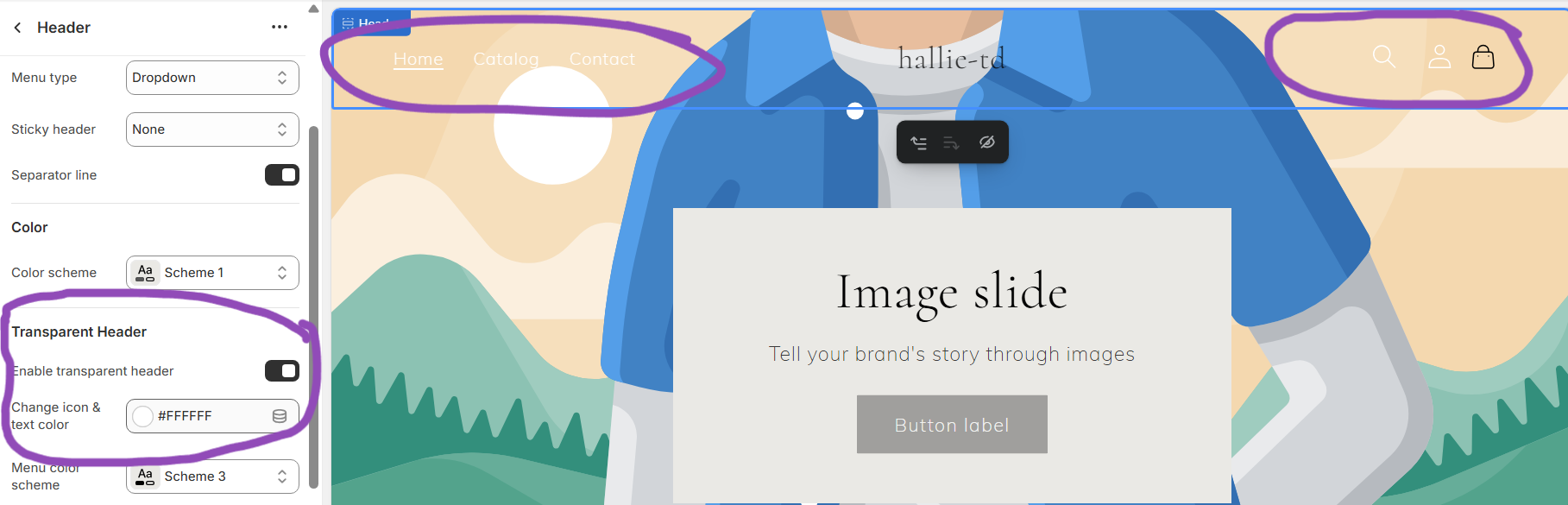
I changed my custom cart icon but the hover effect was gone and i also can’t change the color of it like the usual with my transparent header settings. Shop is https://hallie-td.myshopify.com/ pass is 123.
Hi,
Hope this will work
- Find your cart icon code , something like this:
- Add CSS (for hover color)
Css example
/* Cart icon hover effect */
.custom-cart-icon img {
  transition: filter 0.3s ease, opacity 0.3s ease;
  filter: brightness(1); /* Normal look */
}

/* When mouse hovers over it */
.custom-cart-icon:hover img {
  filter: brightness(0.5); /* Darker on hover, or change as needed */
}

/* Optional: Color tint if using SVG with fill */
.custom-cart-icon svg {
  transition: fill 0.3s ease;
  fill: white; /* default color */
}

.custom-cart-icon:hover svg {
  fill: #ff6a00; /* change to any color you want on hover */
}
- For transparent headers (common in Luxe theme), Add this snippet in same CSS file:
.header--transparent .custom-cart-icon svg {
  fill: white; /* Icon color on transparent background */
}

.header--scrolled .custom-cart-icon svg {
  fill: black; /* Icon color after scrolling */
}
where can i find the code? i just replaced the svg link in the icon-cart.svg asset