Hi everyone,
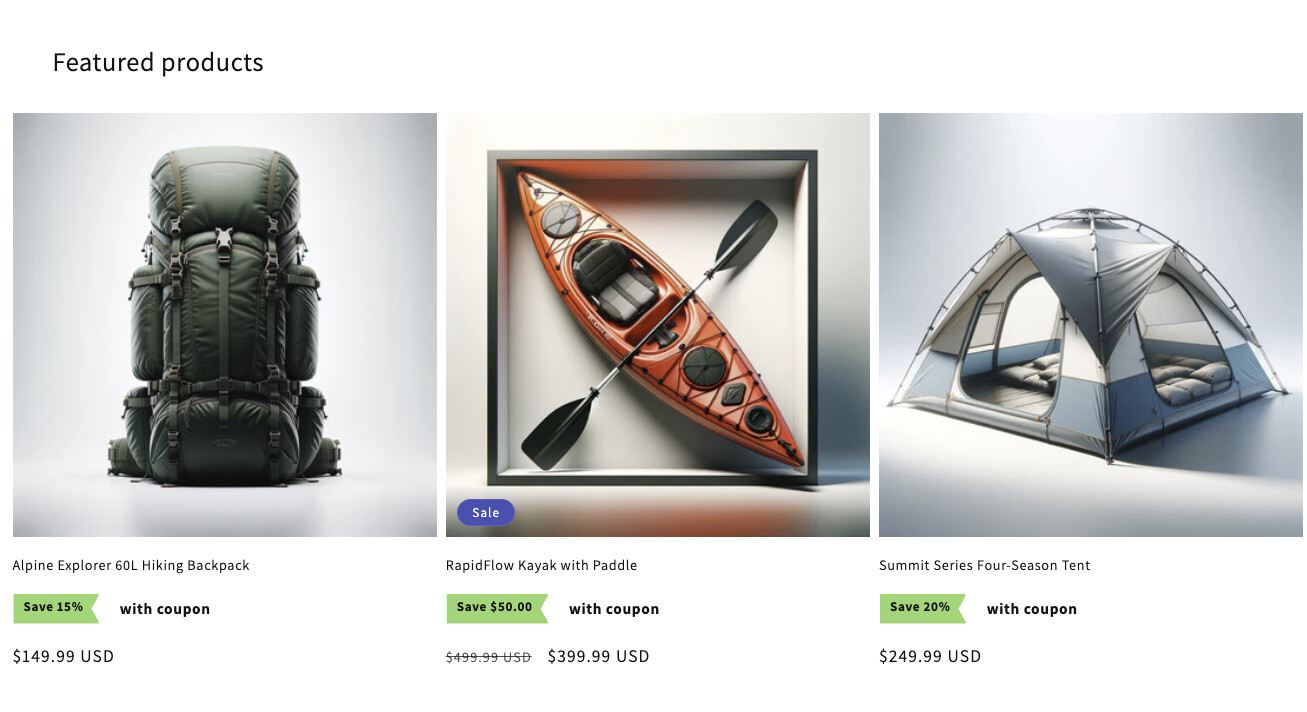
Does anyone know how can I add, one more badge that displays the amount saved besides the discount badge in my product page?
See the photo for reference.
A user wants to display a savings badge showing the dollar amount saved alongside an existing discount badge on their Shopify product page.
Code Solution Provided:
money_without_trailing_zeros filterproduct-price.liquid file for the Debut themeAlternative Approach:
The discussion remains open as the original poster hasn’t confirmed whether either solution worked for their specific implementation.
Hi everyone,
Does anyone know how can I add, one more badge that displays the amount saved besides the discount badge in my product page?
See the photo for reference.
I added code here so you can mark it as solution to close this post
{%- assign savings = product.compare_at_price | minus: product.price  -%}
Save {{ savings | money_without_trailing_zeros }}
Hi Dan! Can I use this code in my other theme which is debut? I’ll be using my debut theme for the meantime while I’m customizing my dawn theme. here is the url: https://thecleanroom.net/
Hi @IntechCarl
You can try to add it to Debut theme. Please add code in product-price.liquid file.
Hi @IntechCarl — if you’re looking to display an extra badge that shows the amount saved (like “Save $10” or “Save 20%”) alongside an existing discount badge on your product page, you’d typically need to customize your theme with some Liquid logic to calculate and display the saved amount.
But if you’d prefer a code-free approach, you can do this using Klip Coupons: Sales and Discounts. Klip lets you show fully customizable coupon badges directly on the product page—and you can include dynamic messaging like the discount amount or percentage off. It also includes a cross-out price feature if you want to visually display the savings right next to the original price.
No theme edits required, and the badge can appear on product, collection, and cart pages depending on how you set it up.