Hello,
can someone tell me how to align the product title on the left when product is displayed in a collection?
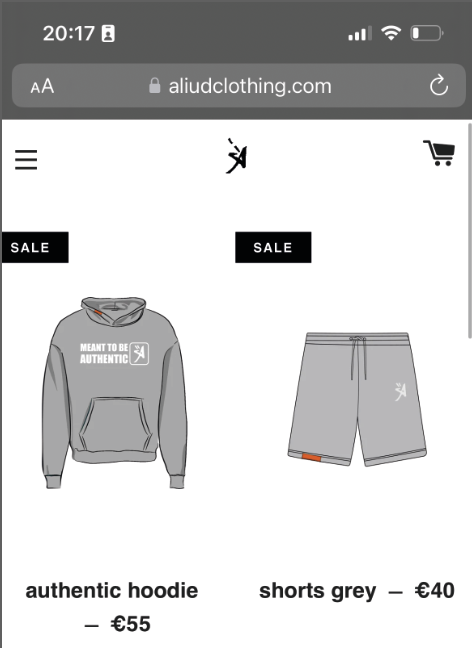
Like displayed in the following pictures:
Im using the Brooklyn theme

Thank you!
Kim
A user seeks help aligning product titles to the left on collection pages in the Brooklyn Shopify theme, providing screenshots to illustrate the desired layout.
Two CSS solutions were offered:
.grid-product__wrapper {
  text-align: left !important;
}
Navigate via: Shopify admin → Online Store → Themes → Actions → Edit code → Assets folder.
</head> tag.Note: Both responses contain reversed/mirrored text in portions of the instructions, which may indicate formatting issues in the original posts. The core CSS solution targets the .grid-product__wrapper class with left text alignment.
Hello,
can someone tell me how to align the product title on the left when product is displayed in a collection?
Like displayed in the following pictures:
Im using the Brooklyn theme
Thank you!
Kim
Hi @KimGottwald
Try this one.
.grid-product__wrapper {
  text-align: left !important;
}
Hi @KimGottwald
This is Noah from PageFly - Shopify Page Builder App
Please add this code to your theme.liquid above the to get this solved
Step 1: Online Stores > Themes > More Actions > Edit code
Step 2: click on theme.liquid and paste the code above the
Hope this can help you solve the issue
Best regards,
Noah | PageFly

