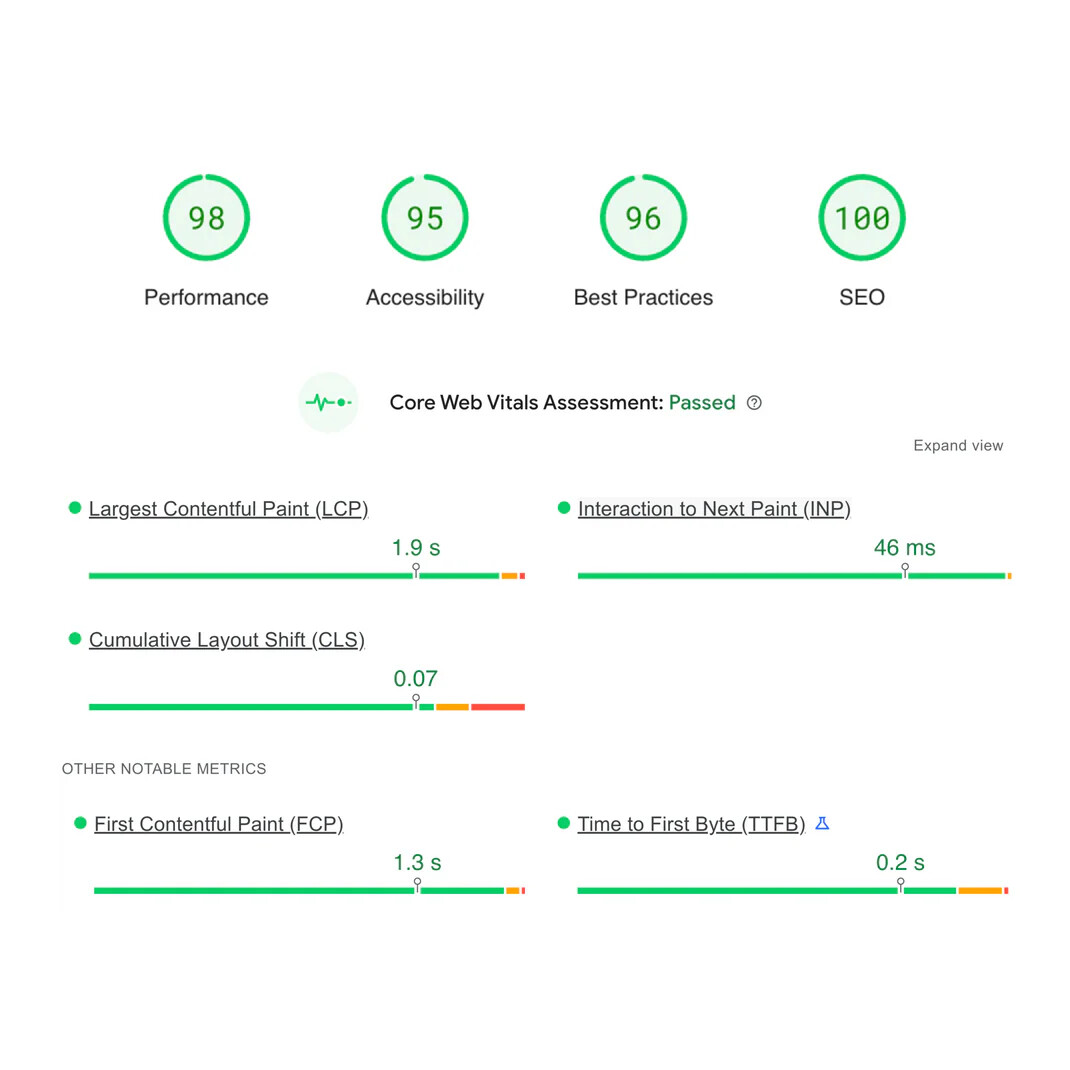
The discussion centers on selecting an optimal Shopify theme that balances speed, mobile-friendliness, and SEO performance. The original poster is evaluating Dawn, Debutify, and Booster themes.
Theme Recommendations:
Dawn (Free): Consistently recommended as the safest choice—lightweight, regularly updated, well-documented, and widely supported by the community
Debutify (Freemium): Praised for fast performance and built-in conversion features
Booster (Paid): Recommended for experienced users seeking premium optimization and conversion tools
Alternative mentions include Flora, Venture, and Ella for specific store types
Optimization Best Practices:
Minimize installed apps to reduce site bloat
Compress images using tools like TinyPNG or Shopify’s built-in compression
Enable lazy loading for images
Utilize Shopify’s Fastly CDN or alternatives like BunnyCDN
Monitor Google Core Web Vitals (LCP, FID, CLS) via PageSpeed Insights
Recommended Apps:
TinyIMG for image compression and structured data
SEOAnt for AI-powered SEO automation and site speed
AVADA SEO Suite for content analysis
PageSpeed Optimizer and SEO Manager for technical optimization
Consensus suggests starting with Dawn for beginners, upgrading to Booster for advanced users, and pairing any theme with dedicated optimization apps for best results.
Summarized with AI on October 24.
AI used: claude-sonnet-4-5-20250929.
I’m in the process of setting up my Shopify store and want to make sure I choose the best theme for speed, mobile-friendliness, and SEO. I’ve heard that a slow website can impact both user experience and search engine rankings, so I want to get this right from the start.
I’m currently considering themes like Dawn, Debutify, and Booster, but I’d love to hear from real users:
Which Shopify theme have you used that offers the best performance and SEO benefits?
Have you made any custom tweaks to improve site speed?
Any recommended apps or settings to further optimize Shopify store performance?
Hello James @James661 While it may not be the absolute best option (I don’t think you can really call any one that), the Dawn theme is probably your safest bet. Additionally, due to how popular and well used it is, you’re more likely to find advice and help from other users pertaining to any issues you may come across.
@sksunkami Hello!
I am grateful for your good suggestions. The information concerning the themes and optimization is valuable. In addition, I think about them: Flora–perfect for small shops that need a sophisticated and unique look. Venture–best suited for stores with a wide assortment of products that require easy navigation for customers. Ella–can be changed easily, many formats available.
Of course, I will try to remove unnecessary applications and introduce lazy loading. Your recommendations about SEO and performance applications are very useful and may require me to seek for help when putting them in place. Thank you once more!
You’re absolutely right, speed and SEO play a huge role in user experience and search rankings. Choosing the right Shopify theme is a great first step toward optimizing both.
Best Shopify Themes for Speed & SEO
Here are three of the top-performing themes based on speed, mobile-friendliness, and SEO:
Dawn (Free) – Shopify’s default theme, built for speed and clean coding. It’s lightweight, mobile-friendly, and gets regular updates.
Debutify (Freemium) – Known for its fast performance and built-in conversion-boosting features. It’s easy to customize without slowing down your site.
Booster (Paid) – An all-in-one premium theme optimized for speed and conversions. It’s designed to load quickly and reduce the need for extra apps.
Tips to Improve Site Speed & SEO
Even with a fast theme, some tips can make your store even better:
Minimize apps: Too many apps can slow down your site. Keep only the essentials.
Optimize images: Use Shopify’s built-in image compression or tools like TinyPNG.
Enable lazy loading: This ensures images load only when needed, improving page speed.
Enable Shopify’s built-in Fastly CDN or choose additional CDNs like BunnyCDN for more flexibility.
Limit homepage content: Avoid too many images, sliders, or auto-playing videos.
Recommended Apps for Optimization
TinyIMG – Helps compress images and improve SEO. PageSpeed Optimizer – Automatically boosts loading speed. SEO Manager – Helps with meta tags, structured data, and other SEO tweaks.
Bonus Tip: Google’s Core Web Vitals (LCP, FID, CLS) play a crucial role in SEO. You can use Google PageSpeed Insights or Lighthouse to monitor performance.
By picking the right theme and following these optimization tips, your Shopify store will run faster, rank better on search engines, and provide a smoother experience for customers. Hope this helps—good luck with your store.
In my experience, Dawn is the best free theme if you want a fast, lightweight, and SEO-friendly starting point.
Booster is one of the top paid themes, built for conversions and strong performance right out of the box.
If you’re just starting out, go with Dawn. If this isn’t your first time in e-commerce, Booster is worth it.
Whichever you choose, I recommend pairing it with TinyIMG. It covers what themes can’t - like image compression, advanced structured data, and other key optimizations.
Combining a solid theme with a reliable optimization app is the best way to get results!
You’re absolutely right — site speed, mobile experience, and SEO all play a huge role in how well your store performs.
If you’re looking for a theme built with those in mind, you might want to check out Azzel Theme. It’s developed by Tapita, the same team behind Tapita AI SEO & Speed Optimizer — one of the top-rated SEO and performance apps on Shopify.
Azzel is designed specifically for fast loading, mobile responsiveness, and SEO-friendly structure.
I’m going to throw an alternative option out there. Not that you should consider it if you’re wanting some small speed improvements, but there is the option to go headless if you’re wanting to really move the needle. Not only for speed but a large range of custom functions that can improve stores significantly on a number of levels.
Shopify has it’s own Hydrogen headless environment. But it also can be done with next.js for example.
Just putting it out there. Traditionally it’s only been considered by high revenue stores wanting to scale, because of the cost involved in custom development. That has all changed now with AI.
Dawn: This is Shopify’s reference theme for Online Store 2.0. It’s very lightweight, optimized for speed, and built with best practices in mind for SEO. If you’re focused on a clean, fast, highly maintainable base, Dawn is a very solid choice.
If you have any further explanation kindly go ahead to ask.
Dawn is usually the best for speed and SEO because it’s lightweight and built with Shopify’s latest standards. Debutify and Booster offer more features but can slow things down without careful optimization. Whatever theme you choose, compressing images, limiting heavy apps, and using Shopify’s built-in speed tools can give you a nice boost.