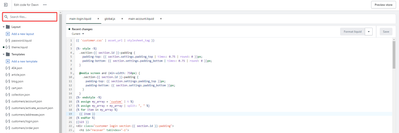
Hey everyone! In the bannerpicture section I seem to not be able to change the colours of the buttons seperately. I would like to make one grey with white letters and the other one white with black letters. I can’t make it work with the colour schemas.
Anyone has experience with this?
Any help is appreciated. Thanks in advance.
1 Like
Hi @meliorawear
Would you mind to share your store URL?Thanks!
Hey!
https://nl.meliorawear.com/
Thanks for checking in advance!
Hi @meliorawear ,
You can follow these steps
Step 1: Go to Online store > Themes > Edit code and find base.css file
Step 2: Insert below code at the end file and Save them
.banner__buttons.banner__buttons--multiple .button--secondary {
    background-color: black !important;
}
It would be like this:
Thanks for the info, this is the sense theme right? Did you check this buttons?
If you check the “use outline button style” it will change the button color.
Hi @meliorawear
You should try following the instructions below
Step 1: Go to Admin → Online store → Theme > Edit code
Step 2: Search for the file section-image-banner.css and add this code snippet to the end of the file
.banner__buttons.banner__buttons--multiple a:nth-child(1) {
    color: #fff !important;
    background-color: gray !important;
}
.banner__buttons.banner__buttons--multiple a:nth-child(2) {
    color: #000 !important;
    background-color: #fff !important;
}
Result
If it’s helpful, please like and mark it as a solution, thank you
Have a nice day
1 Like
Thankyou very much for your help! It worked and looks great. Thanks! Really appreciate the help.
1 Like