I was wondering if it is possible to send a customer directly to checkout using the empire theme.
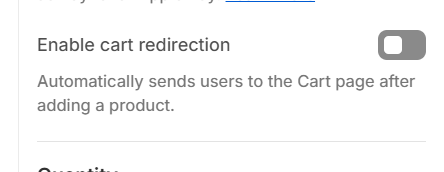
I have found an option in the empire theme to redirect customers to the cart page rather than have the cart drawer option on, but i was hoping to have an option that once the customer clicks the “Add to cart” button it sends the customer straight to checkout.
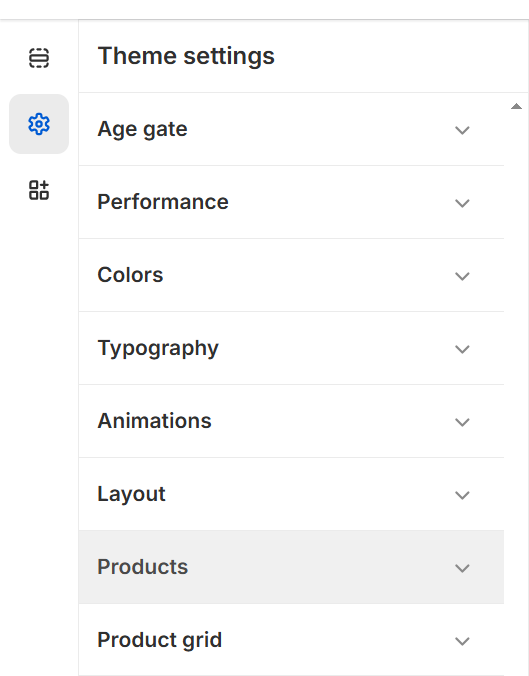
I haven’t found any in theme settings (Empire) that allow me to do this. Also, I was told that i need to disable the ajax cart feature on my empire theme as it’s taking over the normal cart process. Maybe if someone could possibly give me a hand with this step, it may resolve the issue. Im hoping there is a way to do this without using an app but with custom code.
You are correct that some themes will need the AJAX functions either disabled in theme settings (if it exists) or manually removed. Are you able to share what you’ve done so far so we’re not repeating already tried things? Or even an example link of it in action?
So just to provide more context, so far the only solution i have found to skip the checkout is by using a third party app to do so. Currently within the empire theme, there is no option to redirect to the checkout page once the add to cart button is clicked, however as shown in the link i referenced, you are able to toggle the redirect customers to cart option on which ensures that rather than opening a cart drawer when the add to cart is clicked, it will send them to the cart page.
So far i havent found any success with adjusting any of the back-end code so im back to step 1 of figuring this issue out. In the referenced link it also mentions that “Some apps require disabling AJAX, which is precisely what Enable cart direction allows. To disable AJAX, simply Enable cart direction.”. I have gone ahead and done this but it seems that this has not solved this issue as customers are still sent to the cart page when
I have also found several videos that talk about how to implement the code to activate skip to checkout & here is what they have mentioned to do;
static-product.liquid: (Find this file first and add the code below from line 156 - 161)
{
“type”: “checkbox”,
“id”: “enable_skip_cart”,
“label”: “Enable Skip Cart Option”
“default”: false
},
&
Add the below code to **product-form.liquid (**Find the ATC button on your product-form.liquid and try add it within the span or button tags. (Its on line 675)
{% if section.settings.enable_skip_cart%}
{% endif %}
Hopefully that provides an insight into what im talking about. If you want a link to my store with password let me know.