Topic summary
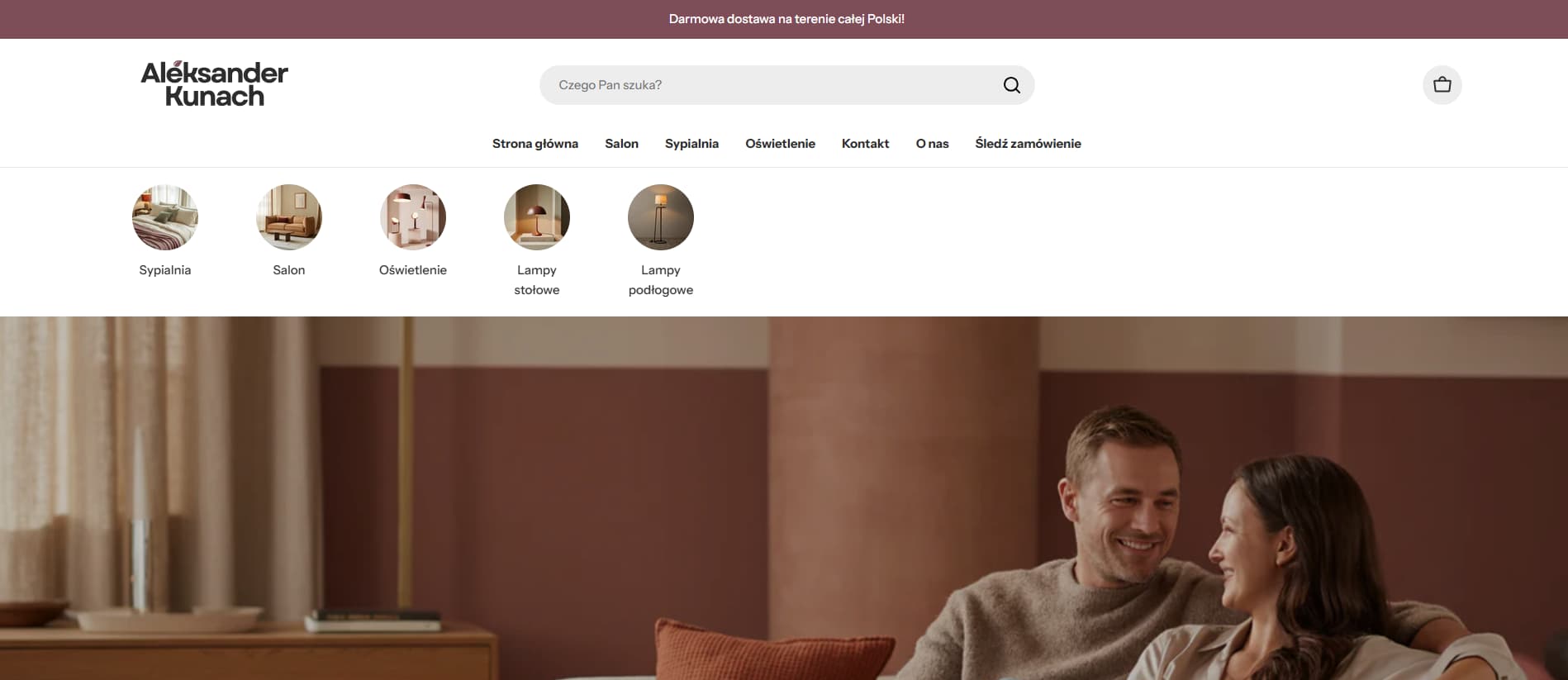
A user wants to reposition their Shopify store’s search bar—either centering it or stretching it across the header between the logo and cart button.
Multiple solutions provided:
-
Centering the search bar: Modify the CSS grid template in
theme.cssorbase.cssby changing--header-grid-templatefrom"logo search icons" / auto auto 1frto use equal column widths (e.g.,1fr 1fr 1frorauto auto auto). -
Adjusting search bar width: Locate the
.header__search .search__formmedia query and modify themin-widthandmax-widthvalues (default 60rem). One responder suggests adding a separate media query for larger screens (1500px+) with 90rem width. -
Alternative positioning: Custom CSS can be added via Customize > Theme settings > Custom CSS for either centered or left-aligned layouts using different grid-template-columns configurations.
All solutions involve editing CSS files in the theme code editor (Online Store > Themes > Edit code). The discussion remains open with no confirmation from the original poster about which solution worked.

Are you comfortable editing some code? First, find this line in theme.css
    .header__top--logo-left {
        --header-grid-template: "logo search icons" / auto auto 1fr;
    }
and change it to
    .header__top--logo-left {
        --header-grid-template: "logo search icons" / auto auto auto;
    }
With only this, you will make the search bar centered. For size find:
@media (min-width: 1024px) {
    .header__search .search__form {
        min-width: var(--search-form-width, 60rem);
        max-width: var(--search-form-width, 60rem);
    }
}
You can adjust that 60rem but I would add also after that
@media (min-width: 1500px) {
    .header__search .search__form {
        min-width: var(--search-form-width, 90rem);
        max-width: var(--search-form-width, 90rem);
    }
}
Adjust also and test on different browser widths.
1 Like
Hi @vincentthegoat,
Please go to Customize > Theme settings > Custom CSS and add code:
- For center:
@media (min-width: 1024px) {
    .header__top--logo-left {
        grid-template-columns: 1fr 2fr 1fr;
    }
}
- For left:
@media (min-width: 1024px) {
    .header__top--logo-left {
        grid-template-columns: auto 1fr auto;
    }
    .header__top--logo-left .header__search {
        justify-content: flex-end;
    }
}
- Go to Your Shopify Theme
- From your Shopify admin:
- Go to Online Store > Themes > Edit code
- Open
theme.cssorbase.cssFile
- In the left sidebar, go to:
- Assets > theme.css(or base.css, depending on your theme version).
- Add the CSS Code
Search (.header__top–logo-left) in ‘theme.css’ or ‘base.css’ file
@media (min-width: 1024px) {
  .header__top--logo-left {
    --header-grid-template: "logo search icons" / 1fr 1fr 1fr;
  }
}
This CSS tells the header to use three equal columns: Logo, Search, and Icons and forces the search bar to display fully on desktop
Hey @vincentthegoat,
Thanks for bringing your Query to Shopify community.
In order to make the search bar in center you need to follow these steps.
Go to Shopify Admin >> online Store >> Themes >> Edit Code >> theme.css.
In the end of theme.css file paste the following code.
@media (min-width: 1024px) {
    .header__top--logo-left {
        --header-grid-template: "logo search icons" / auto auto auto !important;
    }
}

If this was helpful don’t forget to like it.
Thanks
Hello @vincentthegoat ,
Here are the steps to apply the necessary changes in your Shopify store:
- In your Shopify Admin, navigate to Online Store > Themes > Actions > Edit Code.
- Locate Asset > base.css and paste the following code at the bottom of the file:
@media (min-width: 1024px) {
    .header__top--logo-left {
        --header-grid-template: "logo search icons" / 1fr 2fr 1fr !important;
    }
}
Let me know if you need further assistance!