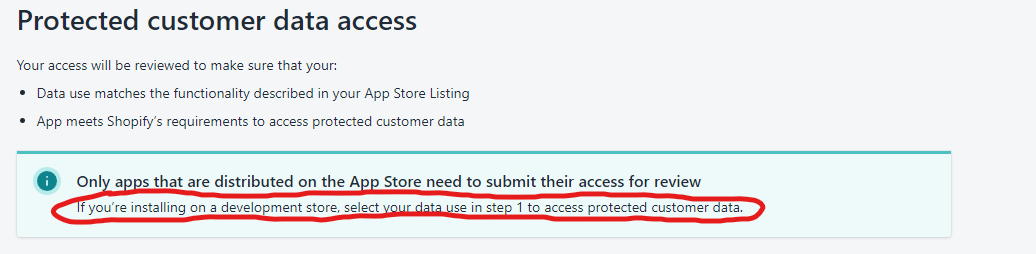
I just switched from 2022-07 to 2022-10 after our production app got approved for protected customer data access.
But on my Test app, which is only installed on Development stores, I am getting ACCESS_DENIED for protected customer data fields. This is very strange because the documentation says very clearly that protected data access approval is not required for Test Apps on Development stores
Things I’ve tried to make it work:
Create a completely new Shopify App & Development Store with “Test an app or theme” as the Store purpose
Reinstalled the app on the development store as it worked for this person
Tried reaching out to customer support but they asked me to post here and seek help from the community instead
I’m starting to think this is a bug on Shopify’s end and I can do little about it, if someone has a solution, please help me out!
The proposed solution does not work for me either. I completed Step 1 and selected the data I want, clicked save for Step 1, and skipped Step 2. But still, the “Request access” button for “Protected customer data access” on the app settings page exists. I also installed the app on a development server, and reinstall it on another one, and the required permission doesn’t show up on the “grant access” page. And the call still gives this error message:
“errors”: “[API] This action requires merchant approval for read_customers scope.”
The proposed solution does not work for me either. I completed Step 1 and selected the data I want, clicked save for Step 1, and skipped Step 2. But still, the “Request access” button for “Protected customer data access” on the app settings page exists. I also installed the app on a development server, and reinstall it on another one, and the required permission doesn’t show up on the “grant access” page. And the call still gives this error message:
“errors”: “[API] This action requires merchant approval for read_customers scope.”
After requesting access, the Request access button will still exist, so that’s probably working already. The error you’re getting is probably because you haven’t added the read_customers scope to your app. I don’t think this is related to protected customer data.