Capital theme: Grey Background on transparent photo only in product page

Hello everyone,

I recently bought a shopify subscription and a theme (Capital) and I am having trouble figuring out something that should be quite easy to solve in my opinion.

I have looked and looked but maybe you can help me out.

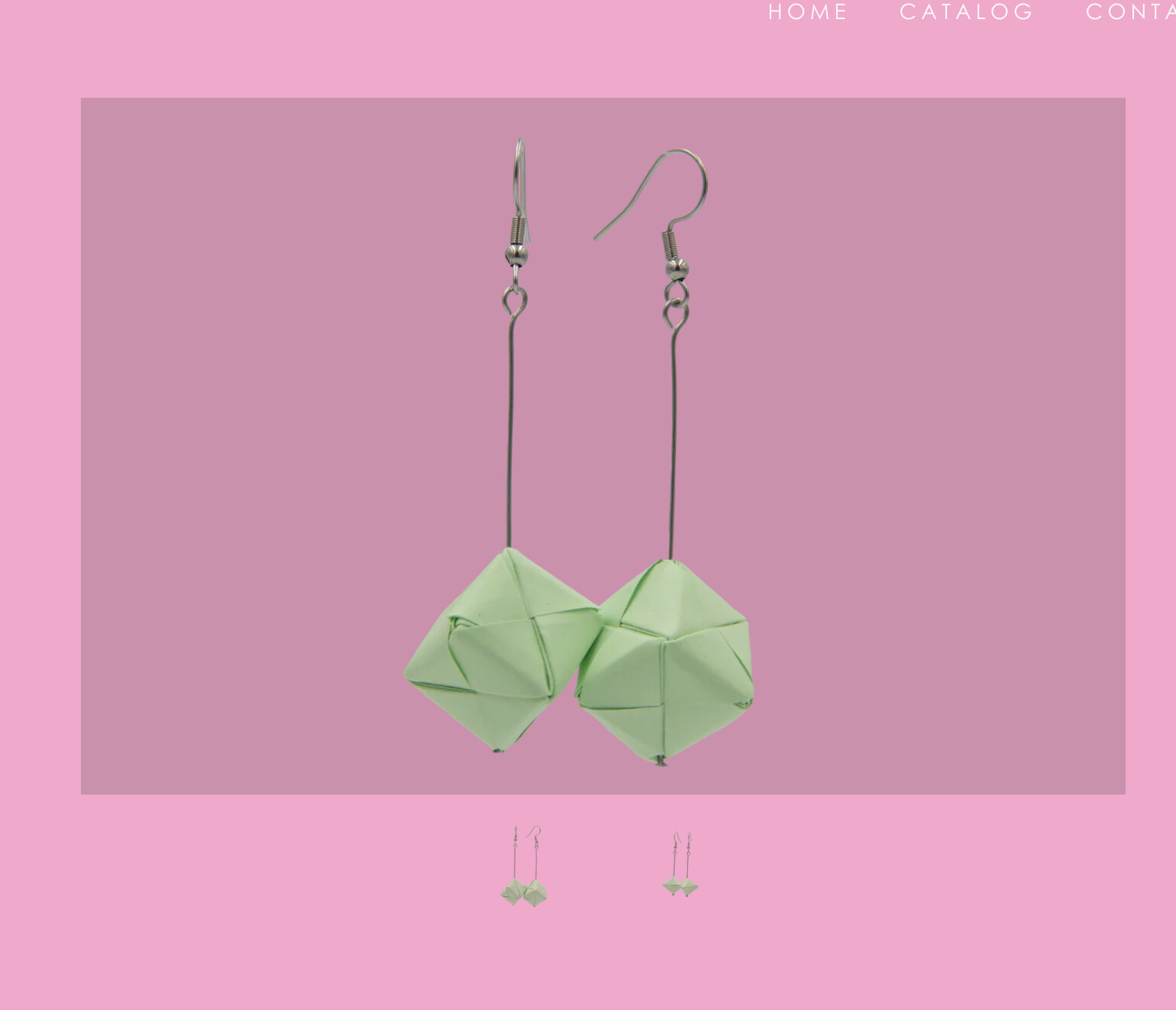
I am uploading png photos of my products with transparent backgrounds and everything works fine until I go to the product page where a dreadful grey film appears around my image instead of the transparency.

The theme’s colour options do not seem to address that but I might be wrong.

Please please please help me out it just looks so bad (eeeeek)

Thank you in advance for helping out a newbie!
Hi @Lekky

Could you share your store URL to check?

I am currently building it so it is password protected

I can share this print screen though - You can see that even the thumbnails look fine - but the grey on the large photo is there

Please share preview URL so I can check and give me solution.

https://lekkys.com/products/apple-green?variant=48029564862798

Does this work?

This URL needs a password to view.

I removed the password for now

Please add this code to theme.liquid file, after in Online Store > Themes > Edit code to remove that grey back ground


THANK YOU SO MUCH!!

It worked :heart: