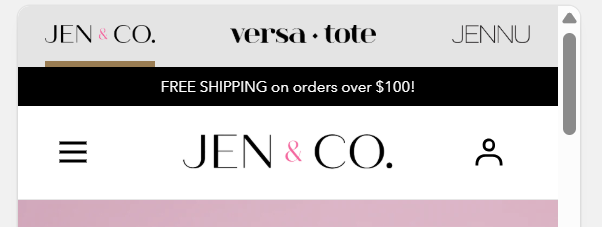
Hello everyone, I need some help getting my cart button back on my mobile header.
I’ve had this issue happen before and can’t remember how I resolved it. We just updated our theme (Mojave 2.0.14) and the cart icon is missing. It is visible on the updated version, so I think it must’ve been written over when I added our previous theme files. I was able to get the account icon back, but not the cart. Can someone point me in the right direction? I’ve tried a bunch of solutions I’ve seen on here; I can’t even remember what I’ve tried at this point.
I’d prefer to have both the account icon and cart icon, but if I can only get one I’d prefer the cart.
Both icons are visible on the desktop version.
Currently this theme isn’t published; this is a link to view it: https://gcpuy8tu3uc8zpbr-50930712730.shopifypreview.com
Any help is MUCH appreciated!
Mobile
Desktop
Updated theme file without customizations
2 Likes
Try to remove this from your assets/custom.css file
let me know if you need any help, feel free to dm me!
1 Like
Please go to your Online Store > Themes > Customize > Themes settings > Custom CSS and add this code to take your cart icon back.
.header__utils .header__utils__list li.header__utils__item--cart { dislay: block !important; }
1 Like
Hello @Lindsayjenco
Go to online store ----> themes ----> actions ----> edit code ----> assets ----> section-header.css
add this code at the end of the file and save.
@media (max-width: 767px) {
ul.header__utils__list li.header__utils__item:nth-child(2), {
display: block;
}
}
result
If this was helpful, hit the like button and accept the solution.
Thanks
1 Like
Thank you so much! I used all the code provided in these responses and it worked. I appreciate you all.
THANK YOU!
Thank you so much! I used this along with the other codes provided and my cart icon is back! Your help is much appreciated.
Thank you! The cart icon is back! Appreciate you all, thank you for responding and helping me out.
1 Like
Hi there! Thanks again for your help.
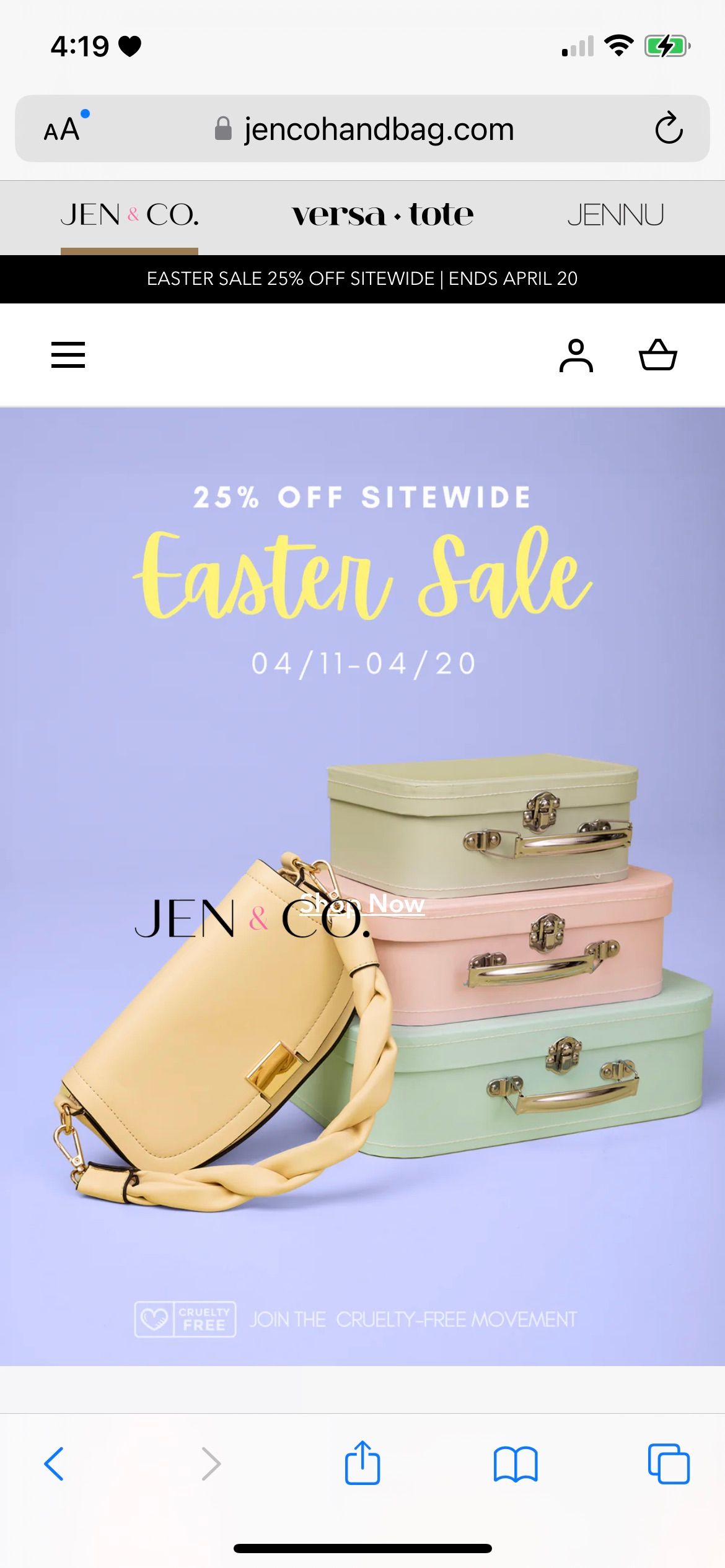
I’m running into an issue now with the header on mobile. We are using the Swishlist app, and one of their developers added the wishlist icon–after this the logo was overlapping the icons. I attempted to move the logo to the left, which looks fine on Android. However, on iPhone the logo is now floating in the main banner.
Comparison between a Samsung Galaxy 22 and iPhone 12 Pro Max:
If you have any suggestions please let me know! I really appreciate it.
This theme is live now: https://jencohandbag.com
Hi there! I am running into a different issue where the logo is floating on iPhone only (not on Android, or at least not on the ones I checked). I posted screenshots above. Do you have any suggestions?
Since my last post, the Swishlist app added the wishlist icon. Our logo was overlapping the icons, so I attempted to move it to the left.
I don’t mind if the logo is centered or more to the left; I think it looks fine either way.
Thank you!