Hi,
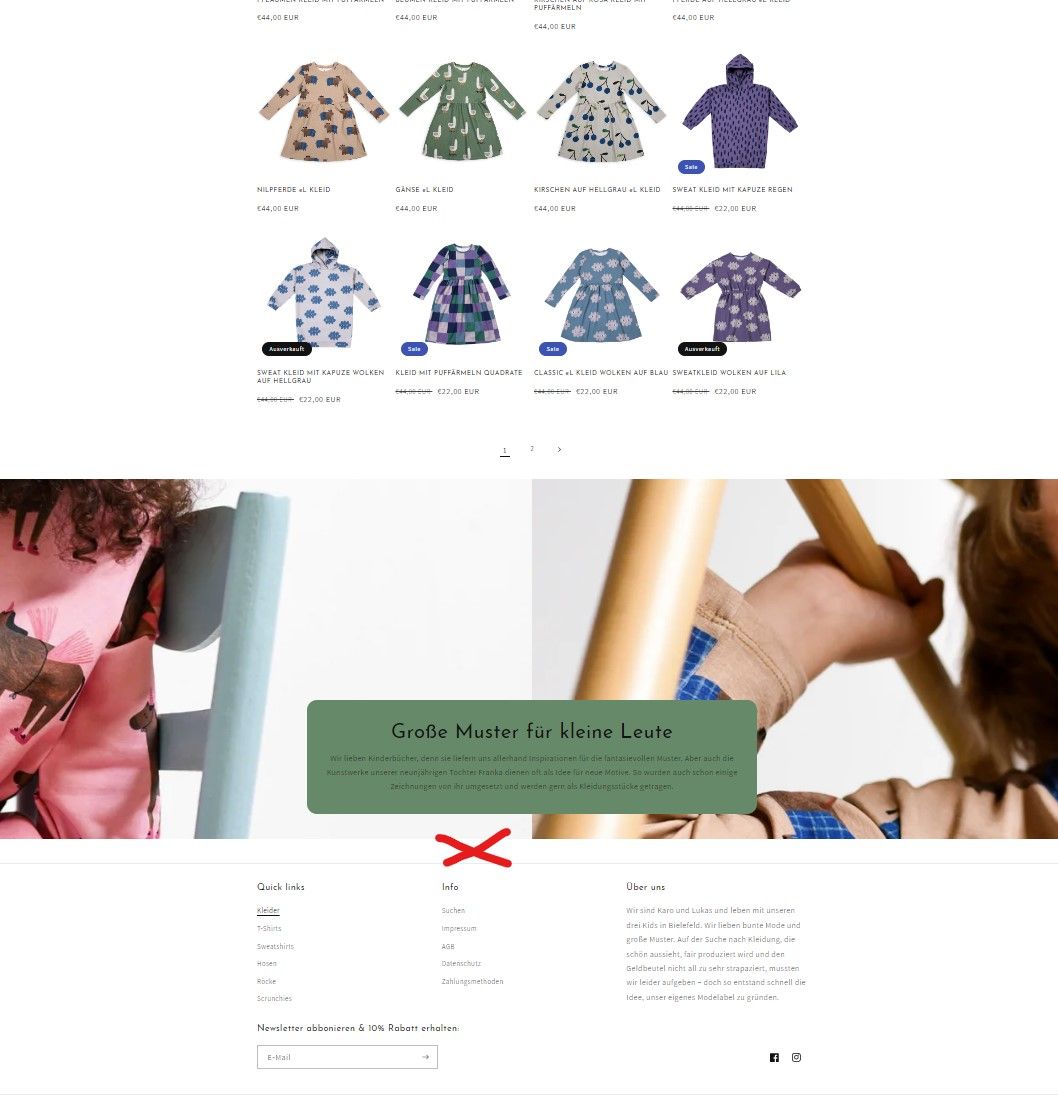
I try to insert category text below the product listing. But doesn’t work. Any ideas on how to add different content to the category?
Thanks!
A user wants to add category-specific text below product listings on their collection pages in the Dawn theme, but their initial attempt didn’t work.
Current Setup:
Suggested Solution:
Status: The discussion remains open with one proposed workaround. No confirmation yet on whether the solution was implemented or if the theme natively supports richtext fields in that location.
Hi,
I try to insert category text below the product listing. But doesn’t work. Any ideas on how to add different content to the category?
Thanks!
Can you share your store link and screenshot for clarity. We would be happy to do this task for you. Checkout our app, the first task is completely free.
Hi, thanks for your replay. Store link is: https://dontgrowup-de.myshopify.com/collections/kleider
I want a text field over the footer. (Red “X”)
You are using banner section with text, you could remove text and add a richtext field after banner section if it’s supported in the theme.
Checkout our app here, you can create this as task in our app and we will do it for you. The first task is Free.