Centre the Featured Collection Title and subtitle text on homepage

Topic summary

Request to center the Featured Collection title and subtitle on a Shopify homepage. A reference screenshot and site URL were provided.

Proposed solutions (CSS-based):

  • Add a global rule to center the heading: in Assets > template-collection.css, append: .collection__title.title-wrapper { text-align: center; } This targets the collection title wrapper broadly.
  • Target a specific section instance: in Assets > base.css, append a selector with the section ID (#shopify-section-template–15552473628848__1652281412a09249f8 .collection__title { text-align: center; }). This applies only to that exact Featured Collection section.
  • General guidance: set the section heading container to text-align: center in the theme’s CSS or via section settings if available.

Optional tool: Use the “Iconic Sections” app for prebuilt sections with alignment controls and additional customization.

Notes:

  • CSS (Cascading Style Sheets) changes control text alignment; choose a global selector for site-wide effect or a specific ID to limit scope.
  • An image was shared for visual reference.

Status: Solutions provided; no confirmation from the requester yet, so outcome unconfirmed.

Summarized with AI on January 13. AI used: gpt-5.

Hi everyone,

please can someone help me centre the Featured Collection Title and subtitle text on my homepage to it aligns with my current design? please see the image below for reference.
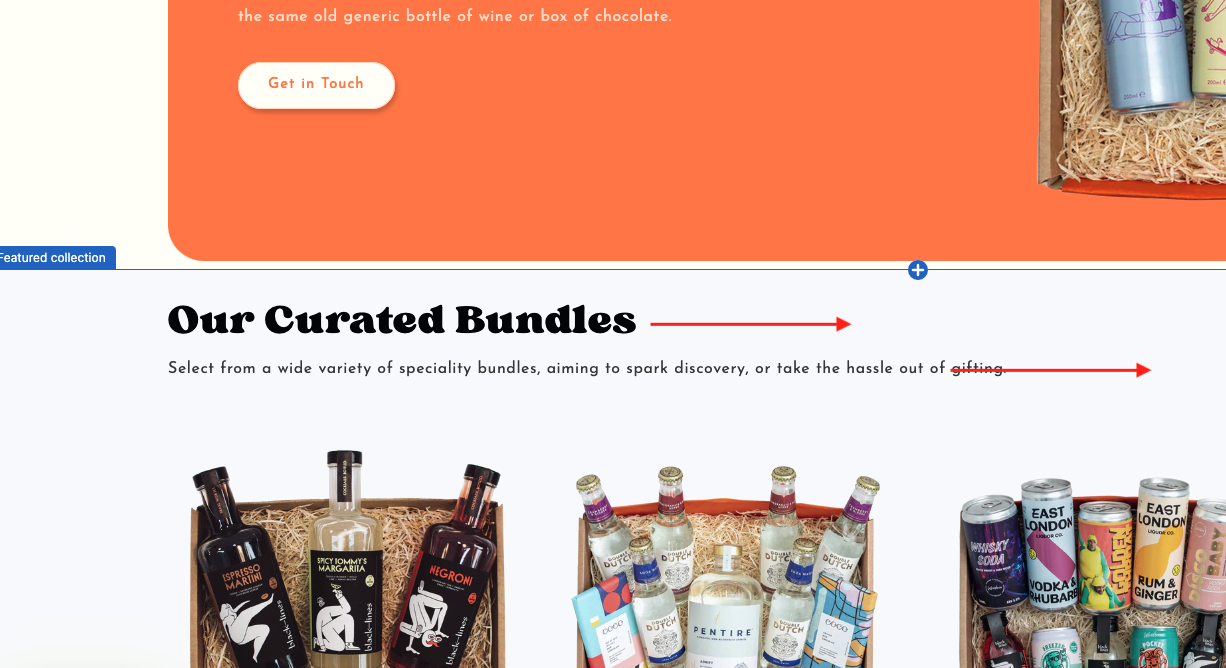
site URL: www.bundles-online.com

Thanks so much

Milo

1 Like

@bundle_bee

yes, please add this code

  1. Go to Online Store->Theme->Edit code
  2. Asset->/template-collection.css ->paste below code at the bottom of the file.
.collection__title.title-wrapper {text-align: center;}
1 Like

Please add below css code in bottom of assets/base.css file

#shopify-section-template–15552473628848__1652281412a09249f8 .collection__title {
text-align: center;

}
Thank you.

You can center the Featured Collection title and subtitle by adding a simple CSS rule to your theme (e.g., set the section heading container to text-align: center; in your theme’s CSS or section settings).

To save time, use Iconic Sections for ready-made, easy-to-use sections with built-in alignment controls and lots of customization options.