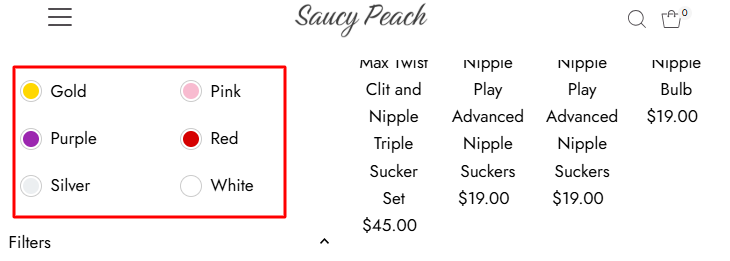
Hi, My color swatches won’t change to circles like the other filter options.
Can someone help please.
Thanks
Hi, My color swatches won’t change to circles like the other filter options.
Can someone help please.
Thanks
Hi!  You can use Rubik Variant Images custom swatches to achieve circular color swatches like the other filter options. Just open the Swatch section in Rubik and choose the ‘Custom Swatch’ style — it allows you to change the shape, size, and design of your color options easily.
Hey @SaucyPeach,
It’s not allow here to share the link of the Adult sites.
Make sure you should respect the terms and conditions of the Shopify community.
Hope this make sense.
Hi @SaucyPeach
You want to add color swatches on the product page, right?
Hi, yes exactly like that 
Hi @SaucyPeach
Ok dear, please share your store URL and collaborator code with me so I can check and provide you with the proper solution.
Are you able to send me the code?