Hi,
I want to change the number of collection blocks from 50 to 100 on this page https://vazluxe.com/collections
A user wants to increase the maximum number of collection blocks displayed on their collections page from 50 to 100 items.
Initial Solutions Offered:
Problem Identified:
The CSS solutions only changed the visual layout (10 items per row) but didn’t increase the total item limit, which remained capped at 50.
Correct Solution:
The final response explained the proper approach:
collection-template.liquid, collection.liquid, or collection-grid.liquid){% paginate collection.products by 50 %})This requires editing the Liquid template code rather than just CSS styling. The discussion remains open pending confirmation from the original poster.
Hi,
I want to change the number of collection blocks from 50 to 100 on this page https://vazluxe.com/collections
Hi @Luxurymrkt ,
Try the above code, If my reply is helpful, kindly click like and mark it as an accepted solution.
Thanks!
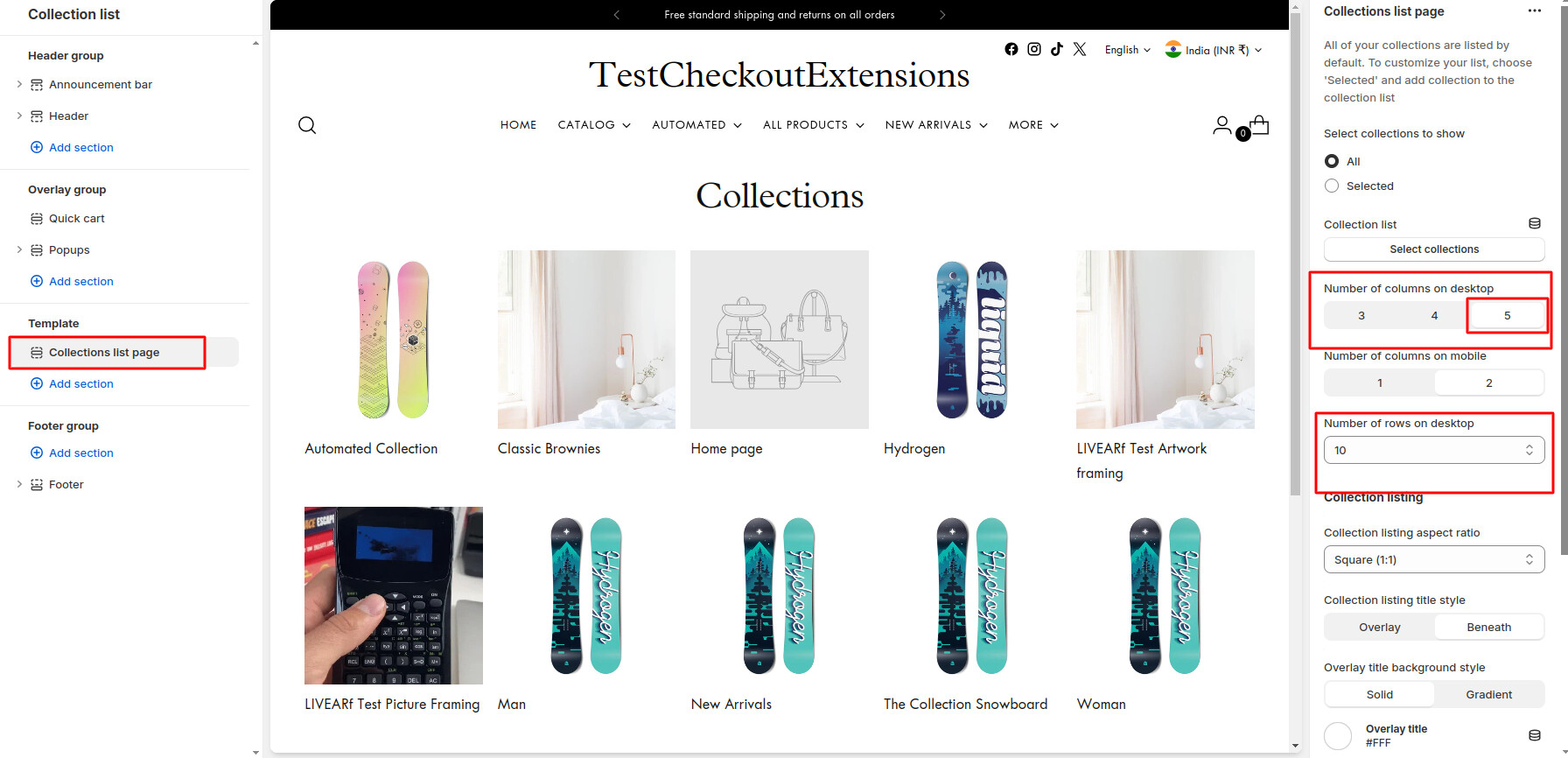
Hello @Luxurymrkt , You have to do a custom code in the Collections list. Right now there are 10 number of row are displaying with collections 5 per rows as per default way, to show the 100 number of collections lists you have to customize in the code to set their option limit from 10 to 20 and also can set number of collections list per row more than 5. This need code customisation.
See the below screenshot, i think your current setting of customisation is look like this,
Feel free to reach out if you have any questions or need assistance.
Best Regards,
DWS.
Hello @Luxurymrkt
You can add code by following these steps
Go to Online Store → Theme → Edit code.
Open your theme.liquid file
Paste the below code before on theme.liquid
Was my reply helpful? Click Like to let me know!
Was your question answered? Mark it as an Accepted Solution.
So this only makes it 10 items per row. total is still 50
I want to increase the max number of blocks to 100.
Mike
Any update how to change it from 50 to 100?
Steps to Increase the Number of Collection Blocks:
Locate the Collection Template:
Find the Limit Code:
Increase the Limit:
Save Your Changes:
Check the Collection Page: