On the collections page, I would like the compare at price to stay the same, but the new price to be in red. I know this is likely to be somewhere in the coding, if anyone can help thanks!

What’s your store url ?
Hi @chichi28
Can you kindly share your store link (with the password, if any) with us? We will check it and suggest you a solution if possible.
Hello @chichi28
Can you share store URL?
@chichi28 - can you please share your website link?
Hi @chichi28
This is Henry from PageFly - Landing Page Builder App
You can try this code by following these steps:
Step 1: Go to Online Store->Theme->Edit code.
Step 2: Search file theme.css
Step 3: Paste the below code at bottom of the file → Save
span.product-grid-item__price-new {
color: red !important;
}
Hope that my solution works for you.
Best regards,
Henry | PageFly
1 Like
Please share your website address and access password (if necessary) so that we can check and assist you.
it is www.holygels.com
sure, it is
yes
it is
- Please follow these steps:

-
Then find the theme.css file.
-
At line 15212 in the theme.css file:
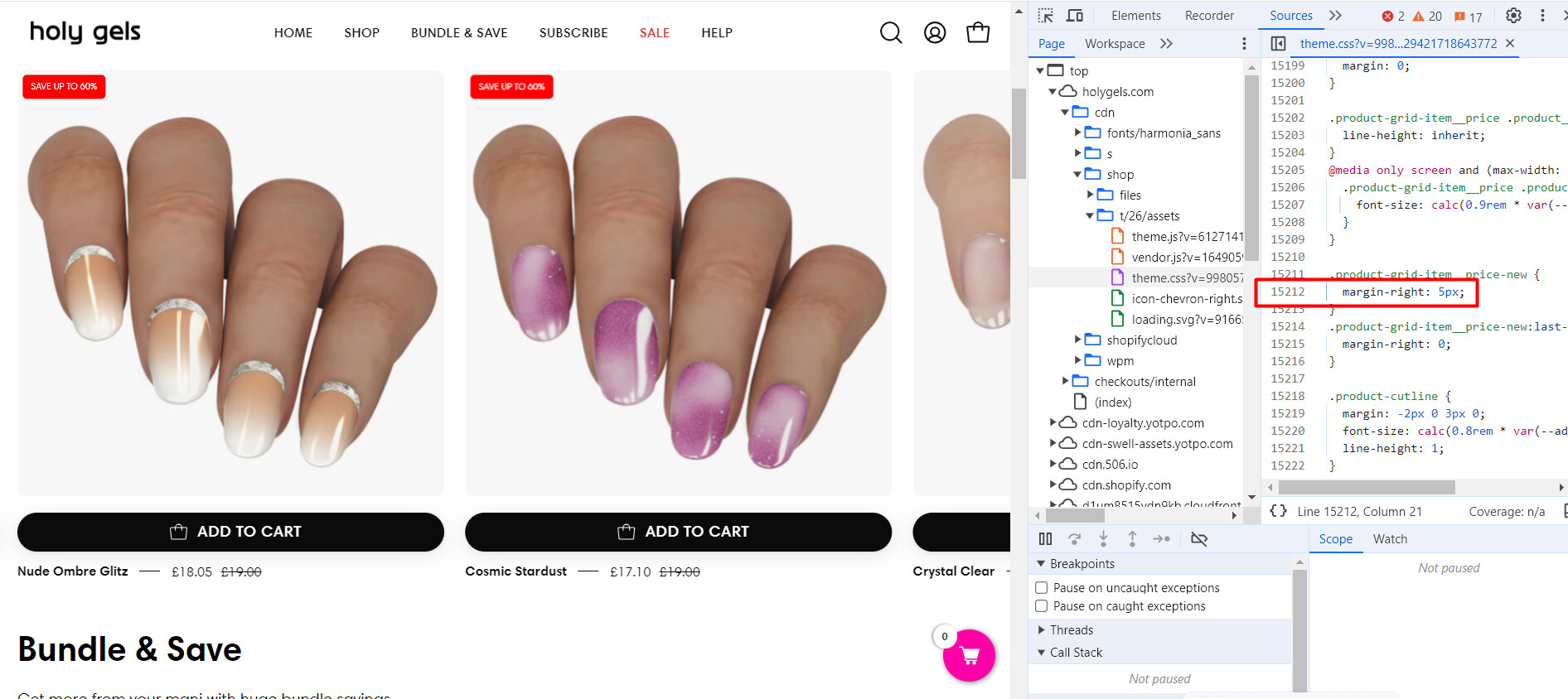
- add the following code:
color: red;

Please press ‘Like’ and mark it as ‘Solution’ if you find it helpful. Thank you
Thanks! This has worked. What about if I wanted the price to be in bold?