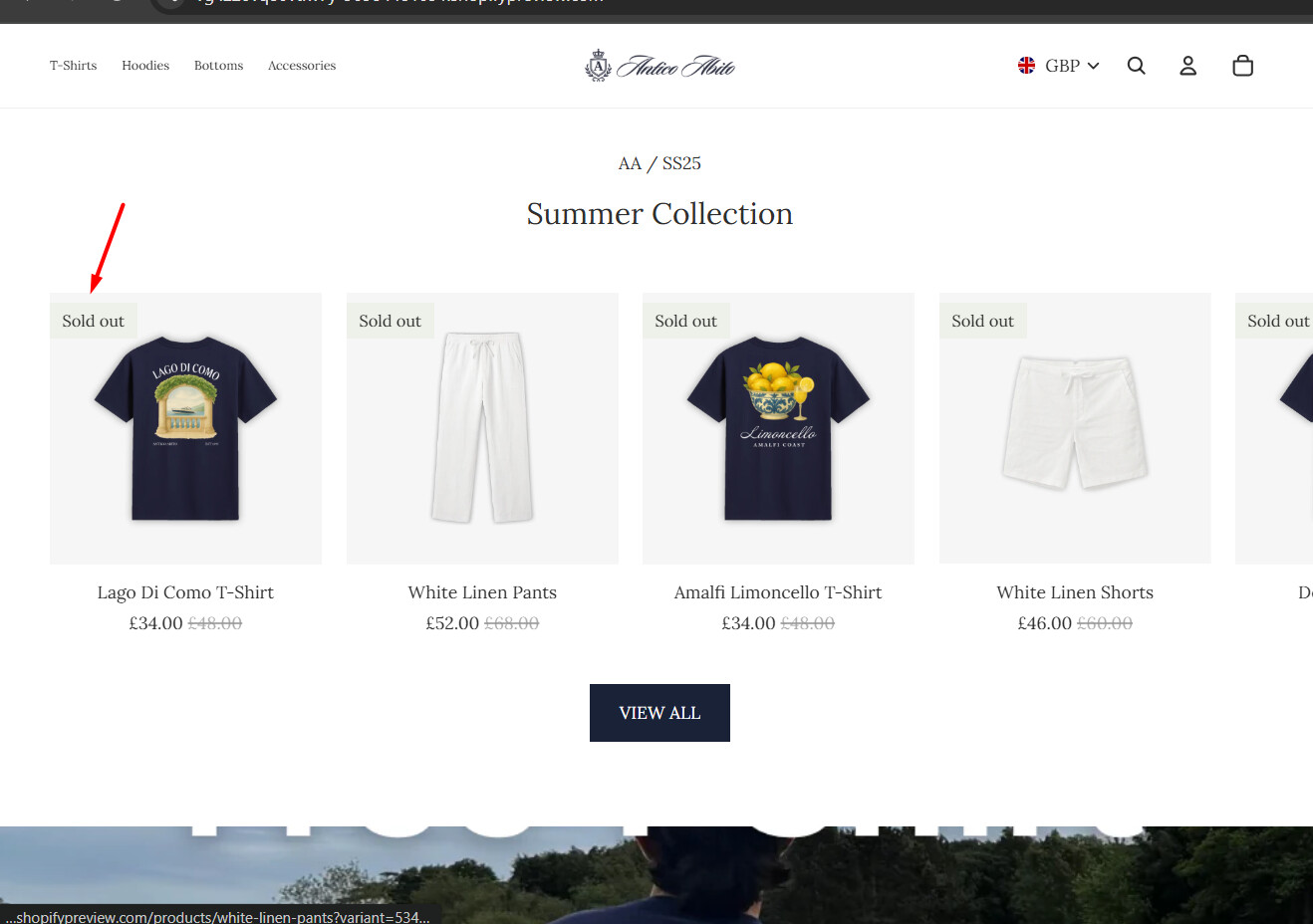
Hello, i would like to change the size of my sale badge text, and also move it to the left side if the product card, rather than right side:

my store is https://vg4z20vq80vtlw7y-90984481091.shopifypreview.com/ , theme is horizon
A user seeks to modify the sale badge on their Horizon theme store: reducing text size and repositioning it from the right to the left side of product cards.
Initial Challenge:
Proposed Solutions:
.product-badges.product-badges--top-right with right: auto; - did not workleft: 0; right: initial; - outcome unclearResolution:
The user successfully resolved the issue by placing the CSS code in the custom CSS section instead of the initially suggested file locations. The discussion is now closed with the problem solved.
Hello, i would like to change the size of my sale badge text, and also move it to the left side if the product card, rather than right side:
my store is https://vg4z20vq80vtlw7y-90984481091.shopifypreview.com/ , theme is horizon
Hello @ads18922 ,
I am not able to see the sales badge. Can you please share the product link where the sales badge is visible?
on my home page, on my product cards
that is the sale badge, for me it says “On Sale” - i’m not sure why it says Sold Out for you, but maybe because its a preview link and this website is currently not active. Either way it doesn’t matter, as that is the same as the sale badge, so if you could give me code to customise that then that will be great thanks
Yes! Please copy and paste the code below to base.css or theme.css
.product-badges.product-badges–top-right {
right: auto;
}
And it will move to the left.
hello, that didn’t seem to work for me
Hey @ads18922,
In order to do the requested changes you need to follow you need to follow these steps.
Go to Shopify Admin >> Online Store >> Themes >> Edit Code >> styles.css
In the end of styles.css paste the following code.
.product-badges--top-right {
   left: calc(var(--badge-inset) + var(--padding-inline-start)) !important;
   right: auto;
}
.product-badges__badge--rectangle {
  padding-block: 3px !important;
  padding-inline: 8px !important;
  font-size: 11px !important;
}
Results:
After putting this code you will get this output.
if this was helpful mark as Solution & Like it.
Thanks
There maybe existing code that very badly effecting.
By any chance can you please share your store collab code in the p/m so that I can take a look.
Thanks
i sorted it dont worry, i just placed it in the custom css instead and it worked