URL: www.thompsonlane.com.au
Password: siteloading
Hello,
I’m hoping to get some help to change the subtitle font on my homepage banner slideshow for Split theme.
My subtitle font is one I have added through custom CSS (EB Garamond italic) but I can’t work out how to apply it to this particular line.
I would like to change it for both desktop and mobile.
Thank you,
Cas
Hey @ThompsonLane
A very warm welcome to the community mate  It’s an easy fix for the subtitle. Follow the steps below.
Step 1: Go to online store.
Step 2: Edit Code
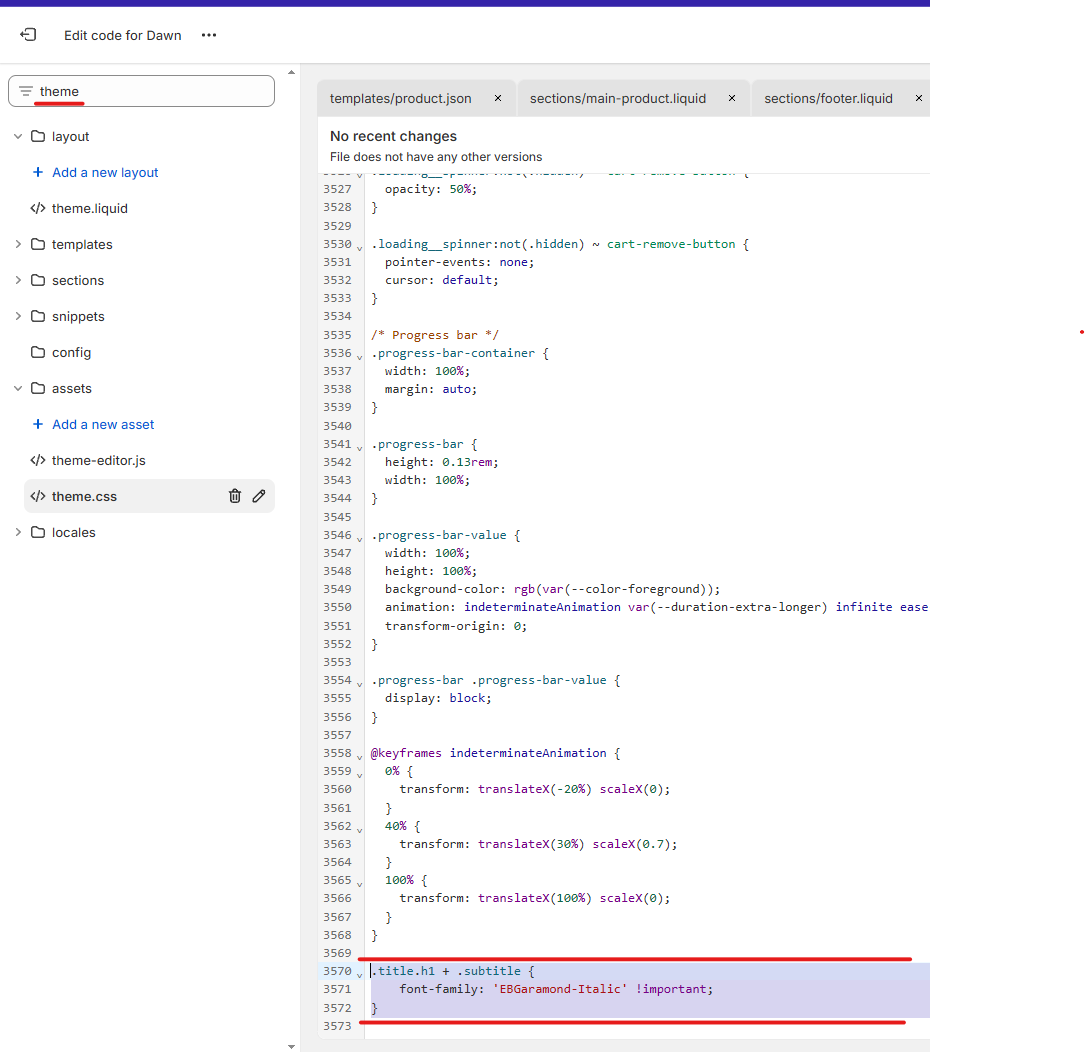
Step 3: Find theme.css
Step 4: Add the following code at the bottom of the file
.title.h1 + .subtitle {
	font-family: 'EBGaramond-Italic'!important;
}
Thank you kindly for the quick reply!
Is there a way to make it so it will only change for the specific block on the homepage? It has changed on my other pages as well but I’d like these to remain as the body font.
Also, is there something I can add to adjust the font size, again just for the particular block/line on the homepage banner?
@ThompsonLane
To target the block only on the home page replace the previous code with this. I’ve also bumped up the font size by a smidge. You can adjust it to your liking
.template-index .title.h1 + .subtitle {
	font-family: 'EBGaramond-Italic' !important;
	font-size: 24px !important;
}
1 Like
Thank you so much!! Really appreciate your help
Too easy! @ThompsonLane
Let me know if you need a hand with anything else.
P.S
Your social links in the footer aren’t working as expected. Make sure that all the links have a https:// prefix
so it should be https://www.facebook.com/thompsonlane.home 
and not www.facebook.com/thompsonlane.home
same for pinterest and instagram
@ThompsonLane
Too Easy! Ping us if you need a hand with anything.
P.S
The social links in your footer aren’t working. Make sure that all links are prefixed with https://. Do this for all the links
So https://www.facebook.com/thompsonlane.home
And not www.facebook.com/thompsonlane.home