Hello everyone,
I need help for CSS code on DAWN Theme.
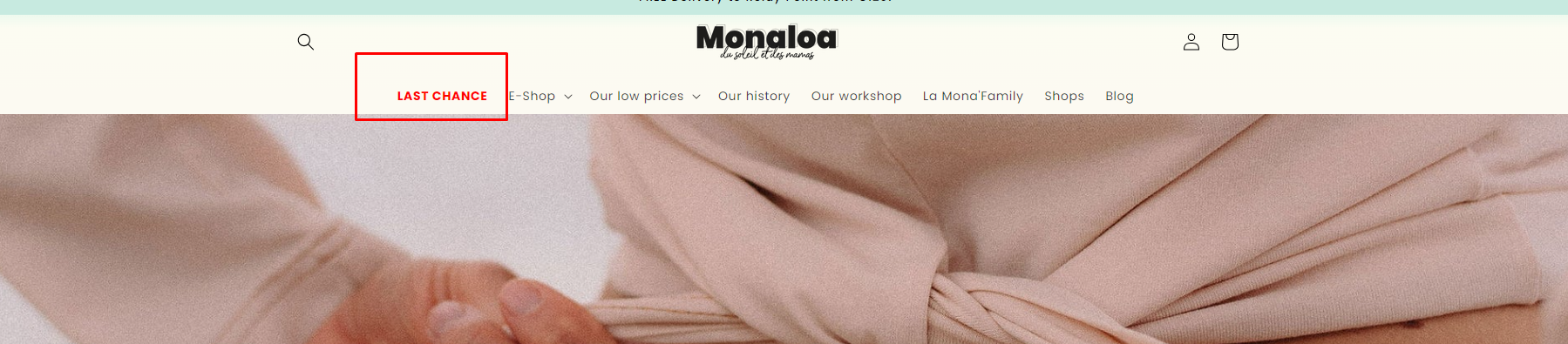
I would like to change the text color of only one of my main navigation menu to highlight it.
The first “LAST CHANCE” navigation menu should appear in red and bolder rather than black.
Do you have any idea of what code I should write in CSS code there ?
My website is www.monaloa.fr
Thank you very much,
Best,
Pauline
1 Like
Moeed
2
Hey @Monaloa
Follow these Steps:
-
Go to Online Store
-
Edit Code
-
Find theme.liquid file
-
Add the following code in the bottom of the file above tag
RESULT:
If I managed to help you then, don’t forget to Like it and Mark it as Solution!
Best Regards,
Moeed
2 Likes
Hey @Monaloa ,
Try adding this CSS in your tags
nav li:first-child a {
color:red;
font-weight:bold;
}
After making this change you will get something like this
Thanks
Yash Garg
1 Like
Hi @Monaloa , go to your base.css and add the following code :
ul.list-menu.list-menu--inline li:nth-child(1) a {
    color: red !important;
    font-weight: bold !important;
}
Result:

1 Like
Hi, @Monaloa .
Follow These steps,
Go to the online store theme and go to base.css file paste the code mentiond below.
a#HeaderMenu-last-chance {
    color: red;
    font-weight: 600;
}
Result:
If I managed to help you then, don’t forget to Like it and Mark it as Solution!
1 Like
Hello There,
- In your Shopify Admin go to online store > themes > actions > edit code
- Find Asset > base.css and paste this at the bottom of the file:
a#HeaderMenu-last-chance {
color: red;
font-weight: bold;
}