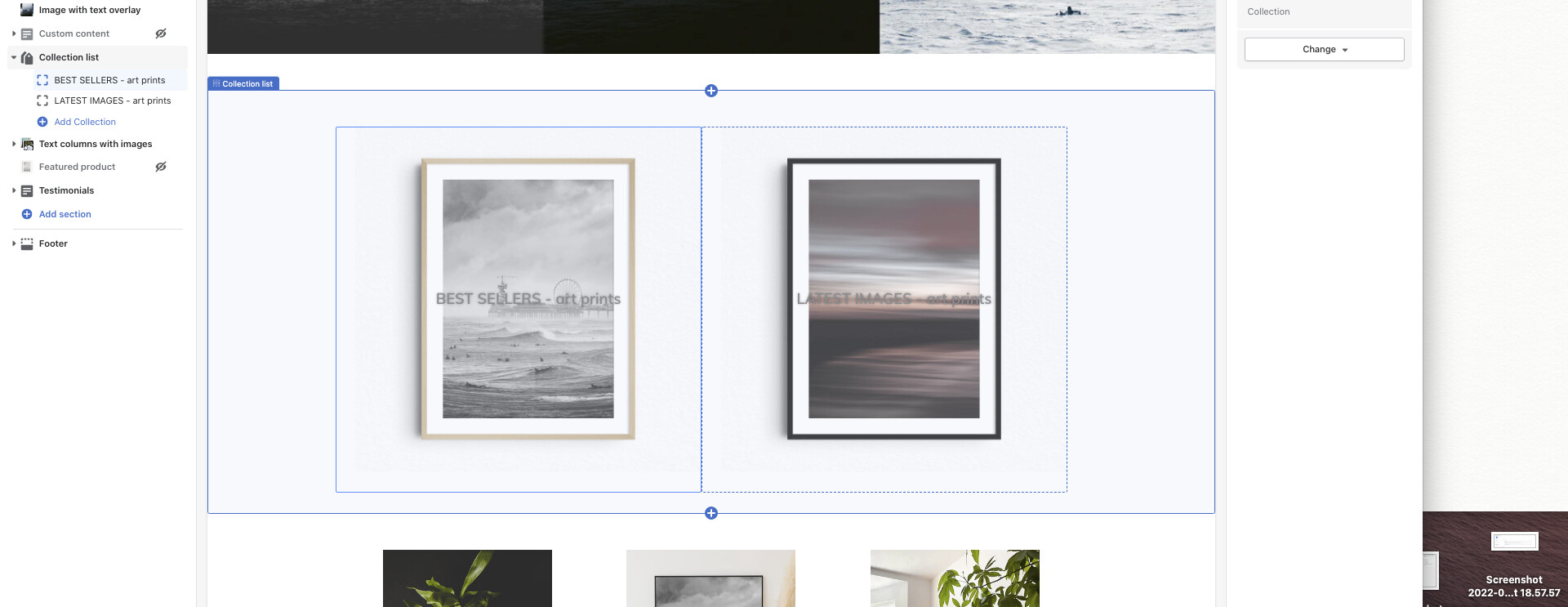
Hi all, hope someone can help.
How can I move the ‘collection list’ titles above the collection? I don’t want the text to hover over the collection.
First thing I want people to read is BEST SELLERS and LATEST IMAGES.
Ideally I’d like to:
-
move the collection title above the image
-
remove the text and shadow overlay
-
change text size font and colour
It’s fine if I have to add CSS code, just can’t write this myself.
Thanks for helping out!
www.jophermans.com
This is PageFly - Free Landing Page Builder. I would love to provide my recommendations for your store.
Regarding your concern about move the title above the Collection list. You cannot move it outside but you can move it to the top corner of the collection list.
You can follow the step below to add it into your theme css file
Step1: Online store > Themes > Edit code > search css and select your theme css file
Step2: Paste the code into the very end of the file
@media (min-width: 1023px) {
.collection-grid-item__title.h3 {

top: 2%;

    right: 34%;

font-color : black;

font-size: 20px;

}

}
This code is for desktop only. And you can change it to match with your need
Hope this helps.
Best regards,
PageFly
Thanks for thinking with me PageFly.
I will definitely check out the effect of this piece of code you offered!