First of all, apologies for any upcoming grammar mistakes, but I hope you’ll understand what I’m trying to say!
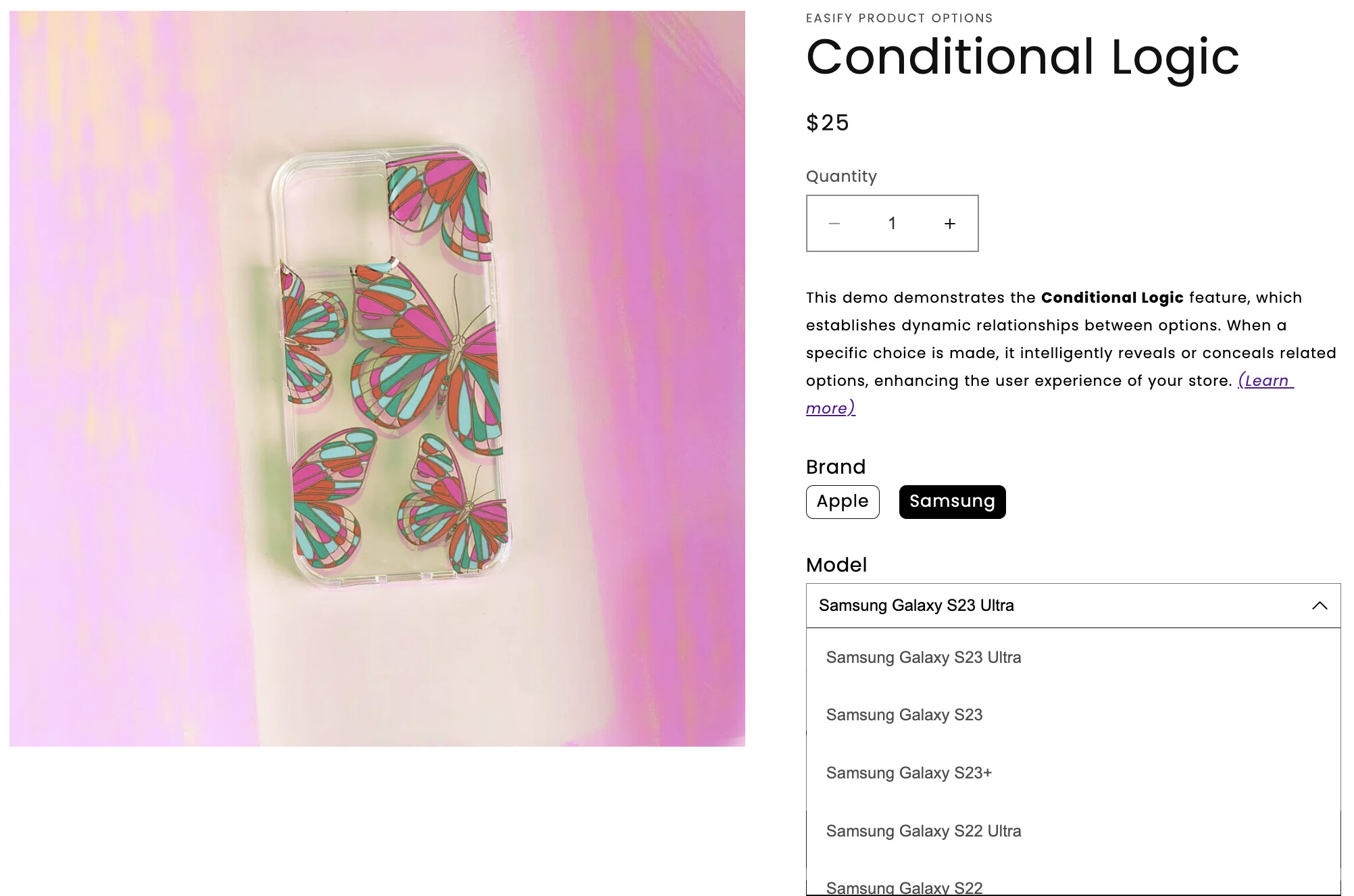
Let’s consider a scenario where I have two variants on a product page for mobile phones: the first is “Brand,” and the second is “Model.” How can I link these two variants together? For instance, if I select “Samsung” for the first variant, the second variant should display a list of available models for Samsung. Similarly, the same should occur for other brands such as iPhone, Xiaomi etc.
I aim to create a separate model list for each brand, with the variants mutually connected.
I don’t believe this is possible with regular theme customization. Maybe with an app. Or, if you don’t mind them being a variant, and you are open to them being a field that will make the model appear in your product as a property, and not a variant, it’s possible to do it through metafields, but it will still be a complex work, as it would need to check things and change things as the variant selector changes
Yes, I assumed it couldn’t be done through a simple method. I’ve been searching for apps but can’t find anything close to what I described. I’ll try to continue researching, but it seems like I currently don’t have a solution. If you have something that could help me or is somewhat similar, please send me a link.
As I mentioned, I thought of this second solution. It’s complex, but I believe it’s achievable and would work. You can get in touch with me if you want so that we can discuss it better
Keep in mind that products have 100 variant limit so mixing multiple “brands” and choices easily runs into this problem. So often will need a different advanced theme customization and consideration for the products information architecture.
If you need this customization done for you then contact me by mail for services.
ALWAYS please provide context, examples: store url, theme name, post url(s) , or any further detail in ALL correspondence.
Contact info in signature.
For managing product options on your Shopify store, you should consider using the Easify Product Options app (free plan available). It allows you to effortlessly create product options and leverage its conditional logic feature to establish relationships between different options .
To help you visualize its capabilities, I suggest taking a look at the below demo:

 .
.