Lolo24
March 19, 2024, 9:38pm
1
I am looking to add a tear sheet to my product pages using custom code. From this forum: https://github.com/gravyhtx/shopify_product-tear-sheet
I have completed the first two steps but am struggling to complete the last part.
Part 1
Part 2
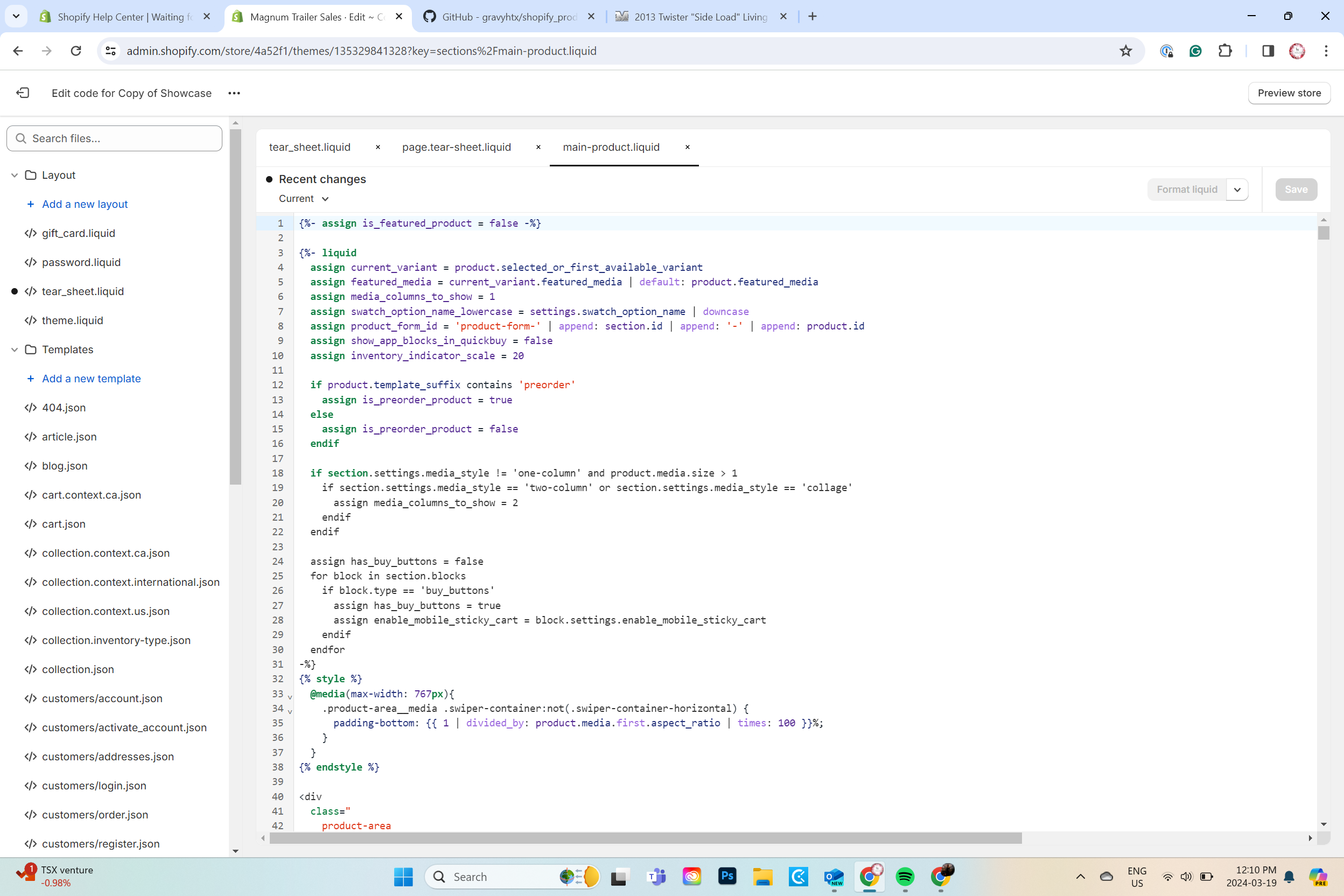
Part 3
Please help me make my product page printable or create a tear sheet for my products on showcase theme.
tim_1
March 20, 2024, 6:14am
2
So what’s the problem – you do not know where exactly you should put this code?
It would be difficult to tell without looking at the theme code and since Showtime is not a free theme …
However, you may try using a “Custom liquid” block if product section offers one.
Simply paste code from the file in Custom liquid setting and position the block as you like.
Lolo24
March 21, 2024, 6:39pm
3
Thanks for your reply Tim,
Yes, I am unsure of where to place the code in ‘main-product.liquid’ shown in the third photo above.
I tried a few places in the code but do not have a lot of experience in this area. At one point I had the button show up but it was not clickable.
The Custom Liquid block seems to be working so far,
I appreciate this advice!
Lolo24
March 21, 2024, 7:00pm
4
This is the code i am implementing, Is there any advice you can give me to make it work or improve it?
kmtl
March 17, 2025, 7:22pm
5
Hi there, did you get it working? You might want to try our app: https://apps.shopify.com/printproductpage