Hi, is there a way to increase the ‘Save 15%’ flag next to subscribe and save?
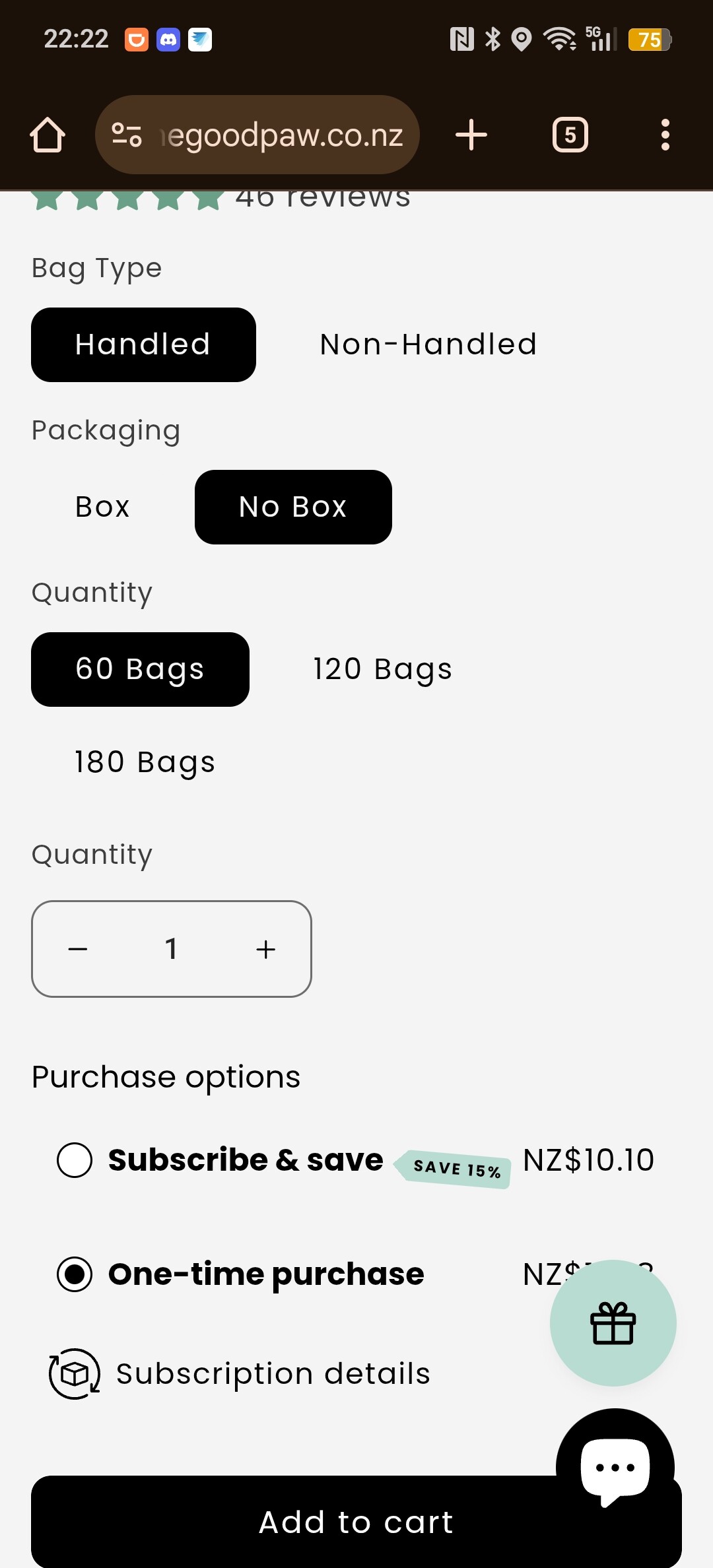
Thank you in advance
Goal: Increase the size of the “Save 15%” flag displayed next to “subscribe and save” using CSS.
Context: Technical Q&A focused on css, design, troubleshooting. The post includes a screenshot that is central to understanding the flag’s current size and placement.
Request: Confirmation and guidance on whether it’s possible to enlarge this specific badge/flag via custom CSS.
Clarification: CSS (Cascading Style Sheets) would be used to target the flag element in the UI and adjust its visual properties.
Status: No replies or solutions provided yet; the question remains open with no identified selector or method shared in the thread.
You can do that by adding this code to Custom CSS in your theme settings
.product__info-container .sls-savings-badge { font-size: 1.2rem !important; }
Best regards,
Dan from Ryviu: Product Reviews App
