Hi there, is there a way to add in an extra “buy button” to the highlighted area. This button will say “Bundle Up!” and redirect customers to another product page. My theme is Sense 4.0. Thanks in advance.

Hi @Chuckachucka , can you share a link to your store?
@Chuckachucka does your theme has a file called buy-buttons.liquid or something along those lines?
You’ll need to add the following code in there
<a href="/your-page-url" class="product-form__submit button button--full-width button--primary">
Bundle Up
</a>
right after this
<button
  type="submit"
  name="add"
  class="product-form__submit button button--full-width button--primary"
>
  <span>Add to cart </span>
  <div class="loading-overlay__spinner hidden">
    <svg
      aria-hidden="true"
      focusable="false"
      role="presentation"
      class="spinner"
      viewBox="0 0 66 66"
      xmlns="http://www.w3.org/2000/svg"
    >
      <circle class="path" fill="none" stroke-width="6" cx="33" cy="33" r="30"></circle>
    </svg>
  </div>
</button>
And it would end up looking like this

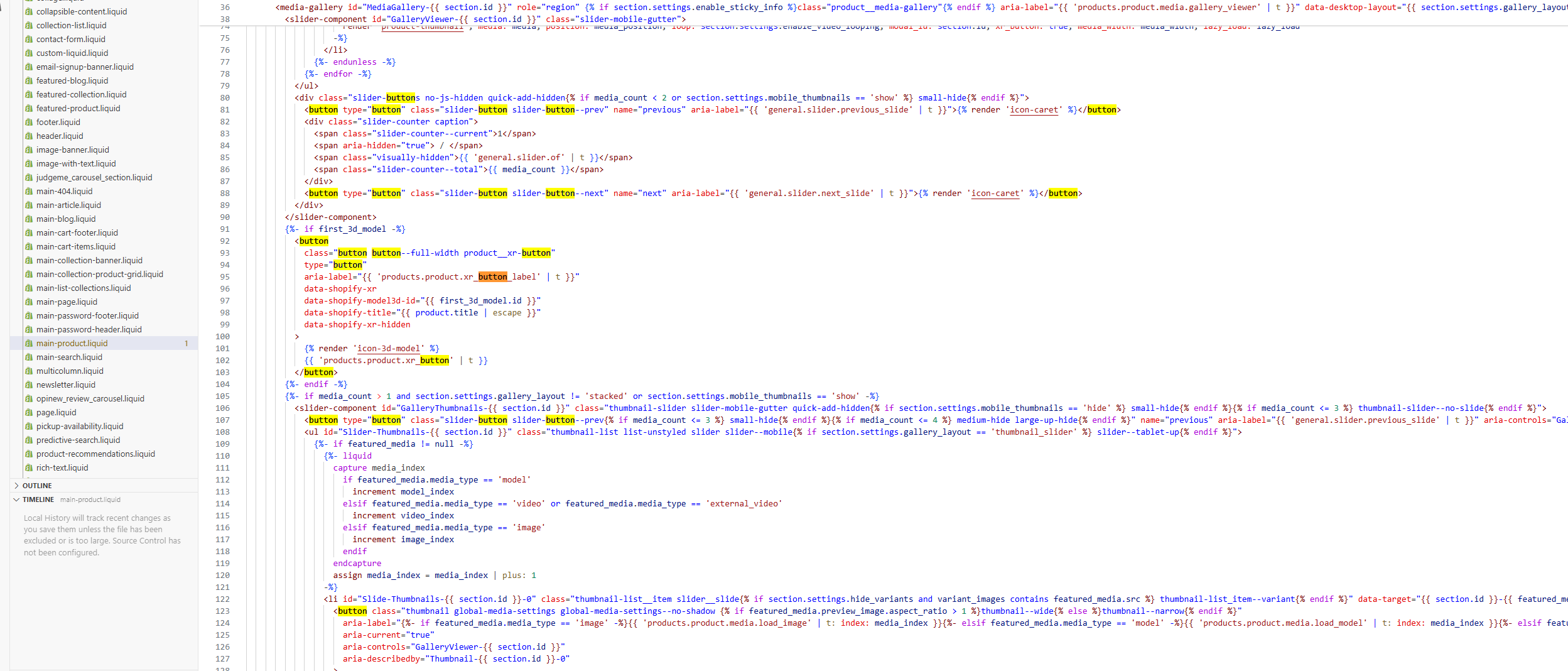
@Chuckachucka it’s not exactly there, but close
Can you locate this line?
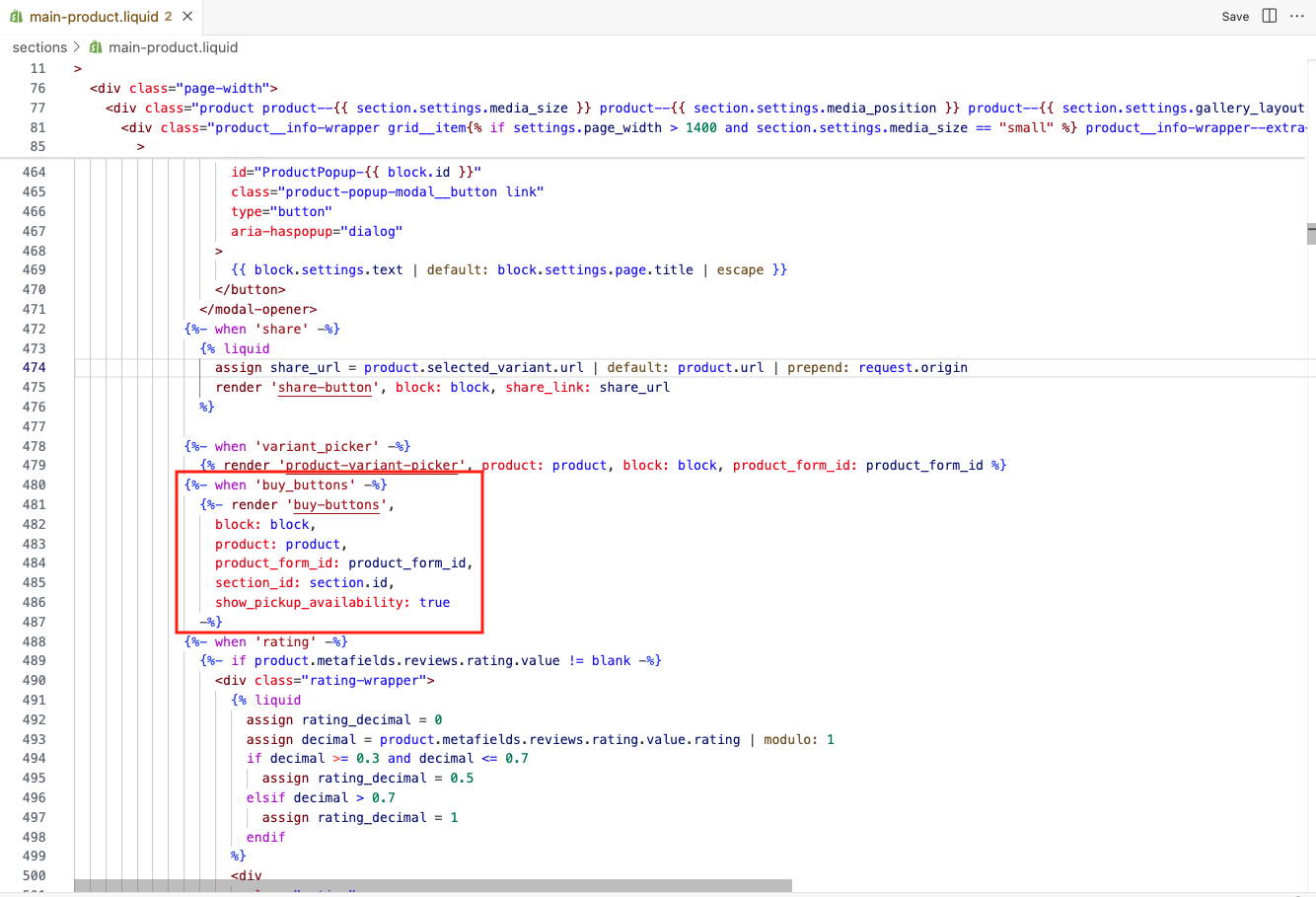
If so, in your snippets folder you’ll probably have the file we are looking for
I can only locate this section in the main-product.liquid folder. I also for some reason can’t find the snippets folder. Any ideas? I’ve tried adding a block on the actual “product information” but the buttons don’t link to anywhere and there’s now a double up, and the alignment “buy with SHOP” is not full width.


@Chuckachucka that works, what you are looking for is after the {% form ... %} line (425), which isn’t visible in the screenshot. There should be a <button> somewhere there, find the closing tag, which should be </button> and paste the code I shared above in there. Or if you don’t find it show me what’s after line 425 and I can tell you where to paste it.

@Chuckachucka it’s there! Add this after line 450
<a href="/your-page-url" class="product-form__submit button button--full-width button--primary">
Bundle Up!
</a>
You’re right it is! I’ve added it in, but now it looks like this. Is it possible make it full width as well?

Also, when I click the “bundle up!” button it doesn’t link to anything. I would like it to link to Poop Bag Dispenser | thegoodpaw

@Chuckachucka , there are two “Add to cart” buttons because you added the code that generates that button twice.
As for making it link to the page you shared, do the following
<a href="/products/waste-bag-dispenser-4" class="product-form__submit button button--full-width button--primary">
Bundle Up!
</a>
To make them full width go to the Theme Editor in the Shopify Admin, click on settings, look for Custom CSS and paste the following
.product-form__buttons {
   max-width: unset;
}
See the screenshot below

I see, is there a way to delete the duplicate? And only have the additional buy button on this specific page? Compostable Poop Bags | thegoodpaw
Currently, the extra button is visible across all product pages.
Thanks in advance!
@Chuckachucka yes, delete from line 454 to line 472


Just want to point out that there absolutely no need to butcher your theme code and compromise your ability to update to newer theme versions.
Use the “Custom liquid” block inside “Product info section”.
Also, luckily for Dawn family themes we have entire theme code available at Github and any version can be referenced, so it’s a very nice option to use it reference places in your theme code, like this:
Sure, to which page do you want to restrict it?
Poop Bag Dispenser | thegoodpaw and Pup Caps | thegoodpaw,
also the “add to cart” buttons on these pages are no longer black background and white text like this product page Compostable Poop Bags | thegoodpaw
@Chuckachucka to fix the button’s color please remove button--secondary from the <button> near the area you edited earlier.
To make the bundle button show on the pages you mentioned edit the code to be the following:
{% if product.handle == "pup-caps" or product.handle == "products/waste-bag-dispenser-4" %}
<a href="/your-page-url" class="product-form__submit button button--full-width button--primary">
Bundle Up!
</a>
{% endif %}
I visited your website, and I can see that the bundle-up button is already present.
It seems that your issue may have already been resolved.

Best regards,
Devcoder 