Hey!
I’m really struggeling here since i updated to Theme 2.0.
Currently on Sense 4.0.0. and trying to add custom badges for my products.
Looking to add “Bästsäljare” and “Nyhet” and “Season Edit”.
I have localized where the code is hidden and looked at seven different solutions from the community. Non are working, so help is very welcomed!
Code is at Snippets > card.product.liquid and looks like this 
 <div class="card__badge {{ settings.badge_position }}">
{%- if card_product.available == false -%}
<span id="NoMediaStandardBadge-{{ section_id }}-{{ card_product.id }}" class="badge badge--bottom-left color-{{ settings.sold_out_badge_color_scheme }}">{{ 'products.product.sold_out' | t }}</span>
{%- elsif card_product.compare_at_price > card_product.price and card_product.available -%}
<span id="NoMediaStandardBadge-{{ section_id }}-{{ card_product.id }}" class="badge badge--bottom-left color-{{ settings.sale_badge_color_scheme }}">{{ 'products.product.on_sale' | t }}</span>
{%- endif -%}
</div>
Thank you for anyone having a look at this!
Live look: remoair.com
1 Like
@Remoair
try code
  {% for tag in product.tags %}
    {%- if current_tags contains 'NEW' -%}
       NEW!
     {% endif %}
   {% endfor %}
or
  {% for tag in card_product.tags %}
    {%- if current_tags contains 'NEW' -%}
       NEW!
     {% endif %}
   {% endfor %}
1 Like
Hi @Remoair ,
You can follow the instructions below
it will help you to add badges with the tag product.
Hope it helps!
1 Like
Ok I found a quick solution with the help of the replies here. Three easy steps!
-
Open the card.product.liquid
-
Find the code for badges. Then copy the code for a specific badge that already existed. Green marks my new settings for my new badge. Insert it before
{%- endif -%}
in the current
.
- Change the code to your liking, green marks the changes i made. The code card_product.tags contains ‘NEW’ is where you add the tag that you want to use. Make sure that the products later is tagged with the exact same tag, in this case NEW.
{%- elsif **card_product.tags contains 'NEW'** -%}
<span id="NoMediaStandardBadge-{{ section_id }}-{{ card_product.id }}" class="badge badge--bottom-left color-{{ settings.sale_badge_color_scheme }}">**Nyhet**</span>
 If you want this badge to look different there is more coding that can be done in the section-main-product.css. You can then switch the code color-{{ settings.sale_badge_color_scheme }} to something like color-{{ settings.badge-new }} add it to the .css and make your badge look however you want!
Just adding this snippet of code did not solve it, but thank you for examples. They helped me find the right solution!
2 Likes
@Remoair
thanks for your update and support
1 Like
Can you also use an image for a badge?
@Remoair
i think you have fixed this issue?
1 Like
Hello @Remoair
I tried to do the same on my Dawn theme, but it didn’t work (inserted image).
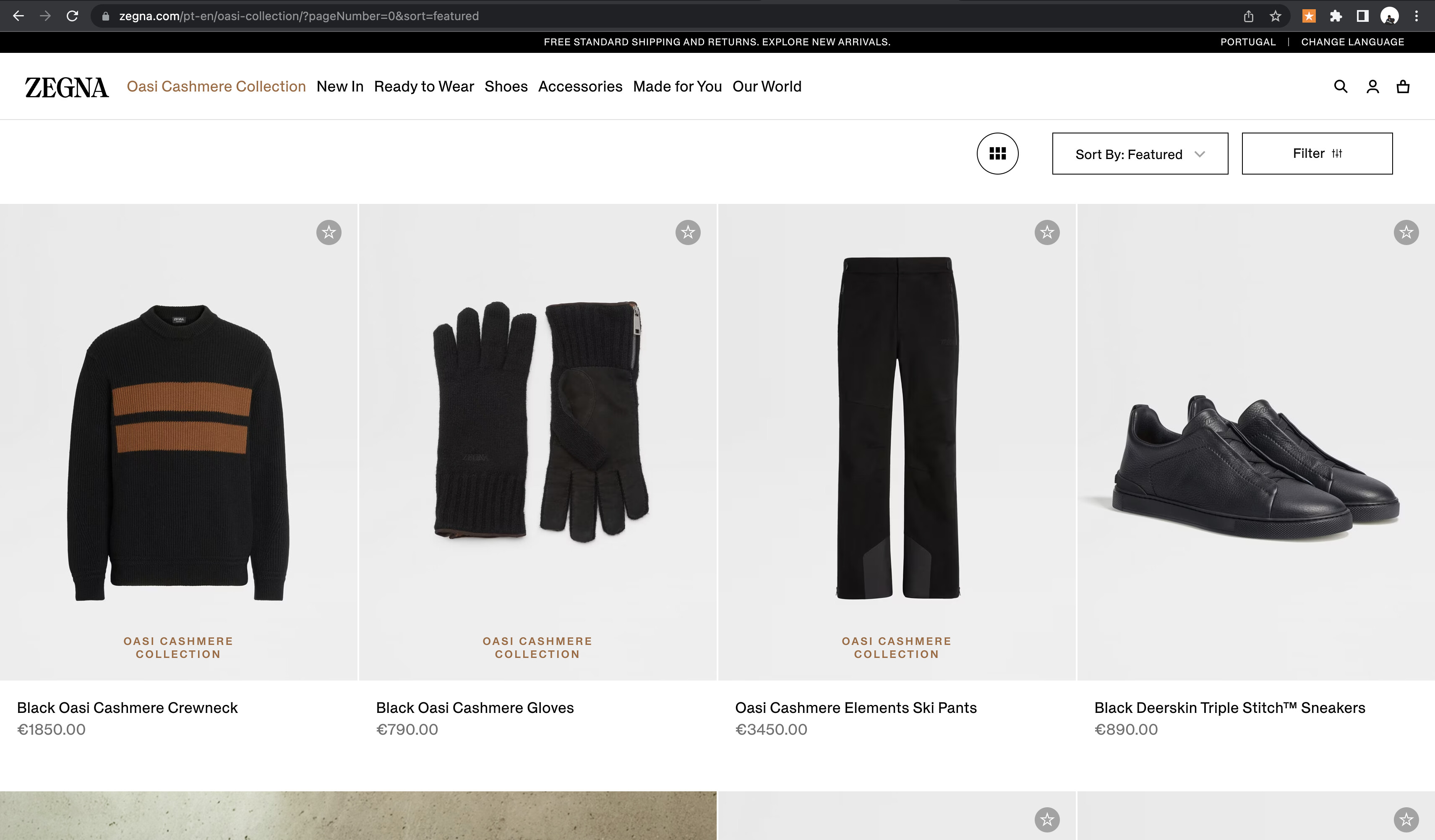
I want to do like this zegna website, can you help me please?
My website: https://diversusoficialsite.myshopify.com/?_ab=0&_fd=0&_sc=1
Password: diversusoficial
Thank you