JordiP
October 23, 2024, 3:52pm
1
Hello,
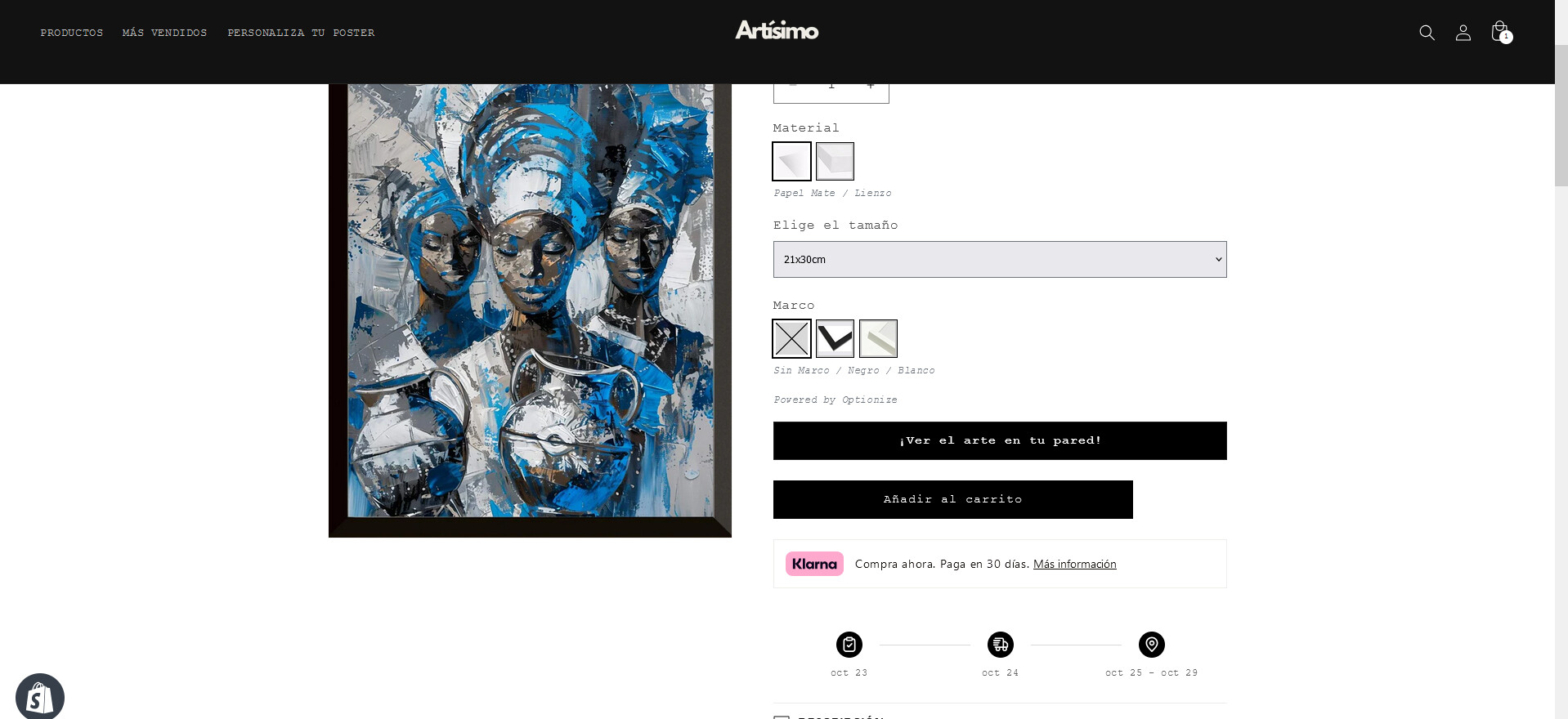
I would like to customize the size of my add to cart button to match my widgets next to it, so everything looks clean.
( ^ Here is how it looks now, it is slightly shorter than the one above and below. I want it to match the size, no matter the screen size that it is being viewed from)
Store: artisimo.es
pass: pongia
@JordiP ,
Step 1: Go to Shopify Admin → Online Store ->Theme → Edit code
Step 2: Search file theme.liquid
Step 3: Insert this code above
Result:
If it helps you, please like and mark it as the solution.
Best Regards
1 Like
Hi there
You have this CSS rule that is setting a max-with for product form buttons:
.product-form__buttons {
  max-width: 44rem;
}
Just remove that line, so the button grows the full available width:
If you don’t have access to that piece of code and can’t remove it, then you’ll need to add this custom CSS to your theme to overwrite it:
.product-form__buttons {
  max-width: 100% !important;
}