Dawn theme - how to edit email form button text

Topic summary

A user asks how to edit the email signup button text in Shopify’s Dawn theme.

Solution provided:

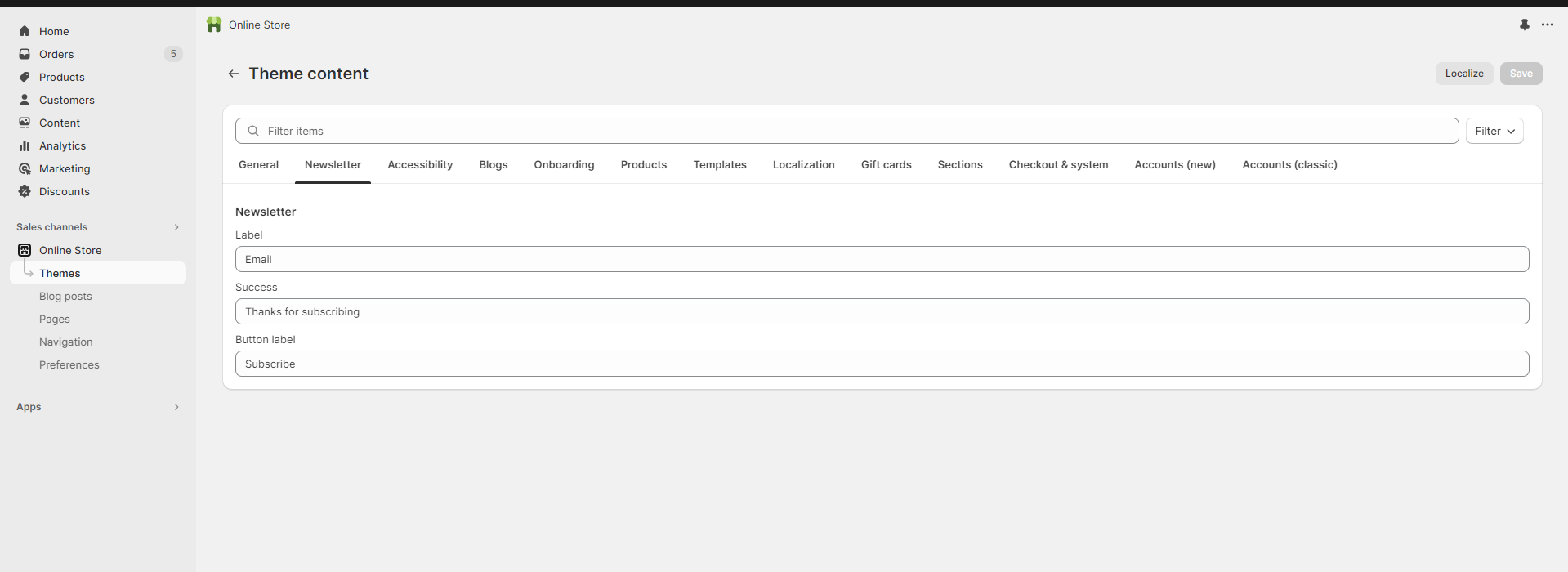
  • Navigate to Online Store > Themes > Edit default theme content
  • Locate and modify the button text within the theme editor

Additional context:

  • Multiple respondents offered help and requested the store URL for more specific guidance
  • Screenshots were shared showing the navigation path to access theme content settings
  • The discussion remains open for further customization details once the user provides more information about their specific requirements
Summarized with AI on November 16. AI used: claude-sonnet-4-5-20250929.

Hi,

Where can I edit the sign up button text in the email form? I’m using the Dawn theme. Thanks!

1 Like

Hey @NOMVDIC

Can you tell me that what would you like to edit in the email form then according to that I can provide you the code? Also, Could you please provide your Store URL and, if applicable, the Password too? Your cooperation is greatly appreciated!

Best Regards,
Moeed

@NOMVDIC

Can you please provide store URL?

Hi @NOMVDIC

You can try to find and edit that text from your Online store > Themes > Edit default theme content

Hello there,
Online store > Themes > Edit default theme content