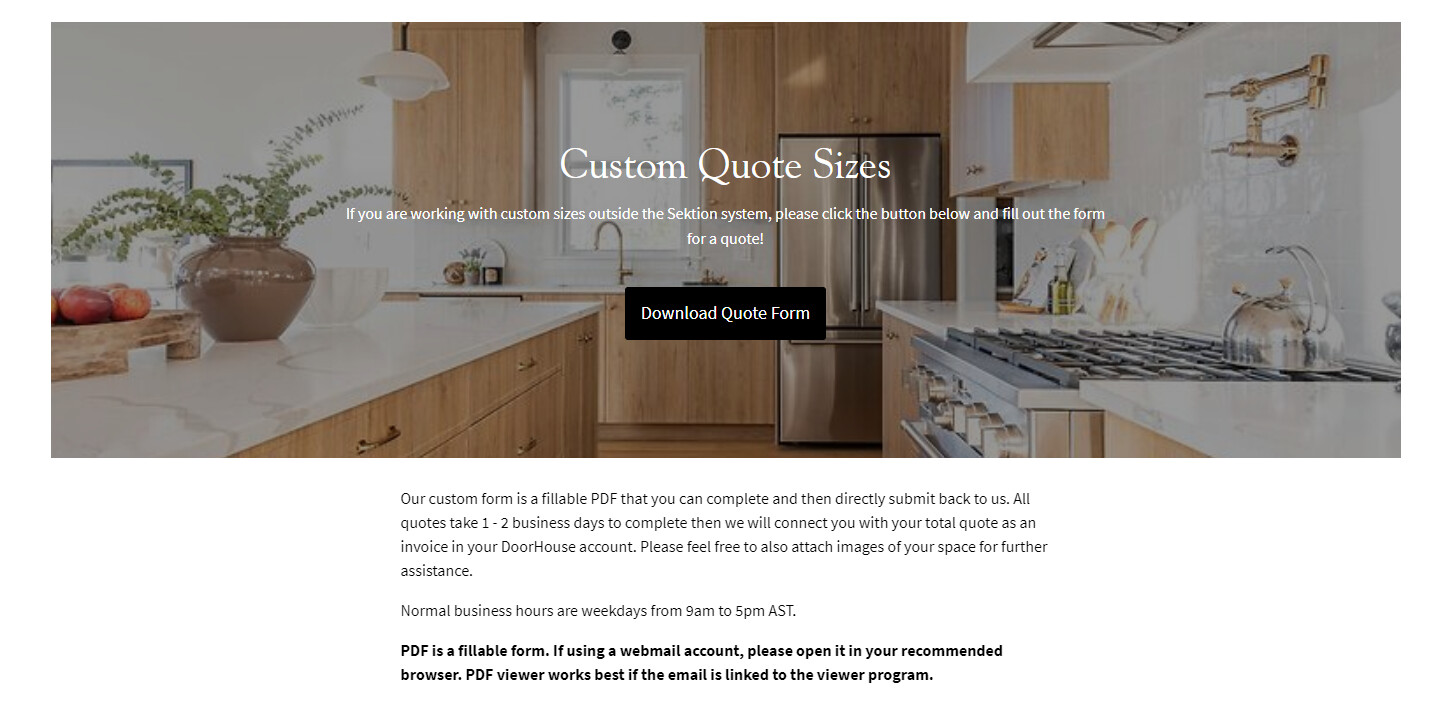
Hi! Was just wondering if someone can help. Looking to decrease the top padding on the rich text below to 0px.
I was able to do it when I inspected the sites page, by I just don’t know where to input the code properly for it to stay. The website is doorhousehfx.com and the current pw to get into the site is Designer1234!
Thanks in advance
Hi @DoorHouse ,
I understand that you want to remove the rich text to below 0px.
-
From your Admin page, go to Online store > Themes > click the three dots > Edit code
-
Find the Asset folder, and open the base.css/theme.css file.
-
Add the code below at the very end of the file.
section.rich-text--container.rich-text-regular {
    padding: 0px;
}
i hope it helps.
Hi Rose, I added this to the theme.css.liquid file and nothing changed
Hi @DoorHouse ,
This is Victor from PageFly - Landing page builder, I’d like to suggest this idea for solution:
Step 1. Go to Online Store → Theme → Edit code
Step 2. Open your theme.liquid theme file
Step 3. Paste below code before :
Hope my answer will help you.
Best regards,
Victor | PageFly
div#shopify-section-template--16003233743036__859d6233-7d5a-40d6-a317-1386dce93906 > section { margin-top: 5px; }
Got this code emailed to me via PageFly-Victor, added it to edit code and under theme.liquid and pasted below
Yes, padding is on the side. The top of the text is margin. So you didnt mention margin.
sorry for using the wrong terminology
No worries, the important is to get the right solution.