I want to decrease the size of text in my footer on my website https://swawe.store/
Hello @attackon
Go to online store ---------> themes --------------> actions ------> edit code------->assets-----> section-footer.css
@media screen and (min-width: 990px) {
.footer-block__heading {
font-size: 14px !important;
}
}
@media screen and (min-width: 750px) {
.footer-block__details-content .list-menu__item--link {
font-size: 10px !important;
}
}
.footer-block__image-wrapper img {
max-width: 85% !important;
}
.copyright__content {
font-size: 10px !important;
}
and the result will be

If this was helpful, hit the like button and mark the job as completed.
Thanks
Hi @attackon
Do you want to change all the text? Also, in mobile screen or only desktop?
Check this one.
- From you Admin page, go to Online Store > Themes
- Select the theme you want to edit
- Under the Asset folder, open the main.css(base.css, style.css or theme.css)
- Then place the code below at the very bottom of the file.
@media screen and (min-width: 750px) {
    .footer-block__details-content .list-menu__item--link {
        font-size: 1.2rem !important;
    }
}
- And Save, this is for the footer menu link.
@media screen and (min-width: 750px) {
    .footer-block__heading {
        font-size: 1.4rem;
    }
}
-
And for the header.
-
result:
-
Note: This is only for desktop.

Please don’t forget to Like and Mark Solution to the post that helped you. Thanks!
- Here is the solution for you @attackon
- Please follow these steps:

- Then find the base.css file.
- Then add the following code at the end of the file and press ‘Save’ to save it.
@media screen and (min-width: 750px) {
    .footer-block__heading {
        font-size: 1.6rem !important;
    }
    .footer-block__details-content .list-menu__item--link {
        font-size: 1.2rem !important;
    }
}
- Here is the result you will achieve:
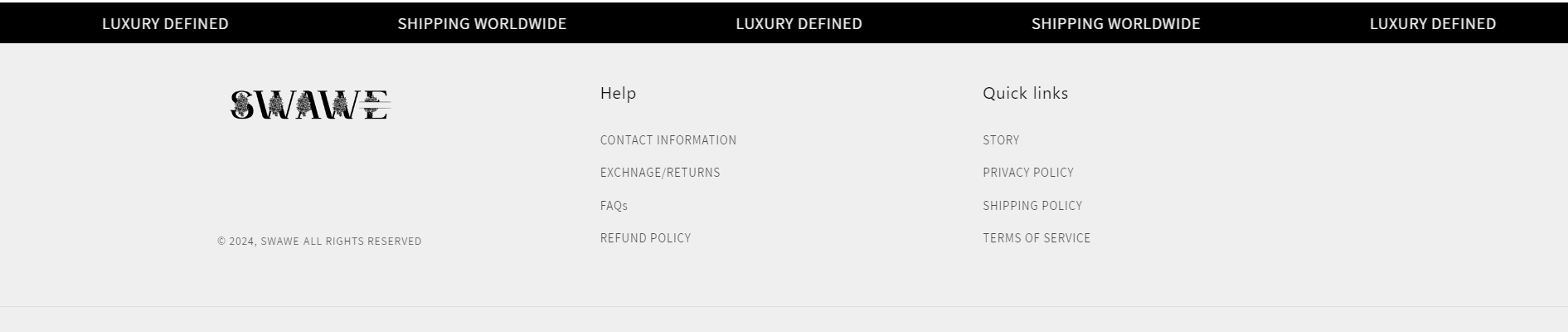
- Please press ‘Like’ and mark it as ‘Solution’ if you find it helpful. Thank you.
Hi @attackon ,
To change the footer block headings and the links under it, you can use the CSS code provided below.You can adjust the font sizes to your requirements.
Go to your online store, then select Theme. Click Edit Code then under assets find ‘section-footer.css’ and paste the following code:
To change the heading font size:
for larger displays
@media screen and (min-width: 750px) {
.footer-block__heading{
font-size:14px!important;
}
}
for smaller displays
@media (max-width: 749px) {
.footer-block__heading{
font-size:12px!important;
}
}
To change the link’s font size:
for larger displays
@media screen and (min-width: 750px) {
.footer-block__details-content .list-menu__item--link{
font-size:12px!important;
}
}
for smaller displays
@media (max-width: 749px) {
.footer-block__details-content .list-menu__item--link{
font-size:10px!important;
}
}
To change the copyright text font size:
.copyright_link .copyright__content{
font-size:9px;
}
Result:


I hope this helps! If it does, please like it and mark it as a solution!
Regards,
Sweans