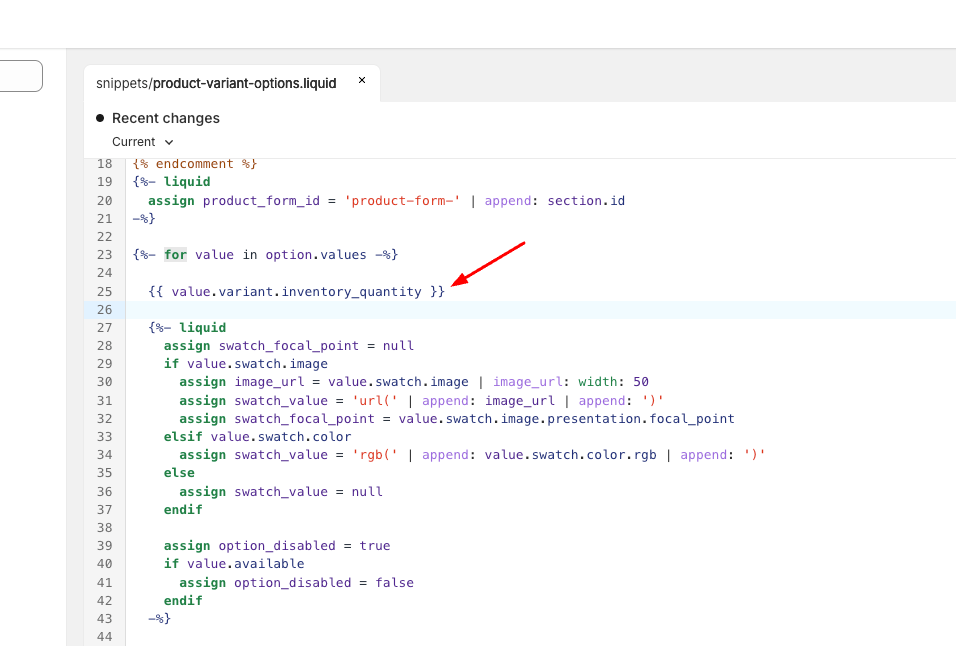
How do I display each variants quantity inside the product-variant-option.liquid?
Tried pretty much any combo I could think of, but not getting any values…
Need the quantity of each listed variant (for size) so I can display it next to each size
How do I display each variants quantity inside the product-variant-option.liquid?
Tried pretty much any combo I could think of, but not getting any values…
Need the quantity of each listed variant (for size) so I can display it next to each size
Hi @Zeuligan ,
Please send the website link, I will check it for you
Hi @Zeuligan
Can you share you store URL and Password if it password protected so I can check and try to help you out
Please share with me your store URL and show me specifically which place do you want to add the feature
Best,
Daisy
I can’t share anything, its both a secret project and mostly it’s a local CLI environment. It’s Dawn 15 and it’s in the product-variant-option.liquid. Basically next to each size I want to display that variants stock levels.
I’m closer, but not solved.
{% assign matching_variant = product.variants | where: ‘option2’, value | first %}
That gives me access to variant stock with for example
matching_variant.inventory_quantity
Problem is that this is for the first variant only (if I got 2 colors the inventory quantity is only for the first color/variant, even if I choose 2nd color/variant).
Anyone got any smart input?
Not sure if this makes it clear but the block “Inventory Status” is what I’m trying to implement PER variant, not one value displayed for the selected variant, but for all LISTED variants that are size (option 2). So I can display available stock in a list next to corresponding size value.
Hi @Zeuligan ,
You can use the following for the product-variant-options.liquid file:
Code:
{{ value.variant.inventory_quantity }}
THANK YOU SIR  I’m so grateful. Works like a charm
You again, thats 2 times you helped me. Thank you!
Do you know if there is a way to show only the available variant options when the
{%- for value in option.values -%} loop?
For my test product I got 2 colors and 6 sizes for color 1 and 7 sizes for color 2 (I deliberately deleted one size, rather than stock 0)
Now matter how I do, both variants list 7 sizes, with the only difference that for color 1, the 7th size is listed as out of stock.
Can you delist the actual variant size if it’s not avaiable? Ofc I could just set that variant size to 0, but was curious if it’s possible without rewriting the entire loop.
Hi @Zeuligan ,
Please send me the product link describing this, I will check it out
I am experiencing a similar issue where I want to display the quantity of each variant so that customers can see the remaining stock for each size. The availability app currently only provides the total quantity for all variants combined, which is not ideal. While it is possible to show the quantity for each variant, some of my products have over 30 to 50 variants, making the website appear cluttered with excessive information. I would appreciate any assistance in finding a solution to display the remaining stock for each variant effectively, as I am using the Trade theme.