Hi!
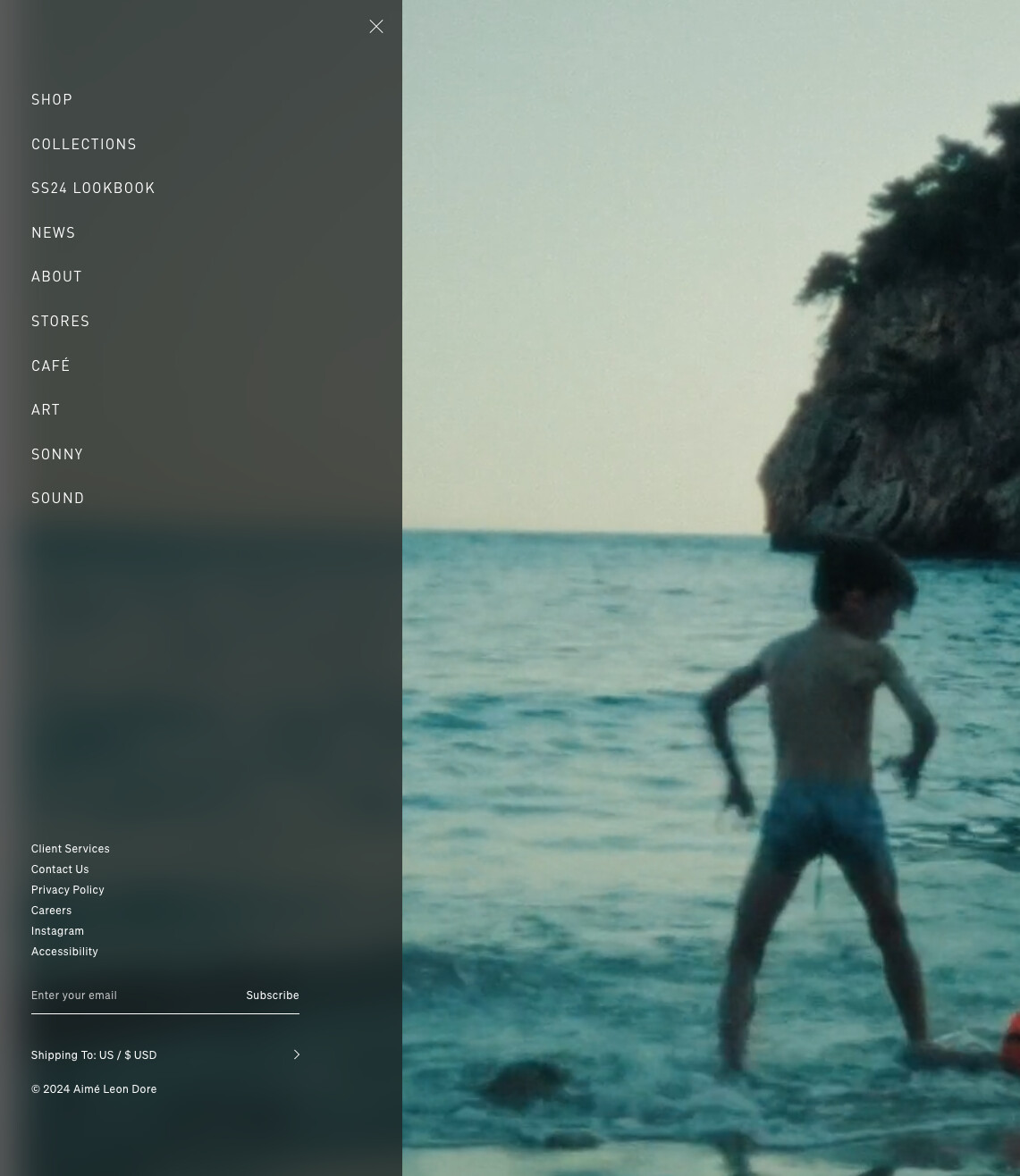
I’m having some trouble with my drawer menu. I managed to make the drawer transparent with a slight blur but once I open the drawer menu, it does not change the transparent header. I would like the drawer menu to also change the header. I have this problem for the mobile layout as well. Besides this problem for the mobile layout, I would like the text on the mobile layout to be white as well (just as in the desktop layout).
I hope this is doable for anyone that could help. Thanks so much in advance!
This is how I would like to have it
This is what i have now on the desktop
This is what I have now on the mobile
2 Likes
Hello @aclothingbrand
Our team is ready to help you.
Please share your website address and access password (if necessary) so that we can check and assist you.
1 Like
Hello @aclothingbrand
Please provide the website URL with password
1 Like
Hi @BSS-TekLabs !
Is there a way to privately send you the website address as well as password?
Thanks!
1 Like
Please go to my personal page then select “Send message” @aclothingbrand
1 Like
- Then find the base.css or theme.css file.
- Then add the following code at the end of the file and press ‘Save’ to save it.
.menu-drawer__menu-item {
    color: white !important;
}
- Here is the result you will achieve:
- Please press ‘Like’ and mark it as ‘Solution’ if you find it helpful. Thank you.
1 Like
Thank you so much @BSS-TekLabs ! Do you also maybe know how to fix the first problem regarding the header?
Thanks in advance!!
1 Like
Hello @aclothingbrand
Go to online store ----> themes ----> actions ----> edit code ---->assets ----> component-menu-drawer.css
add this code at the end of the file.
.menu-drawer {
    top: 0% !important;
}
result
If this was helpful, hit the like button and accept the solution.
Thanks
#menu-drawer {
 top: 0 !important;
    padding-top: 50px !important;
}
Can you add more this code @aclothingbrand
Do you mean like this? Because I don’t think this works unfortunately..
1 Like
Add them one more line down after the }. Put it on the last line.
.menu-drawer__menu-item {
    color: white !important;
}
#menu-drawer {
 top: 0 !important;
    padding-top: 50px !important;
}
The final code should look like this. Add it to the last line of the base.css file. @aclothingbrand
or can you try add this code before tag in file theme.liquid @aclothingbrand
1 Like
It works sort of..! The menu is now at the top of the page and it is not possible to click the ‘X’ to close the menu anymore. Besides this, the colors seem a bit of.. haha. But thanks a lot for the effort. If you maybe know how to fix this, im open to anything @BSS-TekLabs
1 Like
Can you replace to this code @aclothingbrand
- Please press ‘Like’ and mark it as ‘Solution’ if you find it helpful. Thank you.
1 Like
Have you tried new solutions? Did they work @aclothingbrand ?