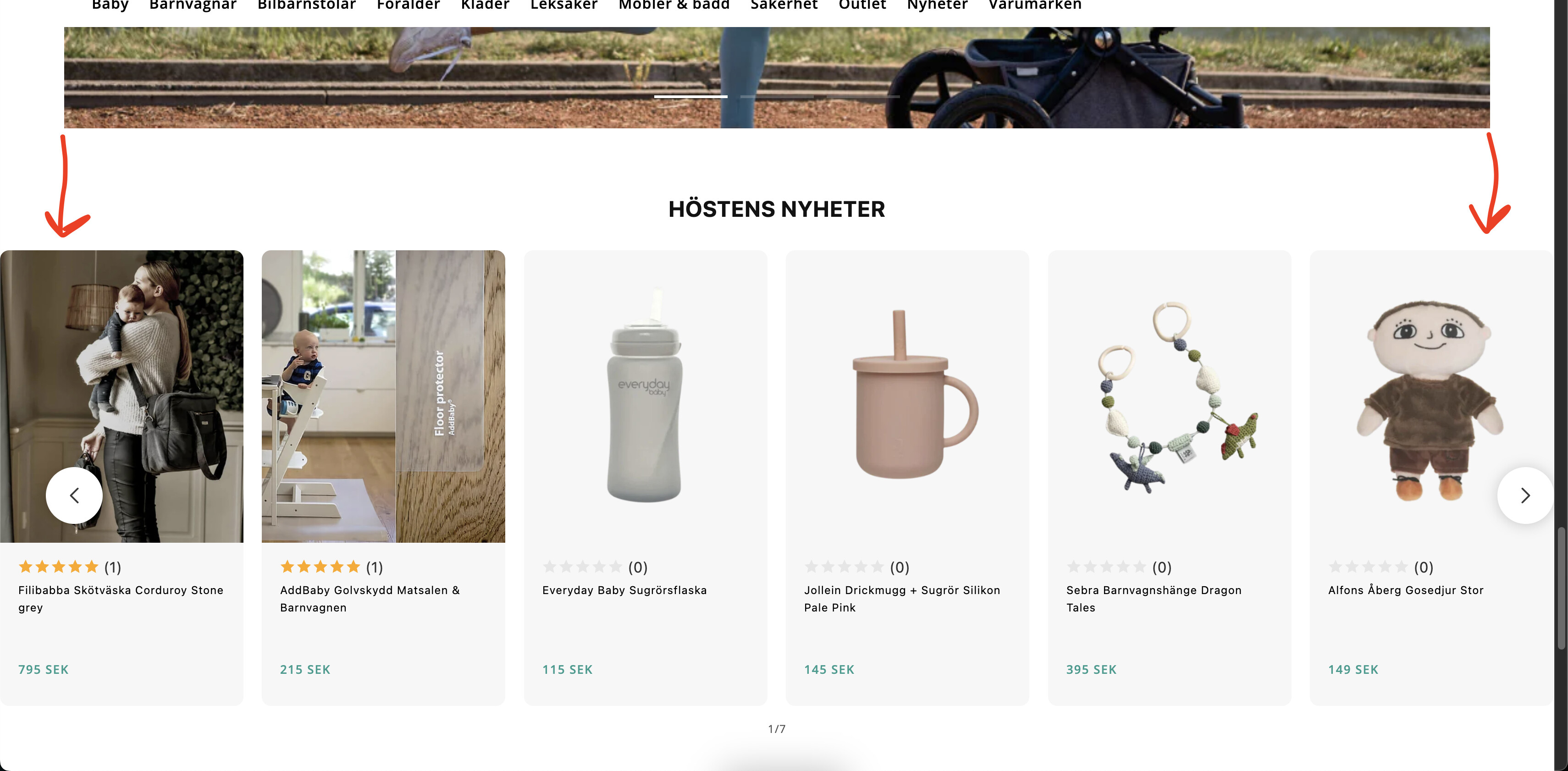
Featured product slider padding/margin on sides (Dawn)

Topic summary

Main issue: Align the side padding/margins of homepage product sliders with other sections in Shopify’s Dawn theme.

  • Initial guidance: Edit theme.liquid and add custom CSS above . The shared code snippet was empty in the post, so details are unclear.
  • Clarification: The request specifically concerns left/right (sides) spacing.
  • Follow-up: A second reply referenced a CSS change (exact code not visible) and showed a screenshot indicating increased side spacing.
  • Alternative solution: Another contributor provided concrete CSS targeting a specific section ID (#shopify-section-template–22029799784774__featured_collection_fj8tjj) with margin-left/right: 70px !important, to be pasted before in theme.liquid.

Key notes:

  • Approaches rely on adding CSS in theme.liquid, with differing placement (above vs before ).
  • The concrete CSS targets one featured collection slider by ID; it won’t apply globally without adjusting selectors.
  • Images/screenshots are used to illustrate the layout change and context.

Status: No confirmation from the original poster; outcome unresolved/ongoing.

Summarized with AI on December 20. AI used: gpt-5.

Hello,

I would like to have the same padding/margin on the sides of all my product sliders on my homepage as the other sections, but don’t know how to fix it.

Here’s my store: https://r1vex.myshopify.com/

1 Like

Hi @manbru ,

Step 1: Go to Shopify Admin → Online Store ->Theme → Edit code

Step 2: Search file theme.liquid

Step 3: Insert this code above tag:


Hope this can help you,

If our suggestions are useful, please let us know by giving it a like or marking it as a solution. Thank you :heart_eyes:

sorry for the inconvenience, but meant on the sides

1 Like

Hi @manbru , Pls try with this code:


Here is result:

Hope this can help you,

If our suggestions are useful, please let us know by giving it a like or marking it as a solution. Thank you :heart_eyes:

You can add code by following these steps

  1. Go to Online Store → Theme → Edit code.

  2. Open your theme.liquid file

  3. Paste the below code before on theme.liquid

#shopify-section-template--22029799784774__featured_collection_fj8tjj{ margin-left: 70px !important; margin-right: 70px !important; }

my reply helpful? Click Like to let me know!
your question answered? Mark it as an Accepted Solution.