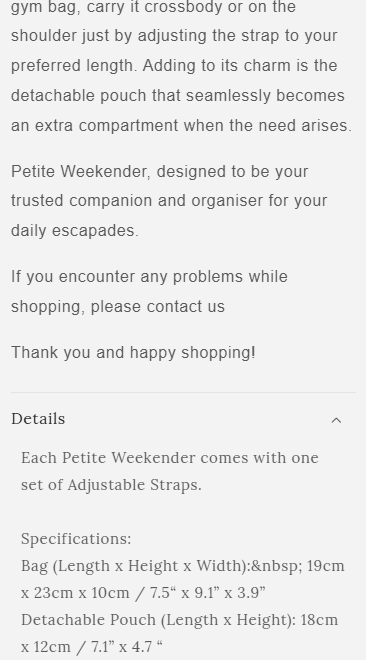
Hi my font seems to be inconsistent, any advice would be appreciated!!!

@media screen and (max-width: 767px) {
.product__description.rte.quick-add-hidden {
    font-weight: 900 !important;
    font-family: fangsong !important;
 }
}

Go to online store ----> themes ----> go to three Dots ----> edit code ---->find theme.liquid files ----> place the code ---->
under the tag before the body ----->
if this code work please do not forget to like and mark it solution
Hey @nicolewx
Follow these Steps:
-
Go to Online Store
-
Edit Code
-
Find theme.liquid file
-
Add the following code in the bottom of the file above tag
RESULT:
If I managed to help you then, don’t forget to Like it and Mark it as Solution!
Best Regards,
Moeed
hi @nicolewx
Go to Online Store > Edit Code > Find theme.liquid file > Add the following code in the bottom of the file above tag
@media screen and (max-width: 767px) {
.product__description.rte.quick-add-hidden {
    font-weight: 900 !important;
    font-family: fangsong !important;
 }
}
hmm how do i make it the same font as the website?
hmm how do i make it the same font as the website?