Hey guys,
I have looked for ages to try and find a resolution but I have failed to find one. So my website on mobile looks absolutely fine but on desktop view the image for free shipping is being covered. I would have inspected the code and figured it out myself but my laptop decided to die at the worst time! So I’m having to do everything from my mobile! Can someone please help I’m using the debut theme. Website is www.kawaiicertified.com
Hey Rachel,
Hope you are doing great and healthy!!!
I would love to help you with your issue which you are facing for that I will required your store font password.
Can you please share your store front password and I will get back to you with the solution ASAP.
Thanks
Thank you,
My store password is durisk 
Hey,
Please add the below CSS into theme. So, follow below steps.
#1 Go to your shopify admin.
#2 In admin. Left sidebar click on the “Online Store”.
#3 Now you will see the list of Themes. See the live theme and click on “Actions”. Now you will see the “edit code”. Click on it.
#4 Now find the “theme.css” file.
#5 On theme.css file very bottom please add below code and save.
#shopify-section-image-bar .image-bar--x-small .image-bar__item{
	height: 420px;
}

#shopify-section-image-bar{
	margin-top: 0;
	padding-top: 0;
}

@media only screen and (max-width: 1500px) {
	div#shopify-section-image-bar {
		margin-top: 0;
		padding-top: 20px;
	}
	#shopify-section-image-bar .image-bar--x-small .image-bar__item{
		height: 100px;
	}
}
#6 Now view the theme.
Thanks
Thank you for your advice. I have added the code but sadly it still hasn’t fixed the issue in desktop view.
Hey,
It’s look like you missed to add some CSS. Remove that old CSS which I have gave you and add below new CSS.
#shopify-section-image-bar .image-bar--x-small .image-bar__item{
	height: 420px;
}

#shopify-section-image-bar{
	margin-top: 0;
	padding-top: 0;
}

@media only screen and (max-width: 767px) {
	div#shopify-section-image-bar {
		margin-top: 0;
		padding-top: 20px;
	}
	#shopify-section-image-bar .image-bar--x-small .image-bar__item{
		height: 100px;
	}
}
Thanks
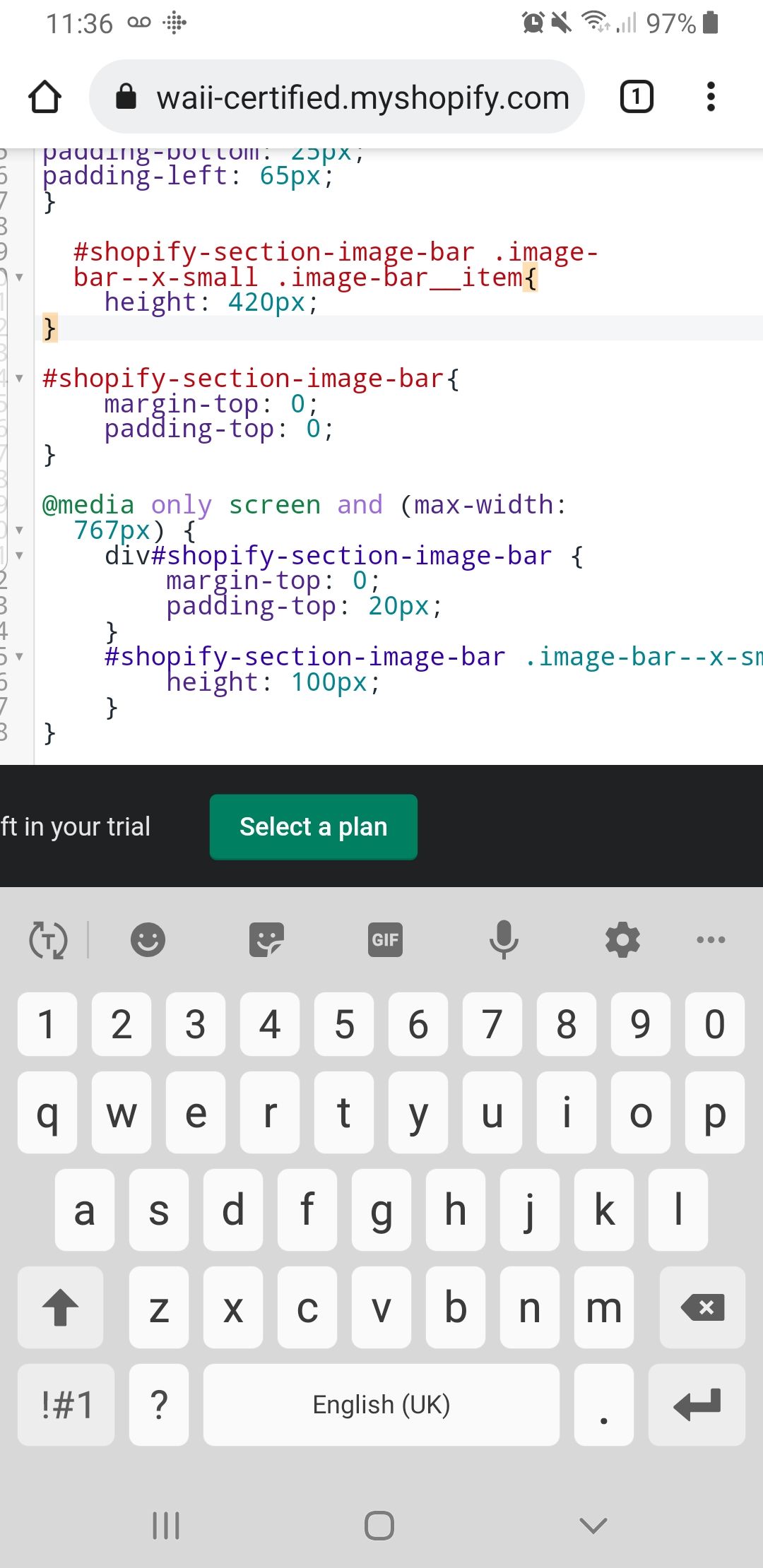
I pressed the copy button to ensure all code was copied correctly. You can see it here. I placed it theme.css under assets like you mentioned.
Hey,
I checked the theme.css and it looks like the class name goes to new line. So, it should be in one line.
See the attached image.
I’m afraid that’s made no difference  the text is read so I feel something is missing?
Hey,
I checked but there is no CSS found into the theme.css. See the below CSS is missing into the theme.css.
#shopify-section-image-bar .image-bar--x-small .image-bar__item{
	height: 420px ;
}
I’m really sorry but am I doing something wrong as you can see the tab at the top is theme.css and you can see the code is clearly there.
I fixed it! I put it at the top with the slider code and it now works fine thank you
Hi,
Strange. Please try this CSS now.
#shopify-section-image-bar .image-bar--x-small .image-bar__item, #shopify-section-image-bar .image-bar--x-small .image-bar__content{
	height: 420px;
}

#shopify-section-image-bar{
	margin-top: 0;
	padding-top: 0;
}

@media only screen and (max-width: 767px) {
	div#shopify-section-image-bar {
		margin-top: 0;
		padding-top: 20px;
	}
	#shopify-section-image-bar .image-bar--x-small .image-bar__item, #shopify-section-image-bar .image-bar--x-small .image-bar__content{
		height: 100px;
	}
}
Hi,
Good to hear that it has been fixed now!
Thanks