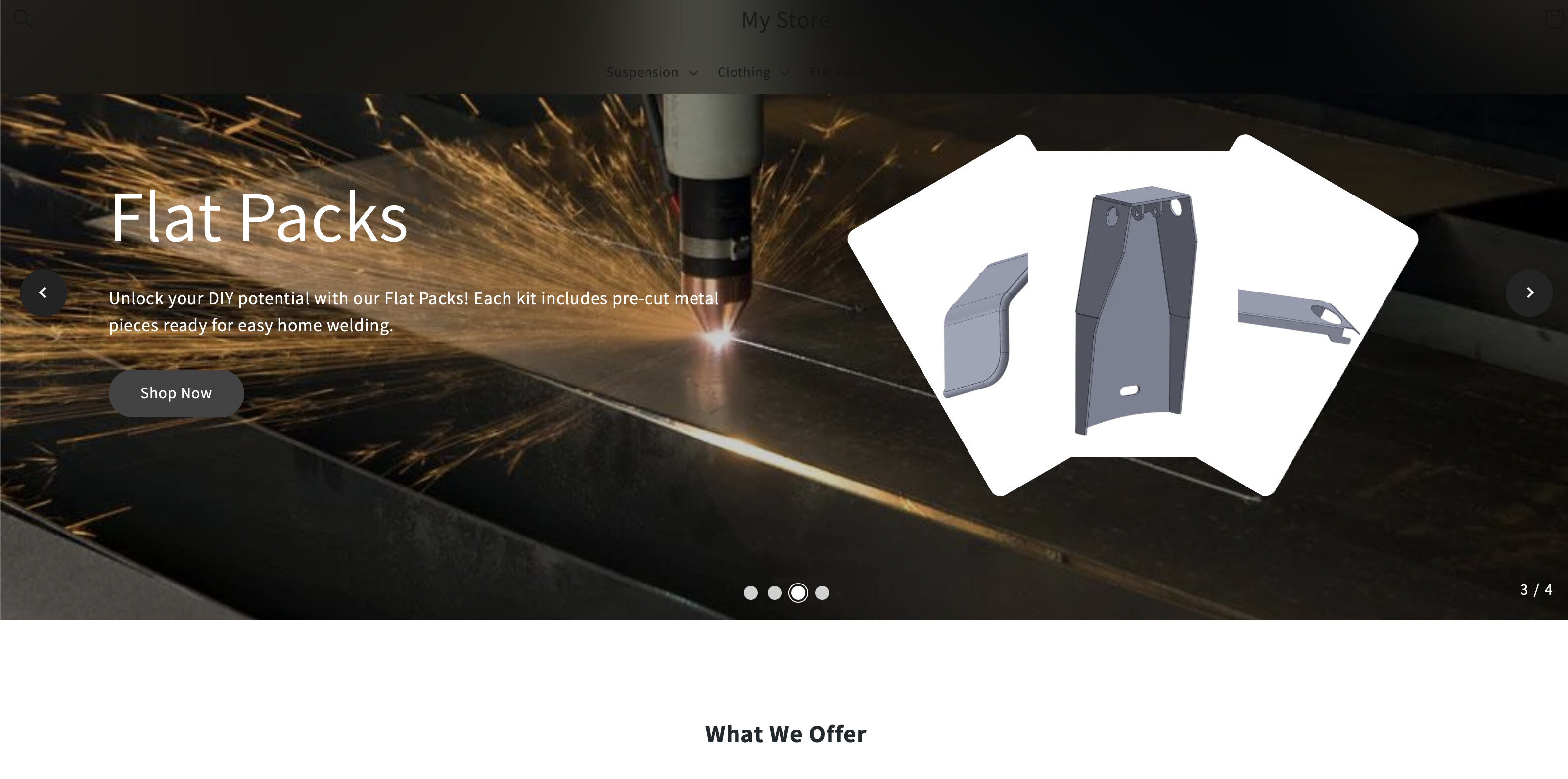
Looking for some help, i’m try to get my header to look like the first photo where the back ground is more white and the black colours don’t cover the black text
header.header {
position: fixed;
top: 1px;
max-width: 100%;
left: 0px;
width: 1000%;
padding: 1px 1px;
z-index: 900;
backdrop-filter: blur(90px);
-webkit-backdrop-filter: blur(60px);
color: white !important;
opacity: 100;
}
Hi @JakeDeppeler
Please share your store URL so that we can review and share the CSS accordingly.
Thanks.
@JakeDeppeler - Can you please share this page link?
Hello @JakeDeppeler
Try this
You can add code by following these steps
-
Go to Online Store → Theme → Edit code.
-
Open your theme.liquid file
-
Paste the below code before on theme.liquid
header.header {
position: fixed;
top: 1px;
left: 0;
width: 100%;
padding: 10px; /* Adjust padding as needed */
z-index: 900;
backdrop-filter: blur(10px); /* Adjust blur to your preference */
-webkit-backdrop-filter: blur(10px);
background-color: rgba(255, 255, 255, 0.9);
color: black !important;
opacity: 1;
}
Was my reply helpful? Click Like to let me know!
Was your question answered? Mark it as an Accepted Solution.
otherwise share you store URL .
1 Like
Just wonder how to get it the full width as it stuck like this now
Add this CSS
header.header{
max-width:100% !important;
}
Was my reply helpful? Click Like to let me know!
Was your question answered? Mark it as an Accepted Solution.
Hey again, sorry the back ground is the right but I can’t get the blur to work and adjusting it isn’t working
would you like to share your store URL and password if any please.
so i can check and provide you possible solution for your question.
what happened with footer?
Add this css
You can add code by following these steps
-
Go to Online Store → Theme → Edit code.
-
Open your theme.liquid file
-
Paste the below code before on theme.liquid
header.header {
top: -14px !important;
}
Was my reply helpful? Click Like to let me know!
Was your question answered? Mark it as an Accepted Solution.