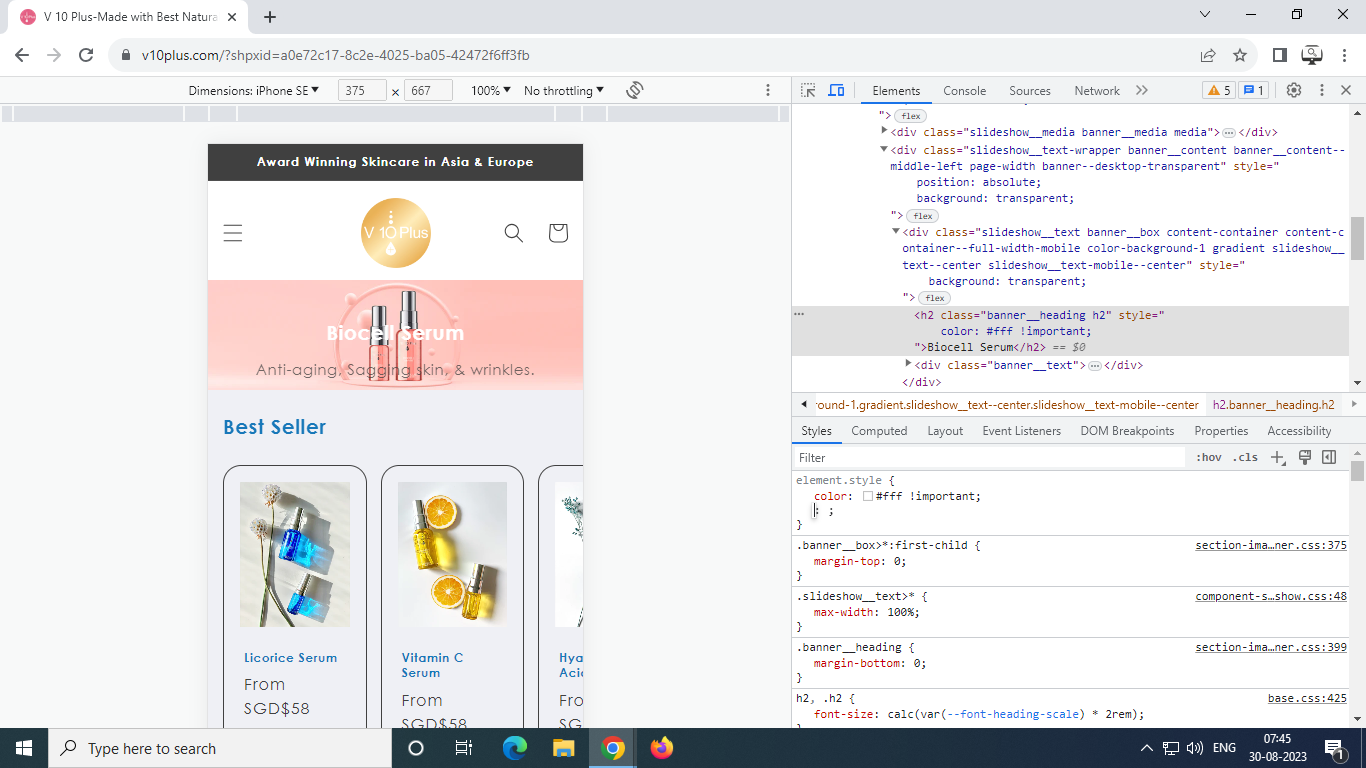
hello i try add headline and subheadline on slider banner
but headline and subheadline not appear on mobile
i also want to change blue headline on banner to white
also is it possible to move position headline and subheadline more left center than now?
preview:
https://7un5aufddhgn9i8b-64780992766.shopifypreview.com
Hi @v10plus ,
This is David at SalesHunterThemes
I read your problem and it seems that I need to analyze your website to provide the solution here.
Would you please share your website URL
if your website is password protected then also provide the password.
David | SalesHunterThemes team.
@v10plus - can you please add the text again?
@v10plus - it will knot be on image on mobile, it will be under it
any other way to put it on banner? middle center maybe?
also how to chnge blue text to white?
@v10plus - it will need multiple css settings but it will look like this, which is not that good due to colors
oh i see
but gap headline and sub too much
and not middle center
Hi @v10plus ,
You can try to follow these steps:
Go to Online Store → Themes → Actions → Edit code.
Go Assets folder → theme.liquid file.
Add the following code in the bottom of the file above tag
and Mobile:
If I managed to help you then, don’t forget to Like it and Mark it as Solution!
David | SalesHunterThemes team
wow thanks
but, can you move text to middle center on mobile pls?
both sub and headline white
1 Like
@v10plus - you can use code given by @David_SHT - but I do not recommend text on image if you are using these banners as colors do not look that good.. please change colors too
1 Like
You can try to follow these steps:
Go to Online Store → Themes → Actions → Edit code.
Go Assets folder → theme.liquid file.
Add the following code in the bottom of the file above tag
If I managed to help you then, don’t forget to Like it and Mark it as Solution!
David | SalesHunterThemes team
looks good on desktop now! text color change ald
but text not appear on mobile
i dont know how?
You can try again.
If I managed to help you then, don’t forget to Like it and Mark it as Solution!
David | SalesHunterThemes team
text appear now! thanks
but still not in middle center, its mddle up
can move it?
thank you very much
1 Like
You can try:
If I managed to help you then, don’t forget to Like it and Mark it as Solution!
David | SalesHunterThemes team
1 Like
its work! thank you very much sir!
You’re welcome! I’m glad I could provide the information you needed.
1 Like
v10plus
September 6, 2023, 2:05am
20
hi sir!
sorry i just got this error
i cant click some menu, can you please help for this?