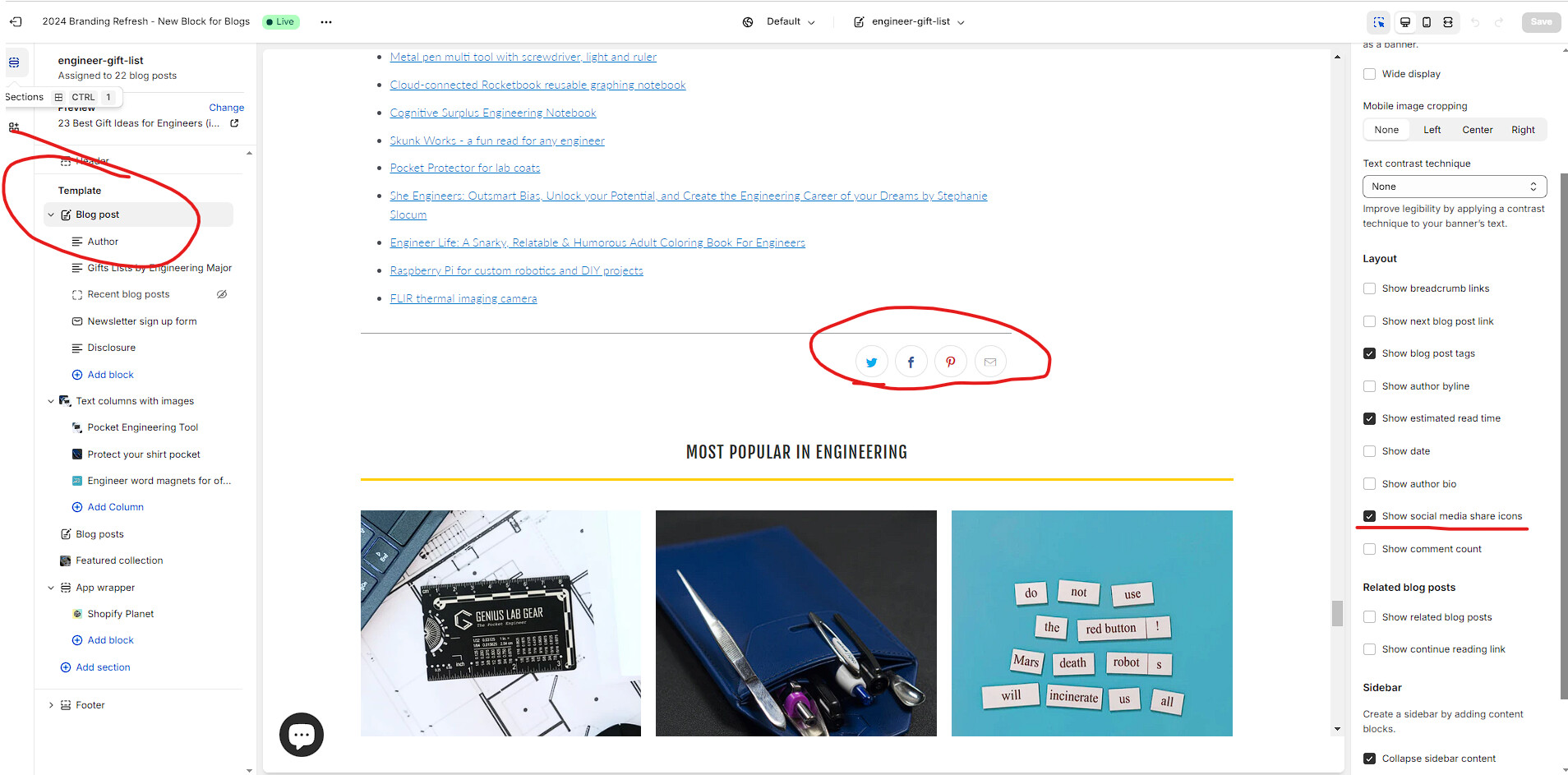
Hi!
- I am having trouble in updating the twitter logo.
And also, i need help in moving the social icons somewhere. And to keep the pinterest icon only or to add a pinterest icon
A user is experiencing two issues with social media icons in their Liquid theme:
Problems identified:
Solution provided:
A support representative instructed the user to:
icon-pinterest.liquid fileThe discussion includes screenshots demonstrating the code editing process, though the text appears partially corrupted in the original post. The issue remains open as the user has not confirmed whether the solution resolved their problems.
Hi!
And also, i need help in moving the social icons somewhere. And to keep the pinterest icon only or to add a pinterest icon
Hi @aeronrubio
Please click on “…” > Edit code
Find icon-pinterest.liquid file, replace svg code with your new icon svg code.